ArcGIS AllSource help system
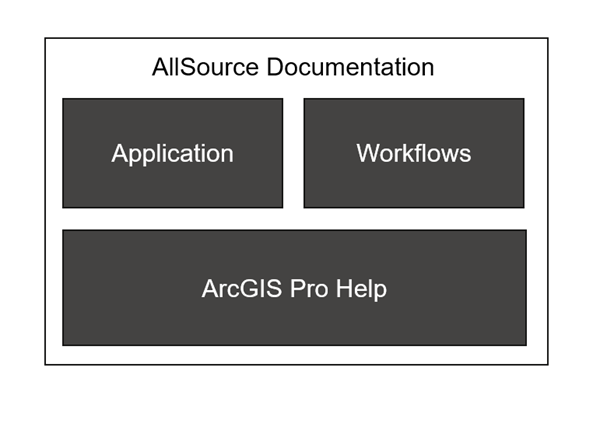
ArcGIS AllSource includes help content as an installed doc set and also as a public website.
Includes:
Overview of the application and what it does
Install and license AllSource
Features of AllSource
ArcGIS Pro help content
Why include ArcGIS Pro help?
ArcGIS AllSource shares the same codebase as ArcGIS Pro, meaning that while the to applications are separate they share many of the same components. Both applications include maps, Layouts, Reports, Presentations, geoprocessing tools, Data Engineering, and much more. The ArcGIS Pro help content describes all of these functions in detail. Rather than rewrite all of the ArcGIS Pro help content to fit for ArcGIS AllSource (changing product naming, tool location, licensing information, etc.) it is more efficient to include it as-is and use it as a reference. This allows the ArcGIS AllSource help content to focus on connecting the tools and functions into intelligence workflows. Instead of describing what individual tools and functions can do, the AllSource help will document the methods and procedures.
Browse the ArcGIS Pro help content.
Differences in ArcGIS Pro help
The ArcGIS Pro documentation was written for ArcGIS Pro, and therefore only references ArcGIS Pro. While the material also applies to ArcGIS AllSource there are differences in the Pro documentation that should be noted. These include: product is referencing ArcGIS Pro, licensing references in topics, and tool locations in workflows.
Product naming
The ArcGIS Pro help only mentions ArcGIS Pro, not ArcGIS AllSource. The content and procedures are for the relevant functions are still correct, but they will only mention Pro.
Licensing
The ArcGIS Pro help has several license levels for the main application and several extension and data licenses. These are covered in the ArcGIS Pro licensing topics. AllSource has only one license for ease of administration. If the tool is in the AllSource interface it is available for use.
Tool location
Topics that include steps to launch tools, panes or other commands may be incorrect as the ArcGIS AllSource interface is different than ArcGIS AllSource, and the tab structures are different. For example, in ArcGIS Pro the Add Data button is on the Map tab, but in ArcGIS AllSource the Add Data button is on the Data tab. Not sure where a tool or command is in the interface? Use Command Search to find it and open it.
Capabilities not included in ArcGIS AllSource
While ArcGIS AllSource shares the same codebase as ArcGIS Pro it does not include all of the same capabilities as ArcGIS Pro. If these capabilities are required for your daily work, you should consider using ArcGIS Pro instead. The following list is a general list of capabilities that are exclusively part of ArcGIS Pro:
Business Analyst extension
Geostatistical Analyst extension
Production mapping, including:
Aviation Airports
Aviation Charting
Bathymetry
Defense Mapping
Maritime
Topographic Mapping
Data Interoperability extension
Data Reviewer
Indoors
Location Referencing
Reality
Utility Networks
Streetmap Premium