Change project default coordinate format
Within the application you can configure eight types of units. One of these units is location units and defines the coordinate format used to describe locations on the earth.
Description
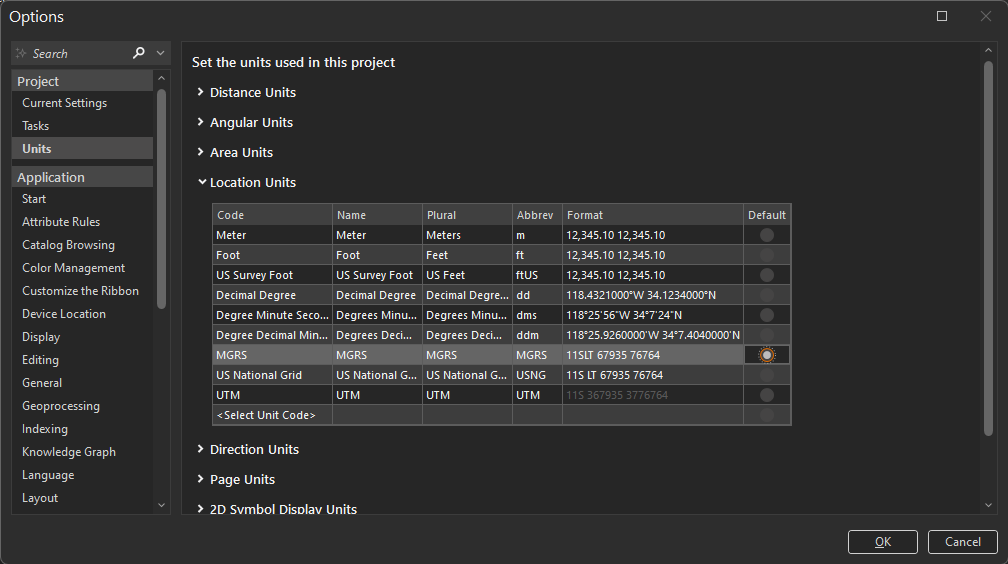
Configure which default coordinate format to use in the project using the Location Units option in the Options dialog. The default coordinate format is used in such tools as Go To XY.
Prerequisites
- A project must be open.
Tools and commands used
Steps
On the ribbon, click the Project tab.
In the list of side tabs, click Options.
On the Options dialog box, under Project, click Units.
Expand Location Units.
Select the coordinate format under the Default column that you want as the default for the project.
Click OK.