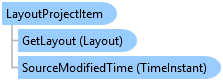
LayoutProjectItem Class
In This Topic
Represents a layout project item.
Object Model
Syntax
Public NotInheritable Class LayoutProjectItem
   Inherits ArcGIS.Desktop.Internal.Core.ProjectItem
   Implements ArcGIS.Desktop.Core.IMetadata, ArcGIS.Desktop.Core.IProjectItem, System.ComponentModel.INotifyPropertyChanged
public sealed class LayoutProjectItem : ArcGIS.Desktop.Internal.Core.ProjectItem, ArcGIS.Desktop.Core.IMetadata, ArcGIS.Desktop.Core.IProjectItem, System.ComponentModel.INotifyPropertyChanged
Remarks
Each Layout in a project is associated with a LayoutProjectItem. This item contains numerous read-only metadata properties about the layout. Although a layout may exist in the project, it may not be loaded (an open layout view). To reference the actual layout and ensure it is loaded into memory, you must use the GetLayout method.
Example
Gets a specific LayoutProjectItem
{
  LayoutProjectItem layoutProjItem = Project.Current.GetItems<LayoutProjectItem>().FirstOrDefault(item => item.Name.Equals("myLayout"));
  // Use layoutProjItem;
}
Get all layouts in a project
{
  //Gets all the layouts in the current project
  IEnumerable<LayoutProjectItem> projectLayouts = Project.Current.GetItems<LayoutProjectItem>();
  foreach (var layoutItem in projectLayouts)
  {
    //Do Something with the layout
  }
}
ProjectItem: Get an Item or Find an Item
{
  //GetItems searches project content
  var map = Project.Current.GetItems<MapProjectItem>().FirstOrDefault(m => m.Name == "Map1");
  var layout = Project.Current.GetItems<LayoutProjectItem>().FirstOrDefault(m => m.Name == "Layout1");
  var folders = Project.Current.GetItems<FolderConnectionProjectItem>();
  var style = Project.Current.GetItems<StyleProjectItem>().FirstOrDefault(s => s.Name == "ArcGIS 3D");

  //Find item uses a catalog path. The path can be to a file or dataset
  var fcPath = @"C:\Pro\CommunitySampleData\Interacting with Maps\Interacting with Maps.gdb\Crimes";
  var pdfPath = @"C:\Temp\Layout1.pdf";
  var imgPath = @"C:\Temp\AddinDesktop16.png";

  var fc = Project.Current.FindItem(fcPath);
  var pdf = Project.Current.FindItem(pdfPath);
  var img = Project.Current.FindItem(imgPath);
}
Get a Layout by name from the current project
{
  LayoutProjectItem layoutItemByName = Project.Current.GetItems<LayoutProjectItem>()
    .FirstOrDefault((lpi) => lpi.Name == "MyLayout");
  //Note: Needs QueuedTask to run
  Layout layoutByName = layoutItemByName.GetLayout();
}
Reference layout project items and their associated layout
{
  //Reference layout project items and their associated layout.
  //A layout project item is an item that appears in the Layouts
  //folder in the Catalog pane.
  //Reference all the layout project items
  IEnumerable<LayoutProjectItem> layoutProjectItems =
                       Project.Current.GetItems<LayoutProjectItem>();

  //Or reference a specific layout project item by name
  LayoutProjectItem specificLayoutItem = Project.Current.GetItems<LayoutProjectItem>()
                             .FirstOrDefault(item => item.Name.Equals("MyLayoutItem"));
}
Open a layout project item in a new view
{
  //Open a layout project item in a new view.
  //A layout project item may exist but it may not be open in a view.

  //Reference a layout project item by name
  LayoutProjectItem layoutItemByName = Project.Current.GetItems<LayoutProjectItem>()
                            .FirstOrDefault(item => item.Name.Equals("MyLayoutItem"));

  //Get the layout associated with the layout project item
  //Note: Needs QueuedTask to run
  Layout layoutFromItem = layoutItemByName.GetLayout();  //Worker thread

  //Create the new pane - call on UI
  ILayoutPane iNewLayoutPane = await ProApp.Panes.CreateLayoutPaneAsync(layout); //GUI thread
}
Inheritance Hierarchy
System.Object
ArcGIS.Desktop.Framework.Contracts.PropertyChangedBase
ArcGIS.Desktop.Core.Item
ArcGIS.Desktop.Layouts.LayoutProjectItem
Requirements
Target Platforms: Windows 11 Home, Pro, Enterprise (64 bit)
ArcGIS Pro version: 3.0 or higher.
See Also