AnnotationFeature Class
In This Topic
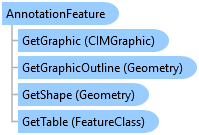
Represents an annotation feature in an AnnotationFeatureClass.
Object Model
Syntax
Public NotInheritable Class AnnotationFeature
   Inherits ArcGIS.Core.Data.Feature
   Implements System.IDisposable
public sealed class AnnotationFeature : ArcGIS.Core.Data.Feature, System.IDisposable
Example
Rotate or Move the Annotation
{
  var oid = 1; //ObjectID of the annotation feature to modify
               // Note: QueuedTask is required to access the AnnotationFeature
  {
    //Don't use 'Shape'....Shape is the bounding box of the annotation text. This is NOT what you want...
    //
    //var insp = new Inspector();
    //insp.Load(annotationLayer, oid);
    //var shape = insp["SHAPE"] as Polygon;
    //...wrong shape...

    //Instead, we must get the TextGraphic from the anno feature.
    //The TextGraphic shape will be the anno baseline...
    QueryFilter qf = new QueryFilter()
    {
      WhereClause = "OBJECTID = 1"
    };

    //annotationLayer is ~your~ Annotation layer

    using var rowCursor = annotationLayer.Search(qf);
    if (rowCursor.MoveNext())
    {
      using (var annoFeature = rowCursor.Current as
      ArcGIS.Core.Data.Mapping.AnnotationFeature)
      {
        var graphic = annoFeature.GetGraphic();
        var textGraphic = graphic as CIMTextGraphic;
        var textLine = textGraphic.Shape as Polyline;
        // rotate the shape 90 degrees
        var origin = GeometryEngine.Instance.Centroid(textLine);
        Geometry rotatedPolyline = GeometryEngine.Instance.Rotate(textLine, origin, System.Math.PI / 2);
        //Move the line 5 "units" in the x and y direction
        //GeometryEngine.Instance.Move(textLine, 5, 5);

        EditOperation op = new EditOperation();
        op.Name = "Change annotation angle";
        op.Modify(annotationLayer, oid, rotatedPolyline);
        op.Execute();
      }
    }
  }
}
Get the Annotation Text Graphic
{

  // Note: QueuedTask is required to access the AnnotationFeature
  {
    using var table = annotationLayer.GetTable();
    using var rc = table.Search();
    rc.MoveNext();
    using var af = rc.Current as AnnotationFeature;
    var graphic = af.GetGraphic();
    var textGraphic = graphic as CIMTextGraphic;

    //Note:
    //var outline_geom = af.GetGraphicOutline();
    //gets the anno text outline geometry...
  }
}
Get the Outline Geometry for an Annotation
{

  // Note: QueuedTask is required to access the AnnotationFeature
  {
    //get the first annotation feature...
    //...assuming at least one feature gets selected
    using var fc = annotationLayer.GetFeatureClass();
    using var rc = fc.Search();
    rc.MoveNext();
    using var af = rc.Current as AnnotationFeature;
    var outline_geom = af.GetGraphicOutline();
    //TODO - use the outline...

    //Note:
    //var graphic = annoFeature.GetGraphic();
    //gets the CIMTextGraphic...
  }
}
Inheritance Hierarchy
System.Object
ArcGIS.Core.CoreObjectsBase
ArcGIS.Core.Data.Row
ArcGIS.Core.Data.Feature
ArcGIS.Core.Data.Mapping.AnnotationFeature
Requirements
Target Platforms: Windows 11 Home, Pro, Enterprise (64 bit)
ArcGIS Pro version: 3.0 or higher.
See Also