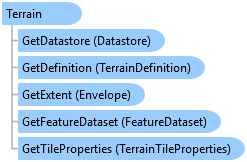
Terrain Class
In This Topic
Represents a terrain dataset.
Object Model
Syntax
Public NotInheritable Class Terrain
   Inherits ArcGIS.Core.Data.Dataset
   Implements System.IDisposable
public sealed class Terrain : ArcGIS.Core.Data.Dataset, System.IDisposable
Remarks
A terrain is a multiresolution, TIN-based surface built from measurements stored as features in a geodatabase. They're typically made from lidar, sonar, and photogrammetric sources. Terrains have participating feature classes and rules. See TerrainDataSource .
Terrain data is organized for fast retrieval. This organization involves the creation of terrain pyramids that are used to quickly retrieve only the data necessary to construct a surface of the required level of detail (LOD) for a given area of interest (AOI) from the database. See TerrainPyramidLevel.
Example
Open a Terrain
{
  //Note: Use QueuedTask.Run to run on the MCT
  string path = @"d:\Data\Terrain\filegdb_Containing_A_Terrain.gdb";
  var fileConnection = new FileGeodatabaseConnectionPath(new Uri(path));

  using (Geodatabase dataStore = new Geodatabase(fileConnection))
  {
    string dsName = "nameOfTerrain";

    using (var dataset = dataStore.OpenDataset<ArcGIS.Core.Data.Analyst3D.Terrain>(dsName))
    {
    }
  }
}
Retrieve dataset objects
{
  //Note: Needs QueuedTask to run
  {
    using (var tin = tinLayer.GetTinDataset())
    {
      using var tinDef = tin.GetDefinition();
      Envelope extent = tinDef.GetExtent();
      SpatialReference sr = tinDef.GetSpatialReference();
    }

    using (terrain = terrainLayer.GetTerrain())
    {
      using var terrainDef = terrain.GetDefinition();
      Envelope extent = terrainDef.GetExtent();
      SpatialReference sr = terrainDef.GetSpatialReference();
    }

    using (lasDataset = lasDatasetLayer.GetLasDataset())
    {
      using var lasDatasetDef = lasDataset.GetDefinition();
      Envelope extent = lasDatasetDef.GetExtent();
      SpatialReference sr = lasDatasetDef.GetSpatialReference();
    }
  }
}
Create a TerrainLayer from a dataset
{
  var terrainCP_ds = new TerrainLayerCreationParams(terrain);
  terrainCP_ds.Name = "My Terrain Layer";
  terrainCP_ds.IsVisible = true;

  //Create the layer to the terrain
  // Note: Needs QueuedTask to run
  {
    var terrainLayer_ds = LayerFactory.Instance.CreateLayer<TerrainLayer>(terrainCP_ds, map);
  }
}
Create a TerrainLayer with renderers
{
  var terrainCP_renderers = new TerrainLayerCreationParams(terrain);
  terrainCP_renderers.Name = "My LAS Layer";
  terrainCP_renderers.IsVisible = true;

  // define the edge type renderer - use defaults
  var edgeRD = new TinBreaklineRendererDefinition();

  // define the face/surface renderer
  var faceRD = new TinFaceClassBreaksRendererDefinition();
  faceRD.ClassificationMethod = ClassificationMethod.NaturalBreaks;
  // accept default color ramp, breakCount

  // define the dirty area renderer - use defaults
  var dirtyAreaRD = new TerrainDirtyAreaRendererDefinition();

  // add renderers to dictionary
  var t_dict = new Dictionary<SurfaceRendererTarget, TinRendererDefinition>();
  t_dict.Add(SurfaceRendererTarget.Edges, edgeRD);
  t_dict.Add(SurfaceRendererTarget.Surface, faceRD);
  t_dict.Add(SurfaceRendererTarget.DirtyArea, dirtyAreaRD);

  // assign dictionary to creation params
  terrainCP_renderers.RendererDefinitions = t_dict;
  // Note: Needs QueuedTask to run
  {
    //Create the layer to the terrain
    var terrainLayer_rd = LayerFactory.Instance.CreateLayer<TerrainLayer>(terrainCP_renderers, map);
  }
}
Inheritance Hierarchy
System.Object
ArcGIS.Core.CoreObjectsBase
ArcGIS.Core.Data.Dataset
ArcGIS.Core.Data.Analyst3D.Terrain
Requirements
Target Platforms: Windows 11 Home, Pro, Enterprise (64 bit)
ArcGIS Pro version: 3.2 or higher.
See Also