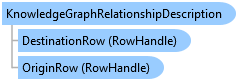
KnowledgeGraphRelationshipDescription Class
In This Topic
Represents a relationship between two entities in a knowledge graph.
Object Model
Syntax
Public NotInheritable Class KnowledgeGraphRelationshipDescription
   Inherits BaseRelationshipDescription
public sealed class KnowledgeGraphRelationshipDescription : BaseRelationshipDescription
Remarks
A KnowledgeGraphRelationshipDescription is used to create and delete a relationship between two rows defined by a ArcGIS.Core.Data.Knowledge.KnowledgeGraphRelationshipType. Once defined, use EditOperation.Create to create the relationship and EditOperation.Delete to remove the relationship.
Example
Create a new Relationship from Existing Entities 2
{
  var create_rel2 = await QueuedTask.Run(() =>
  {
    //Instantiate an operation for the Create
    var edit_op = new EditOperation()
    {
      Name = "Create a new relationship record",
      SelectNewFeatures = true
    };

    //Use datasets or feature layer(s) or standalone table(s)
    //Get a reference to the KnowledgeGraph
    //var kg = ... ;

    //We will use a relate called 'HasEmployee' to relate an Organization w/ a Person
    //Use either tables or map members to get the rows to be related...
    var org_fc = kg.OpenDataset<FeatureClass>("Organization");
    var person_tbl = kg.OpenDataset<Table>("Person");

    //Get the relationship dataset
    //We can use either a table or standalone table
    var emp_tbl = kg.OpenDataset<Table>("HasEmployee");

    // get the origin, destination records
    Guid guidOrigin = Guid.Empty;
    Guid guidDestination = Guid.Empty;
    using (var rc = org_fc.Search())
    {
      if (rc.MoveNext())
        //Use the KnowledgeGraphPropertyInfo to avoid hardcoding...
        guidOrigin = rc.Current.GetGlobalID();
    }
    using (var rc = person_tbl.Search())
    {
      if (rc.MoveNext())
        //Use the KnowledgeGraphPropertyInfo to avoid hardcoding...
        guidDestination = rc.Current.GetGlobalID();
    }

    //Add any extra attribute information for the relation as needed
    var attribs = new Dictionary<string, object>();
    attribs["StartDate"] = new DateTimeOffset(DateTime.Now);

    var rd = new KnowledgeGraphRelationshipDescription(guidOrigin, guidDestination, attribs);
    //Add a create for the relationship to the operation
    edit_op.Create(emp_tbl, rd);

    //Do the create
    return edit_op.Execute();
  });
}
Create a new Relationship and New Entities 2
{
  var mv = MapView.Active;
  var createRel = await QueuedTask.Run(() =>
  {
    //This example uses a KnowledgeGraphRelationshipDescription
    var edit_op = new EditOperation()
    {
      Name = "Create entities and a relationship using a KG relate desc",
      SelectNewFeatures = true
    };

    //We are just going to use mapmembers in this example
    //we could equally use feature classes/tables
    var kg_layer = mv.Map.GetLayersAsFlattenedList()?
                  .OfType<ArcGIS.Desktop.Mapping.KnowledgeGraphLayer>().First();
    //From the KG Layer get the relevant child feature layer(s) and/or standalone
    //table(s)
    var org_fl = kg_layer.GetLayersAsFlattenedList().OfType<FeatureLayer>()
                    .First(child_layer => child_layer.Name == "Organization");

    var person_stbl = kg_layer.GetStandaloneTablesAsFlattenedList()
                    .First(child_layer => child_layer.Name == "Person");

    var rel_stbl = kg_layer.GetStandaloneTablesAsFlattenedList()
                    .First(child_layer => child_layer.Name == "HasEmployee");

    var attribs = new Dictionary<string, object>();

    //New Organization
    attribs["Name"] = "Acme Ltd.";
    attribs["Description"] = "Specializes in household items";
    attribs["SHAPE"] = mv.Extent.Center;//whatever is its location

    //Add it to the operation - we need the rowtoken
    var rowtoken_org = edit_op.Create(org_fl, attribs);

    attribs.Clear();//we are going to re-use the dictionary

    //New Person
    attribs["Name"] = "Bob";
    attribs["Age"] = "41";
    attribs["Skills"] = "Plumbing, Framing, Flooring";

    //Add it to the operation
    var rowtoken_person = edit_op.Create(person_stbl, attribs);

    attribs.Clear();

    //Create the new relationship using a KnowledgeGraphRelationshipDescription
    //Row handles act as the placeholders for the TO BE created new entities that will
    //be related
    var src_row_handle = new RowHandle(rowtoken_org);
    var dest_row_handle = new RowHandle(rowtoken_person);

    //Add any extra attribute information for the relation as needed
    attribs["StartDate"] = new DateTimeOffset(DateTime.Now);

    var rel_desc = new KnowledgeGraphRelationshipDescription(
                                src_row_handle, dest_row_handle, attribs);

    //Add the relate description to the edit operation
    edit_op.Create(rel_stbl, rel_desc);

    //Execute the create of the entities and relationship
    return edit_op.Execute();
  });
}
Create an Entity, a Document, a HasDocument and a Provenance record
{
  await QueuedTask.Run(() =>
  {
    //Instantiate an operation for the Create
    var edit_op = new EditOperation()
    {
      Name = "Create a records",
      SelectNewFeatures = true
    };

    // create the entity
    var personToken = edit_op.Create(personLayer, personAtts);

    // create the document
    var kgDocDesc = new KnowledgeGraphDocumentDescription(
      @"D:\Data\BirthCertificate.jpg");
    var docToken = edit_op.Create(docLayer, kgDocDesc);

    // create RowHandles from the returned RowTokens
    var personHandle = new RowHandle(personToken);
    var docHandle = new RowHandle(docToken);

    // create the "hasDocument" relationship
    var rd = new KnowledgeGraphRelationshipDescription(personHandle, docHandle);
    edit_op.Create(docLayer, rd);

    // create the provenance record for the person entity using the document entity
    // provenance record is on the "name" field
    var pd = new KnowledgeGraphProvenanceDescription(
      personHandle, "name", docHandle, "", "comments");
    edit_op.Create(pd);

    // execute - create all the entities and relationship rows _together_
    edit_op.Execute();
  });
}
Create a Document Record 2
{
  await QueuedTask.Run(() =>
  {
    using (var kg_for_doc = kgLayer.GetDatastore())
    {
      var propInfo = kg_for_doc.GetPropertyNameInfo();
      if (!propInfo.SupportsDocuments)
        return false;

      var edit_op = new EditOperation()
      {
        Name = "Create Document Example",
        SelectNewFeatures = true
      };

      var doc_entity_name = propInfo.DocumentTypeName;
      var hasdoc_rel_name = GetHasDocumentTypeName(kg.GetDataModel());

      //Document can also be FeatureClass
      var doc_tbl = kg_for_doc.OpenDataset<Table>(doc_entity_name);
      var doc_rel_tbl = kg_for_doc.OpenDataset<Table>(hasdoc_rel_name);

      //This is the document to be added...file, image, resource, etc.
      var doc_url = @"E:\Data\Temp\HelloWorld.txt";

      // create the KnowledgeGraphDocumentDescription
      var kgDocDesc = new KnowledgeGraphDocumentDescription(doc_url);

      // if there is a geometry use the following ctor
      // var kgDocDesc = new KnowledgeGraphDocumentDescription(doc_url, doc_location);

      // if you have additional custom attributes
      //var customDocAtts = new Dictionary<string, object>();
      //customDocAtts.Add("custom_attrib", "Foo");
      //customDocAtts.Add("custom_attrib2", "Bar");
      //var kgDocDesc = new KnowledgeGraphDocumentDescription(url, null, customDocAtts);

      // add additional properties if required
      kgDocDesc.Keywords = @"text,file,example";

      // The Create method will auto-populate the Url, Name, FileExtension and contentType fields of the document row
      // from the path supplied.
      var rowToken = edit_op.Create(doc_tbl, kgDocDesc);

      //Get the entity whose document this is...
      var org_fc = kg_for_doc.OpenDataset<FeatureClass>("Organization");
      var qf = new ArcGIS.Core.Data.QueryFilter()
      {
        WhereClause = "name = 'Acme'",
        SubFields = "*"
      };
      var origin_org_id = Guid.Empty;
      using (var rc = org_fc.Search(qf))
      {
        if (!rc.MoveNext())
          return false;
        origin_org_id = rc.Current.GetGlobalID();//For the relate
      }

      // set up the row handles
      var originHandle = new RowHandle(org_fc, origin_org_id);    // entity
      var destinationHandle = new RowHandle(rowToken);            // document

      // create the KnowledgeGraphRelationshipDescription
      var rd = new KnowledgeGraphRelationshipDescription(originHandle, destinationHandle);

      // if you have additional custom attributes for the "HasDocument" relationship
      //var customHasDocAtts = new Dictionary<string, object>();
      //customHasDocAtts.Add("custom_attrib", "Foo");
      //customHasDocAtts.Add("custom_attrib2", "Bar");
      //var rd = new KnowledgeGraphRelationshipDescription(originHandle, destinationHandle, customHasDocAtts);

      // create the relate record using the same edit operation
      edit_op.Create(doc_rel_tbl, rd);

      //Call execute to create all the entities and relationship rows _together_
      return edit_op.Execute();
    }
  });
}
Delete a Relationship record 2
{
  var mv = MapView.Active;
  await QueuedTask.Run(() =>
  {

    var edit_op = new EditOperation()
    {
      Name = "Delete a Relationship record"
    };

    //We are  going to use mapmembers in this example
    //we could equally use feature classes/tables
    var kg_layer = mv.Map.GetLayersAsFlattenedList()?
                  .OfType<ArcGIS.Desktop.Mapping.KnowledgeGraphLayer>().First();

    //entities
    var entityOrg = kg_layer.GetStandaloneTablesAsFlattenedList()
                    .First(child_layer => child_layer.Name == "Organization");
    var entityPerson = kg_layer.GetStandaloneTablesAsFlattenedList()
                    .First(child_layer => child_layer.Name == "Person");

    //Relationship
    var rel_stbl = kg_layer.GetStandaloneTablesAsFlattenedList()
                    .First(child_layer => child_layer.Name == "HasEmployee");

    // get the origin, destination records
    Guid guidOrigin = Guid.Empty;
    Guid guidDestination = Guid.Empty;
    using (var rc = entityOrg.Search())
    {
      if (rc.MoveNext())
        //Use the KnowledgeGraphPropertyInfo to avoid hardcoding...
        guidOrigin = rc.Current.GetGlobalID();
    }
    using (var rc = entityPerson.Search())
    {
      if (rc.MoveNext())
        //Use the KnowledgeGraphPropertyInfo to avoid hardcoding...
        guidDestination = rc.Current.GetGlobalID();
    }

    var rd = new KnowledgeGraphRelationshipDescription(guidOrigin, guidDestination);
    edit_op.Delete(rel_stbl, rd);
    edit_op.Execute();//Do the delete
  });
}
Inheritance Hierarchy
System.Object
ArcGIS.Desktop.Editing.BaseRelationshipDescription
ArcGIS.Desktop.Editing.KnowledgeGraphRelationshipDescription
Requirements
Target Platforms: Windows 11 Home, Pro, Enterprise (64 bit)
ArcGIS Pro version: 3.4 or higher.
See Also