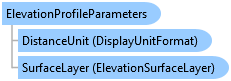
ElevationProfileParameters Class
In This Topic
Encapsulates a set of properties used in the generation of an elevation profile. Use with MapView.ShowElevationProfileGraph.
Object Model
Syntax
Public Class ElevationProfileParameters
public class ElevationProfileParameters
Example
Show Elevation profile graph with a specific surface
{
    if (!MapView.Active.CanShowElevationProfileGraph())
        return;
    // use a specific elevation surface
    var eleLayer = MapView.Active.Map.GetElevationSurfaceLayers().FirstOrDefault(l => l.Name == "TIN");
    // set up the parameters
    var profileParams = new ElevationProfileParameters();
    profileParams.SurfaceLayer = eleLayer;
    profileParams.Densify = true;

    // show the elevation profile for a polyline using the params
    //Any line
    Polyline polyline = PolylineBuilderEx.CreatePolyline();
    MapView.Active.ShowElevationProfileGraph([polyline], profileParams);

    // show the elevation profile for a set of points using the params
    //Some points
    MapPoint mapPoint = MapPointBuilderEx.CreateMapPoint(34, -118, SpatialReferences.WGS84);
    List<MapPoint> mapPoints = new List<MapPoint> { mapPoint };
    MapView.Active.ShowElevationProfileGraph(mapPoints, profileParams);
}
Show Elevation profile graph between two points
{
    int numPoints = 20;

    if (!MapView.Active.CanShowElevationProfileGraph())
        return;

    // show the elevation profile
    // use the default ground elevation surface
    MapPoint startPt = MapPointBuilderEx.CreateMapPoint(-130, 20, SpatialReferences.WGS84);
    MapPoint endPt = MapPointBuilderEx.CreateMapPoint(-100, 50, SpatialReferences.WGS84);
    MapView.Active.ShowElevationProfileGraph(startPt, endPt, numPoints);

    // find a specific elevation surface layer
    var tinLayer = MapView.Active.Map.GetElevationSurfaceLayers().FirstOrDefault(l => l.Name == "TIN");

    // set up the params
    var elevProfileParams = new ElevationProfileParameters();
    elevProfileParams.SurfaceLayer = tinLayer;
    elevProfileParams.Densify = false;

    // show the elevation profile using the params
    MapView.Active.ShowElevationProfileGraph(startPt, endPt, numPoints, elevProfileParams);
}
Inheritance Hierarchy
System.Object
ArcGIS.Desktop.Mapping.ElevationProfileParameters
Requirements
Target Platforms: Windows 11 Home, Pro, Enterprise (64 bit)
ArcGIS Pro version: 3.5 or higher.
See Also