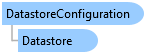
DatastoreConfiguration Class
In This Topic
Represents a configuration of a datastore. See SetSingleEditWorkspaceAsync for editing an enterprise geodatabase when it has a mixture of versioned and non-versioned datasets.
Object Model
Syntax
Public NotInheritable Class DatastoreConfiguration
public sealed class DatastoreConfiguration
Example
Start a Single workspace edit session via a DatastoreConfiguration
{
  // ApplicationOptions.EditingOptions.EnableEditingFromEditTab is true
  // ApplicationOptions.EditingOptions.IsSingleWorkspaceEditSession is true

  Geodatabase egdb = new Geodatabase(new DatabaseConnectionFile(new Uri("path\\to\\sde\\file\\sdefile.sde")));

  // setup the configuration to edit the data registered as versioned in the egdb
  var datastoreConfig = new DatastoreConfiguration(egdb, VersionState.Versioned);

  // start the edit session on the workspace
  var project = Project.Current;
  var v_success = await project.SetSingleEditWorkspaceAsync(datastoreConfig);

  // OR

  // setup the configuration to edit the data that is not registered as versioned
  var nonVersionedDatastoreConfig = new DatastoreConfiguration(egdb, VersionState.NonVersioned);
  // start the edit session on the workspace
  var nv_success = await project.SetSingleEditWorkspaceAsync(nonVersionedDatastoreConfig);
}
Inheritance Hierarchy
System.Object
ArcGIS.Core.Data.DatastoreConfiguration
Requirements
Target Platforms: Windows 11 Home, Pro, Enterprise (64 bit)
ArcGIS Pro version: 3.6 or higher.
See Also