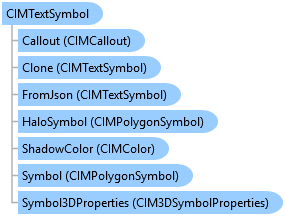
CIMTextSymbol Class
In This Topic
Represents a text symbol which is used to draw text graphics, bleeds, and annotation. Text symbols do not contain any symbol layers but can have callouts.
Object Model
Syntax
Public Class CIMTextSymbol
   Inherits CIMSymbol
   Implements System.ComponentModel.INotifyPropertyChanged, System.Xml.Serialization.IXmlSerializable
public class CIMTextSymbol : CIMSymbol, System.ComponentModel.INotifyPropertyChanged, System.Xml.Serialization.IXmlSerializable
Example
Create Point Text Element 1
{
  //Create a simple point text element and assign basic symbology and text settings.

  //Note: Must be on QueuedTask.Run
  //Build 2D point geometry
  Coordinate2D coord2D = new Coordinate2D(3.5, 10);

  //Set symbology, create and add element to layout
  CIMTextSymbol sym = SymbolFactory.Instance.ConstructTextSymbol(
                ColorFactory.Instance.RedRGB, 32, "Arial", "Regular");
  string textString = "Point text";

  //use ElementInfo to set placement properties during create
  var elemInfo = new ElementInfo()
  {
    Anchor = Anchor.CenterPoint,
    Rotation = 45
  };
  var ptTxtElm = ElementFactory.Instance.CreateTextGraphicElement(
    layout, TextType.PointText, coord2D.ToMapPoint(), sym, textString,
                       "New Point Text", true, elemInfo);

  //Change additional text properties
  ptTxtElm.SetX(4.5);
  ptTxtElm.SetY(9.5);
}
Create Rectangle Paragraph Text Element 1
{
  //Note: Must be on QueuedTask.Run
  //Create rectangle text with background and border symbology.
  //Build 2D polygon geometry
  List<Coordinate2D> plyCoords = new List<Coordinate2D>();
  plyCoords.Add(new Coordinate2D(3.5, 7));
  plyCoords.Add(new Coordinate2D(4.5, 7));
  plyCoords.Add(new Coordinate2D(4.5, 6.7));
  plyCoords.Add(new Coordinate2D(5.5, 6.7));
  plyCoords.Add(new Coordinate2D(5.5, 6.1));
  plyCoords.Add(new Coordinate2D(3.5, 6.1));
  Polygon poly = PolygonBuilderEx.CreatePolygon(plyCoords);

  //Set symbology, create and add element to layout
  //Also notice how formatting tags are using within the text string.
  CIMTextSymbol sym = SymbolFactory.Instance.ConstructTextSymbol(
                    ColorFactory.Instance.GreyRGB, 10, "Arial", "Regular");
  string text = "Some Text String that is really long and is " +
                "<BOL>forced to wrap to other lines</BOL> so that " +
                "we can see the effects." as String;

  GraphicElement polyTxtElm = ElementFactory.Instance.CreateTextGraphicElement(
    layout, TextType.RectangleParagraph, poly, sym, text, "Polygon Paragraph");

  //(Optionally) Modify paragraph border
  CIMGraphic polyTxtGra = polyTxtElm.GetGraphic();
  CIMParagraphTextGraphic cimPolyTxtGra = polyTxtGra as CIMParagraphTextGraphic;
  cimPolyTxtGra.Frame.BorderSymbol = new CIMSymbolReference();
  cimPolyTxtGra.Frame.BorderSymbol.Symbol =
               SymbolFactory.Instance.ConstructLineSymbol(
                          ColorFactory.Instance.GreyRGB, 1.0, SimpleLineStyle.Solid);
  polyTxtElm.SetGraphic(polyTxtGra);
}
Create elements on a presentation page
{
  //Note: Must be on QueuedTask
  //create a picture element
  var imgPath = @"https://www.esri.com/content/dam/esrisites/en-us/home/" +
   "homepage-tile-podcast-business-resilience-climate-change.jpg";

  //Build a geometry to place the picture
  Coordinate2D ll = new Coordinate2D(3.5, 1);
  Coordinate2D ur = new Coordinate2D(6, 5);
  Envelope env = EnvelopeBuilderEx.CreateEnvelope(ll, ur);
  //create a picture element on the page
  var gElement = PresentationElementFactory.Instance.CreatePictureGraphicElement(page, env, imgPath);

  //create a text element
  //Set symbology, create and add element to a presentation page
  CIMTextSymbol sym = SymbolFactory.Instance.ConstructTextSymbol(
                ColorFactory.Instance.RedRGB, 15, "Arial", "Regular");
  //use ElementInfo to set placement properties
  var elemInfo = new ElementInfo()
  {
    Anchor = Anchor.CenterPoint,
    Rotation = 45
  };
  string textString = "My text";
  var textPos = new Coordinate2D(5, 3).ToMapPoint();
  var tElement = PresentationElementFactory.Instance.CreateTextGraphicElement(page,
    TextType.PointText, textPos, sym, textString, "telement", false, elemInfo);

  //create a group element with elements created above
  var elmList = new List<Element> { gElement, tElement };
  GroupElement grp1 = PresentationElementFactory.Instance.CreateGroupElement(page, elmList, "My Group");
}
Inheritance Hierarchy
System.Object
ArcGIS.Core.CIM.CIMObject
ArcGIS.Core.CIM.CIMSymbol
ArcGIS.Core.CIM.CIMTextSymbol
Requirements
Target Platforms: Windows 11 Home, Pro, Enterprise (64 bit)
ArcGIS Pro version: 3.0 or higher.
See Also