Clone an environment
Create a new conda environment by cloning an existing environment using the Package Manager page.
Learn more about network access for creating environments and installing packages
To clone an environment, complete the following steps:
On the ribbon, click the Project tab.
The settings page appears.
In the list of side tabs, click Package Manager.
The Package Manager page appears.
Click the Environment Manager button
 .
.The Environment Manager dialog box appears.
Click the Clone environment button
 on the row representing the environment you want to clone.
Alternatively, click the Clone arcgispro-py3 button
 to clone the default environment, or click the More Options button, and click Clone.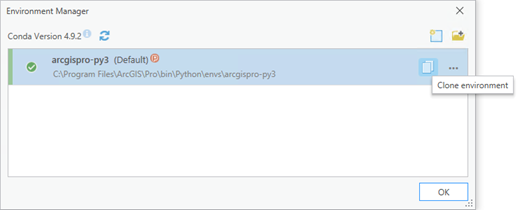
The Clone Environment dialog box appears.
Click the Browse button
 and browse to a folder to store the new environment. Alternatively, click in the Destination text box and edit the default name and path.
Click OK.
Note:
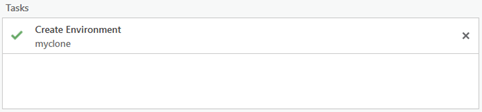
Cloning an environment may take several minutes. You can close the Clone Environment dialog box while you wait. You can monitor progress in the Tasks section of the Package Manager page.
Clone online
The Clone option uses a copy based approach to create the new environment. This approach does not require access to internet resources as it relies on local files instead.
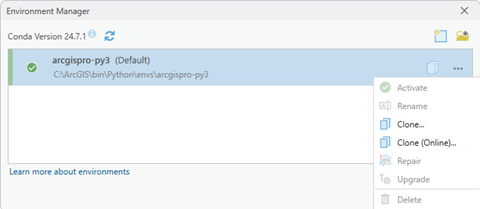
Alternatively, use the Clone (Online) option to clone the environment using internet resources.
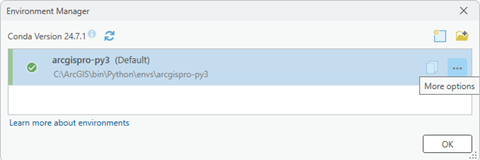
On the Environment Manager dialog box, click the More Options button, and click Clone (online).
Click the Browse button
and browse to a folder to store the new environment. Alternatively, click in the Destination text box and edit the default name and path.Click OK.
Note:
Cloning an environment may take several minutes. You can close the Clone Environment dialog box while you wait. You can monitor progress in the Tasks section of the Package Manager page.
Clone from the Python Command Prompt
To perform equivalent operations as conda commands from the Python Command Prompt, do the following:
To use the copy based approach to creating a new environment, use the
proclonesubcommand.conda proclone --input-env arcgispro-py3 c:\envs\my_envTo use an online approach to creating a new environment, use the
createsubcommand.conda create --clone arcgispro-py3 --name my_env --pinned
Note:
For further help on either option, type --help or -h flag after the subcommand.