3D z-value reference for editing
When you create or modify z-enabled features, z-values are applied in different ways depending on the editing scenario and the tool you are using. The following tables describe how and when z-values are derived, interpolated, or preserved.
Tools that use elevation settings
|
Editing scenario or tool |
How z-values are assigned |
|---|---|
|
Create a new z-enabled feature using tools in the Create Features pane. |
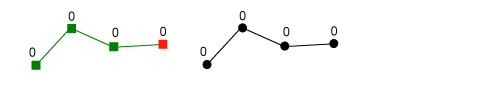
By default, z-values are applied to new features in the following ways:
For detailed steps that show you how to input z-values, see Specify an elevation for 3D features. |
|
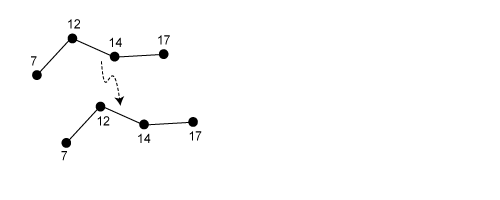
Copy Cut Paste Paste Special |
Existing z-values are preserved and copied to the new feature. If the copied feature is not z-enabled, then the pasted feature is assigned the default z-value configured for the layer in the map or scene. |


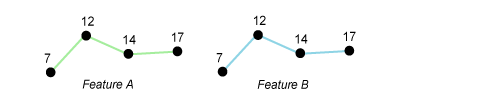
Tools that modify z-values
|
Editing scenario or tool |
How z-values are assigned |
|---|---|
|
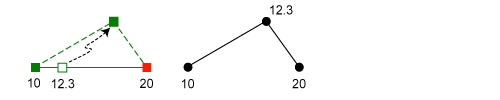
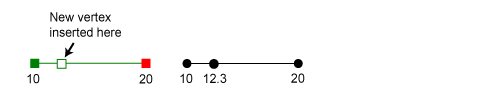
Add Vertex |
The angular pitch of the line segment is preserved and the new vertex is assigned an interpolated z-value. |
|
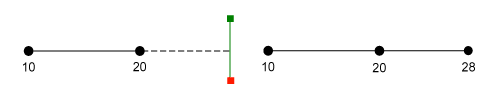
Extend a polyline. |
The angular pitch of the line segment is preserved and the new vertex is assigned an interpolated (extrapolated) z-value. |
|
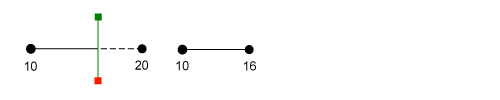
Change Length |
The angular pitch of the line segment is preserved and the new vertex is assigned an interpolated z-value. |
|
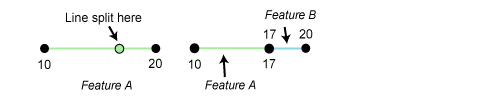
Split Line |
The angular pitch of the line segment is preserved and the new vertex is assigned an interpolated z-value. |
|
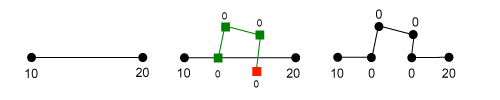
Reshape |
The z-values of the existing feature and the new geometry are preserved. New vertices are assigned the z-values of the new geometry. |
|
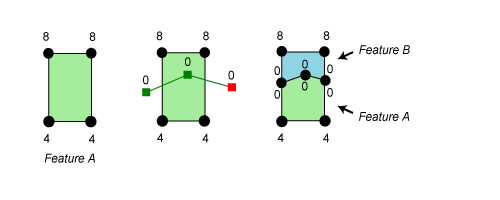
Split Polygon |
The z-values of the existing feature and the cutting line are preserved. New vertices along the cut are assigned the z-values of the cutting line. |
|
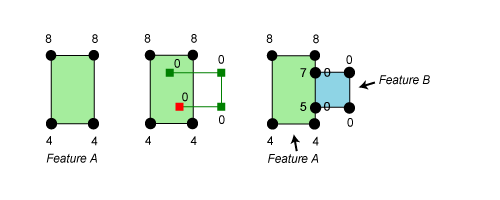
Autocomplete Polygon Autocomplete Freehand Polygon |
The z-values of the existing feature and the new feature are preserved. New vertices created to maintain coincidence boundaries are interpolated. |







Tools that preserve z-values
|
Editing scenario or tool |
How z-values are assigned |
|---|---|
|
Move |
The existing z-values are preserved. |
|
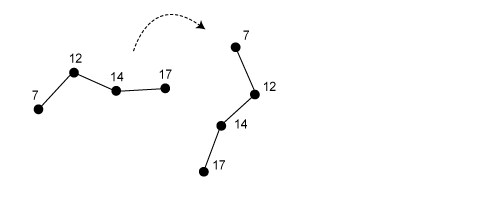
Rotate |
The existing z-values are preserved. |
|
Move a vertex by dragging it. |
The existing z-values are preserved. |