Import or export a traverse file
In the Traverse tool pane, you can import or export traverse information if you need to exchange a traverse with ArcMap.
A traverse file contains data describing a traverse. The header lines specify the direction type, units, and the start and end coordinates. The remaining contents specify each course in the traverse.
Import a traverse file
On the Edit tab, in the Features group, click Modify
 .
.In the Modify Features pane, expand COGO and click Traverse
 .
.Click Traverse Options
 and click Import ArcMap Traverse File
  .
.If the traverse tool contains a traverse, the Import Traverse dialog box appears.
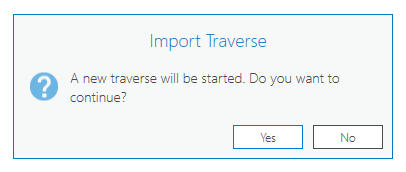
Click Yes to clear the table and start a new traverse.
Browse to the traverse file, and click OK.
Export a traverse file
On the Edit tab, in the Features group, click Modify
.In the Modify Features pane, expand COGO and click Traverse
.Click Traverse Options
and click Export ArcMap Traverse File  .
.A file browser appears.
Browse to where you want to save the traverse file.
Type a name, and click Save.