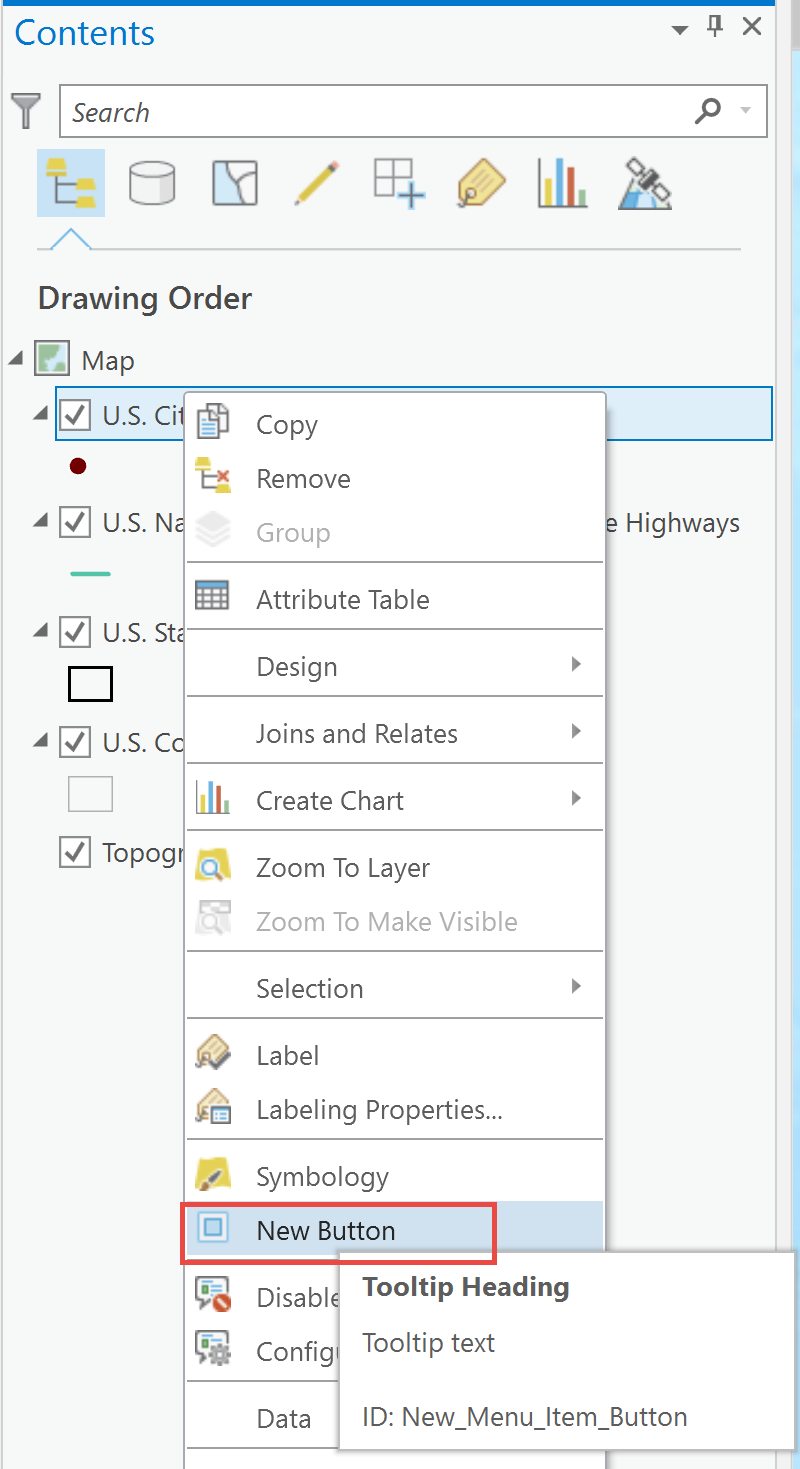
Menu: Insert a new button to the Layer context menu
Note: "updateModule" tag should be within the "modules" tag
<updateModule refID="esri_mapping">
  <menus>
    <updateMenu refID="esri_mapping_layerContextMenu">
      <!--Note: New_Menu_Item_Button is a button control that must exist within the controls tag-->
      <insertButton refID="New_Menu_Item_Button" placeWith="esri_mapping_selectedLayerSymbologyButton" />
    </updateMenu>
  </menus>
</updateModule>
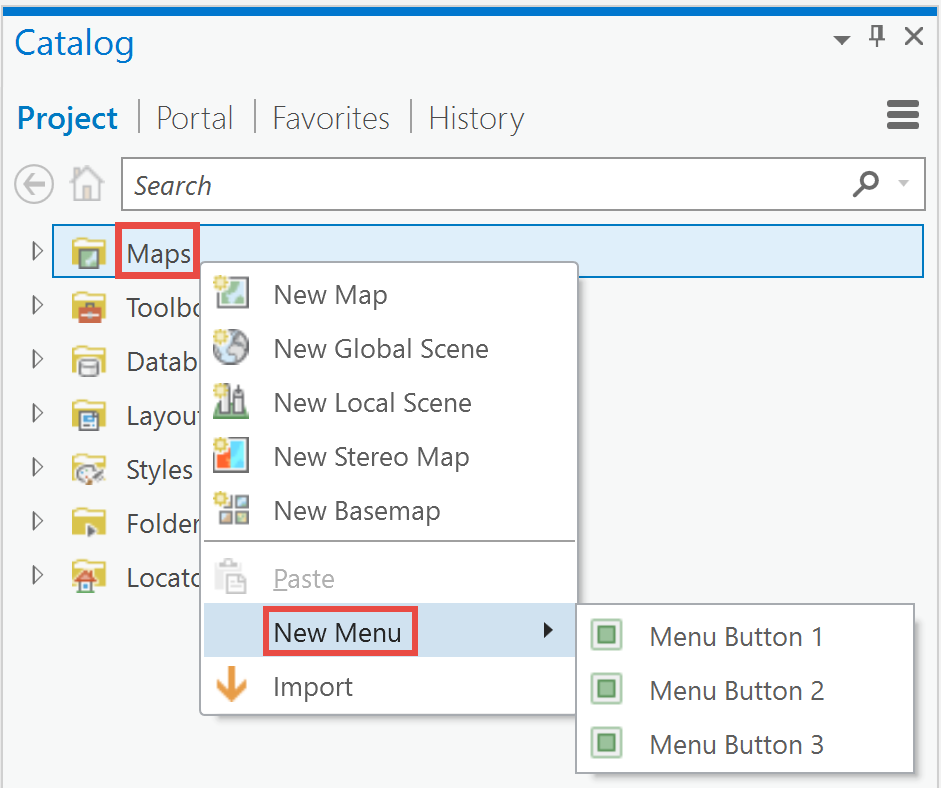
Menu: Insert a new Menu to the Map Container context menu
Note: "updateModule" tag should be within the "modules" tag
<updateModule refID="esri_mapping">
  <menus>
    <updateMenu refID="esri_mapping_mapContainerContextMenu">
      <!--Note: New_Menu_Item_Button is a button control that must exist within the controls tag-->
      <insertMenu refID="DAML_Menu_New_Menu" placeWith="esri_core_editPasteButton" />
    </updateMenu>
  </menus>
</updateModule>
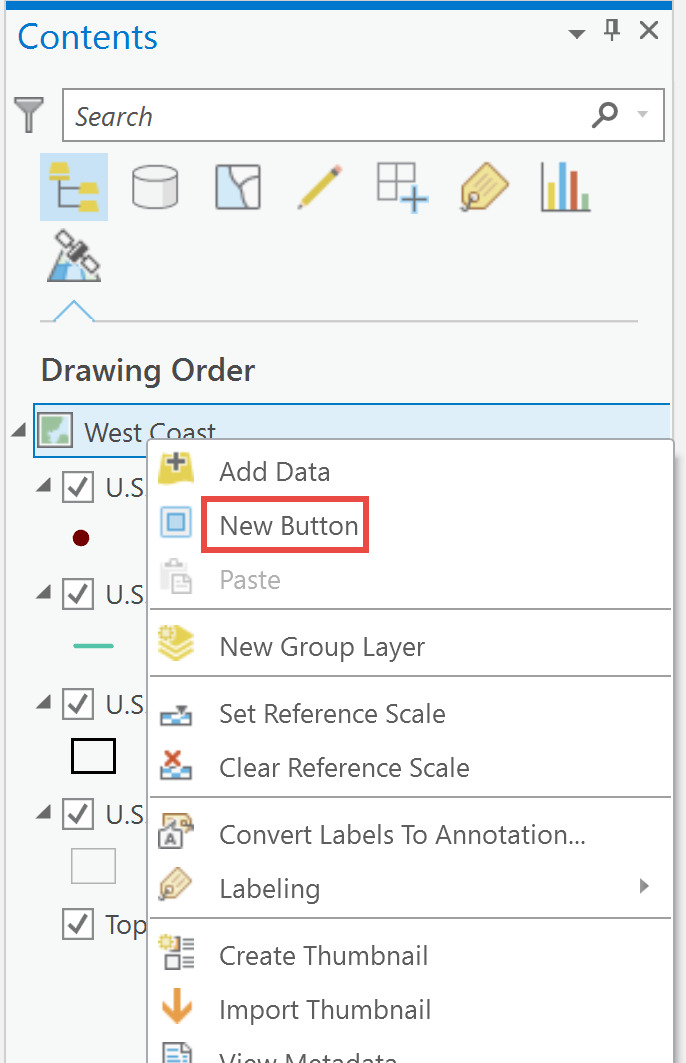
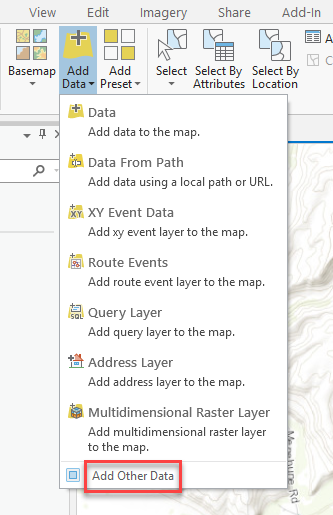
Menu: Insert a new button to the 2D Map context menu
Note: "updateModule" tag should be within the "modules" tag
<updateModule refID="esri_mapping">
  <menus>
    <updateMenu refID="esri_mapping_mapContextMenu">
      <!--Note: New_Menu_Item_Button is a button control that must exist within the controls tag-->
      <insertButton refID="New_Menu_Item_Button" placeWith="esri_mapping_addDataButton" />
    </updateMenu>
  </menus>
</updateModule>
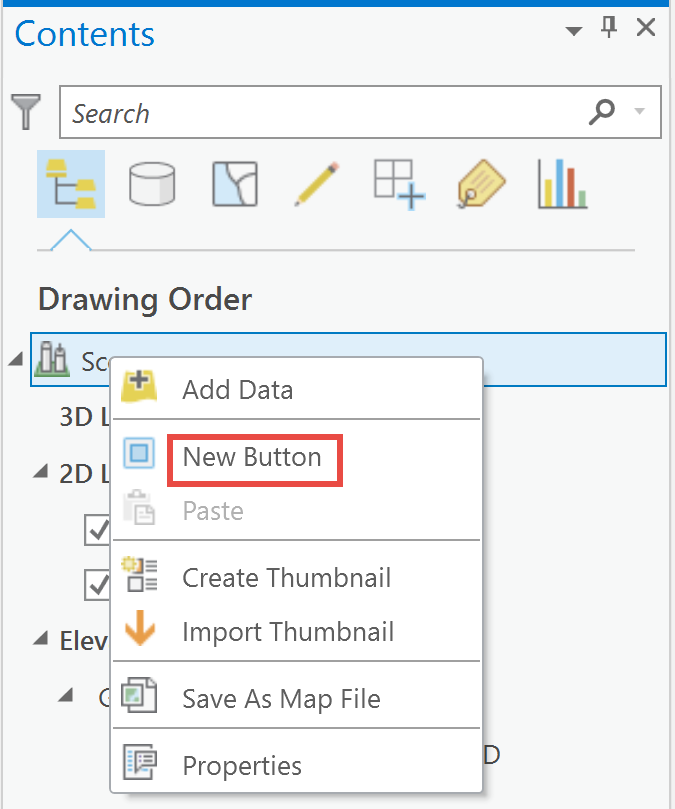
Menu: Insert a new button to the Scene context menu
Note: "updateModule" tag should be within the "modules" tag
<updateModule refID="esri_mapping">
  <menus>
    <updateMenu refID="esri_mapping_3d_mapContextMenu">
      <!--Note: New_Menu_Item_Button is a button control that must exist within the controls tag-->
      <insertButton refID="New_Menu_Item_Button" placeWith="esri_mapping_addDataButton" separator="true" />
    </updateMenu>
  </menus>
</updateModule>
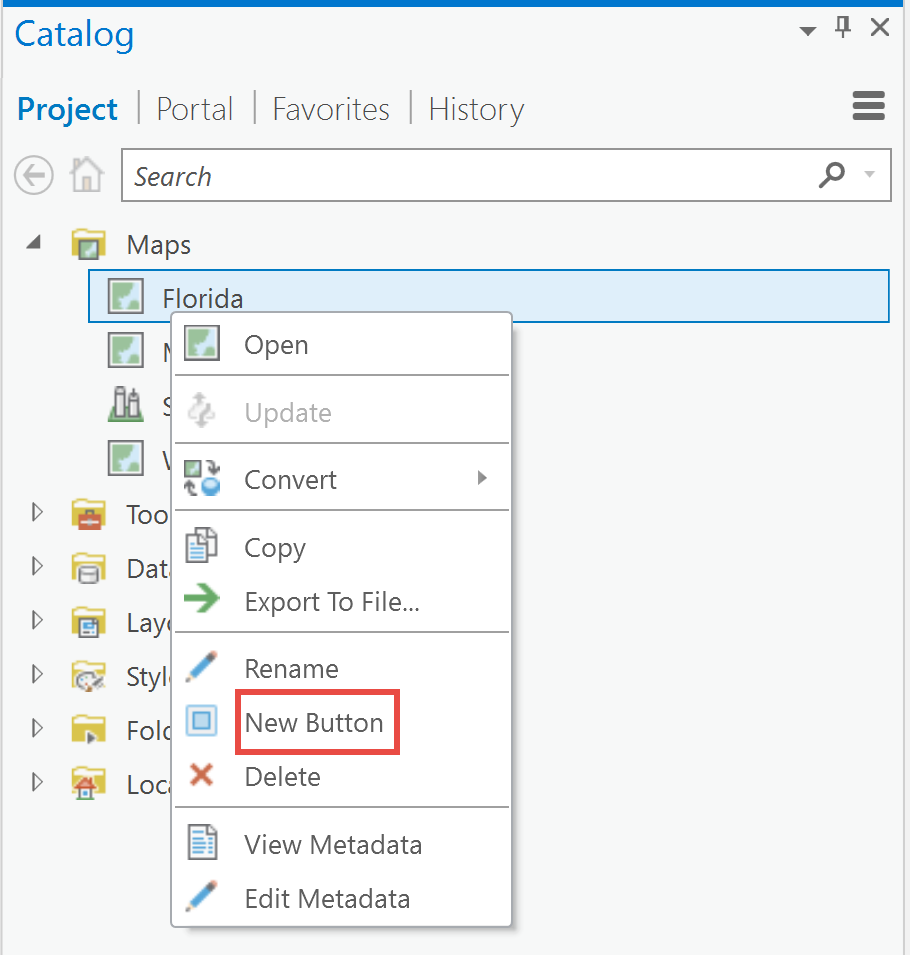
Menu: Insert a new button to the Map Content context menu
Note: "updateModule" tag should be within the "modules" tag
<updateModule refID="esri_mapping">
  <menus>
    <updateMenu refID="esri_mapping_map2DContextMenu">
      <!--Note: New_Menu_Item_Button is a button control that must exist within the controls tag-->
      <insertButton refID="New_Menu_Item_Button" placeWith="esri_core_rename" />
    </updateMenu>
  </menus>
</updateModule>
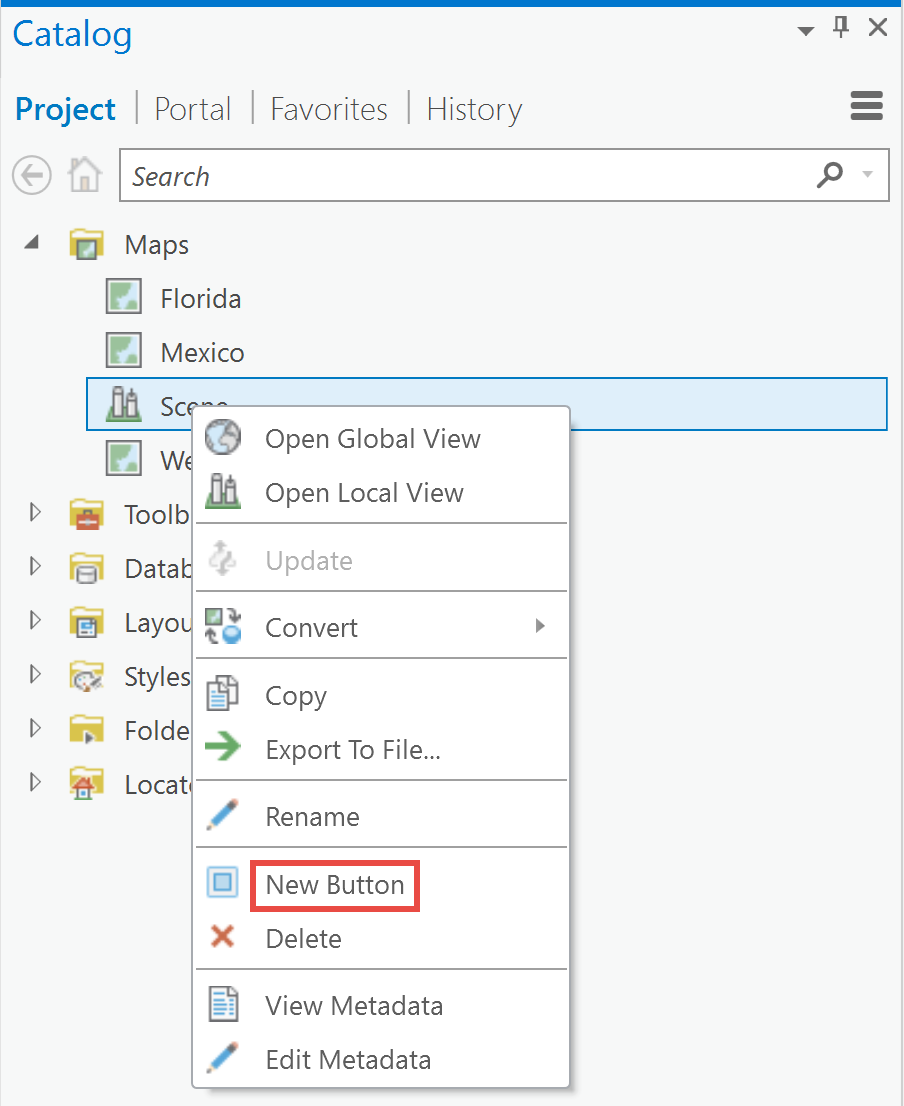
Menu: Insert a new button to the Scene Content context menu
Note: "updateModule" tag should be within the "modules" tag
<updateModule refID="esri_mapping">
  <menus>
    <updateMenu refID="esri_mapping_map3DContextMenu">
      <!--Note: New_Menu_Item_Button is a button control that must exist within the controls tag-->
      <insertButton refID="New_Menu_Item_Button" placeWith="esri_core_rename" separator="true" />
    </updateMenu>
  </menus>
</updateModule>
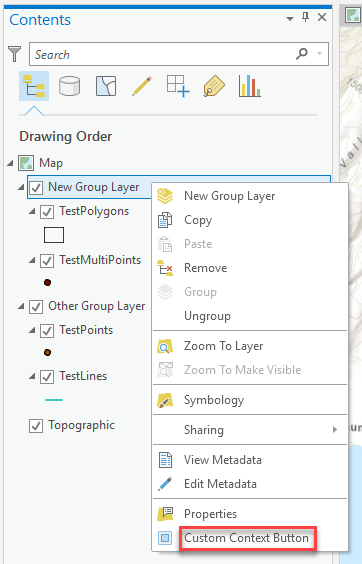
Menu: Inserts a new button to the context menu for a group layer.
Note: "updateModule" tag should be within the "modules" tag
Backstage tab: Delete Pro's tabs and insert your own tab
Note: The "backstage" tag comes after the closing "modules" tag
<backstage>
  <!--Deletes the New Project tab in Pro's backstage-->
  <deleteTab refID="esri_core_newProjectBackStageTab" />
  <!--Deletes the Open Project tab in Pro's backstage-->
  <deleteTab refID="esri_core_openProjectBackStageTab" />
  <!--Inserts a new tab into Pro's backstage, placed before the Save Project tab-->
  <insertTab id="GeocodeBackstageTab" caption="Geocode" className="DAML.Backstage.GeocodeBackstageTabViewModel" insert="before" placeWith="esri_core_saveProjectButton" keytip="Z7">
    <content className="DAML.Backstage.GeocodeBackstageTabView" />
  </insertTab>
</backstage>
PropertySheets
PropertySheet: Insert Property Page into the Options Dialog Property sheet
Note: The "propertySheets" tag comes after the closing "modules" tag.
<propertySheets>
  <!--refID is set to the DAML Id of Pro's Options property sheet-->
  <updateSheet refID="esri_core_optionsPropertySheet">
    <insertPage id="ModifyProUIWithDAML_OptionsPropertySheet_OptionsDialogPropertyPage" caption="Sample Project Settings" className="DAML.OptionsPropertySheet.OptionsDialogPropertyPageViewModel" group="Project">
      <!--Setting "groups" attribute to "Project" will add
                page to the Project group on the Pro options dialog.-->
      <content className="DAML.OptionsPropertySheet.OptionsDialogPropertyPageView" />
    </insertPage>
  </updateSheet>
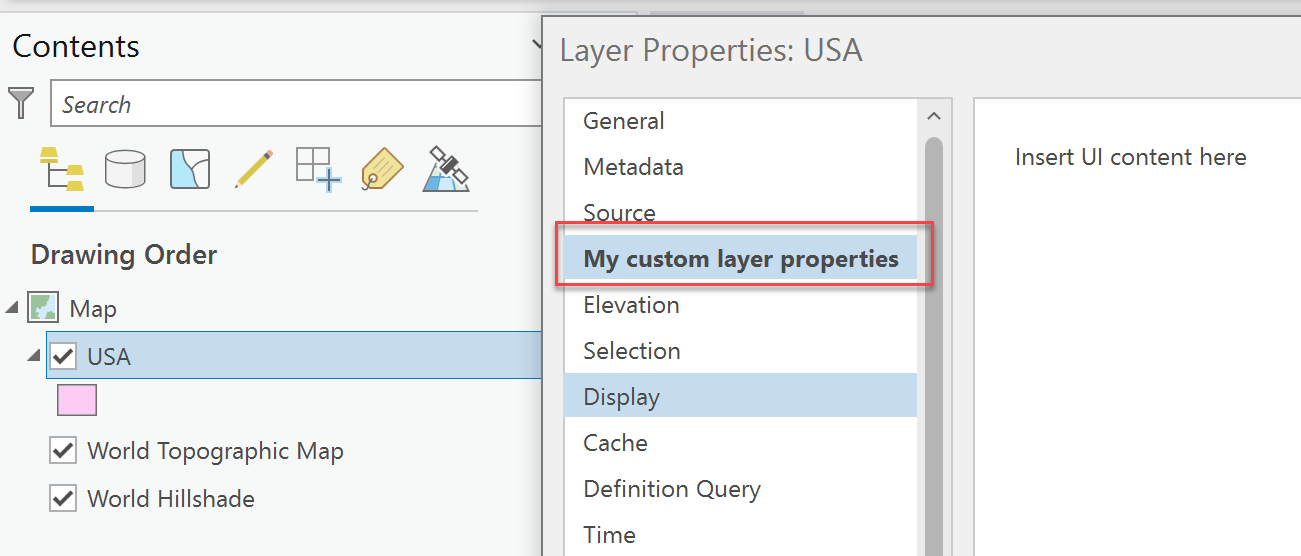
PropertySheet: Insert Property Page into the Layer Properties Property sheet
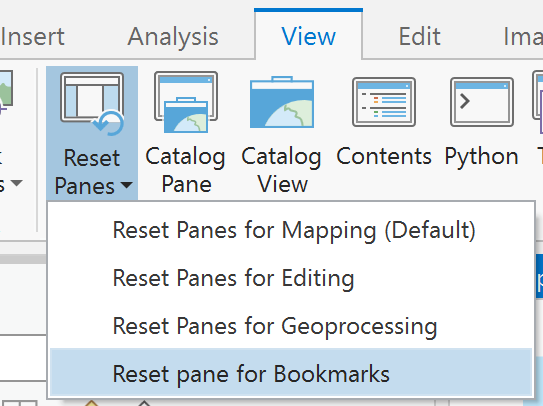
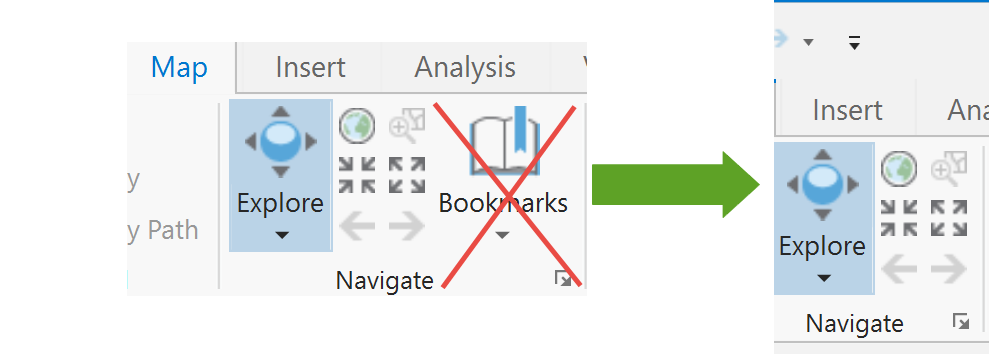 Note: "updateModule" tag should be within the "modules" tag
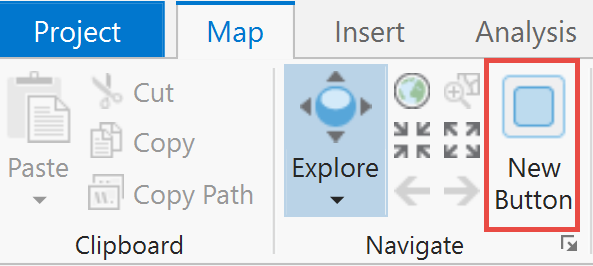 Note: "updateModule" tag should be within the "modules" tag
 Note: "updateModule" tag should be within the "modules" tag
 Note: "updateModule" tag should be within the "modules" tag
 Note: "updateModule" tag should be within the "modules" tag
 Note: "updateModule" tag should be within the "modules" tag
 Note: "updateModule" tag should be within the "modules" tag
 Note: "updateModule" tag should be within the "modules" tag
 Note: "updateModule" tag should be within the "modules" tag
 Note: "updateModule" tag should be within the "modules" tag
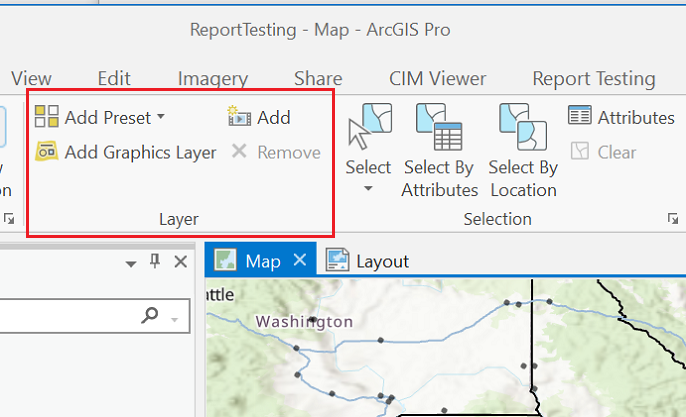 Note: "updateModule" tag should be within the "modules" tag
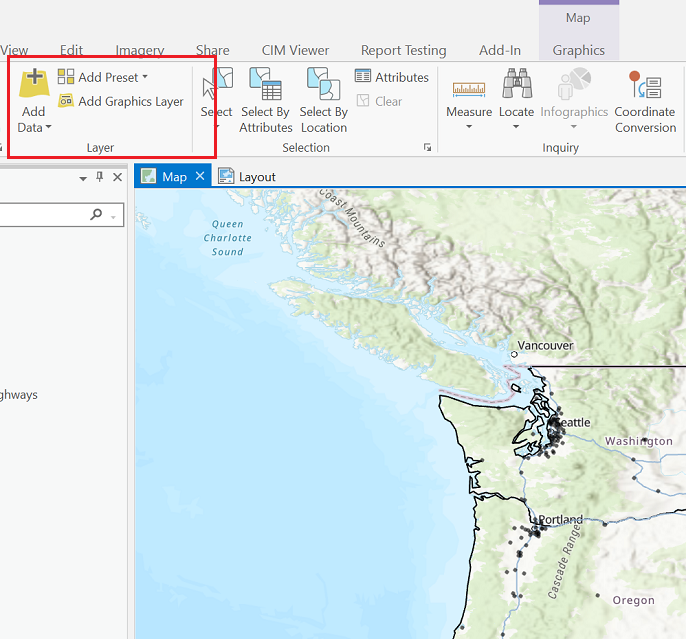 Note: "updateModule" tag should be within the "modules" tag
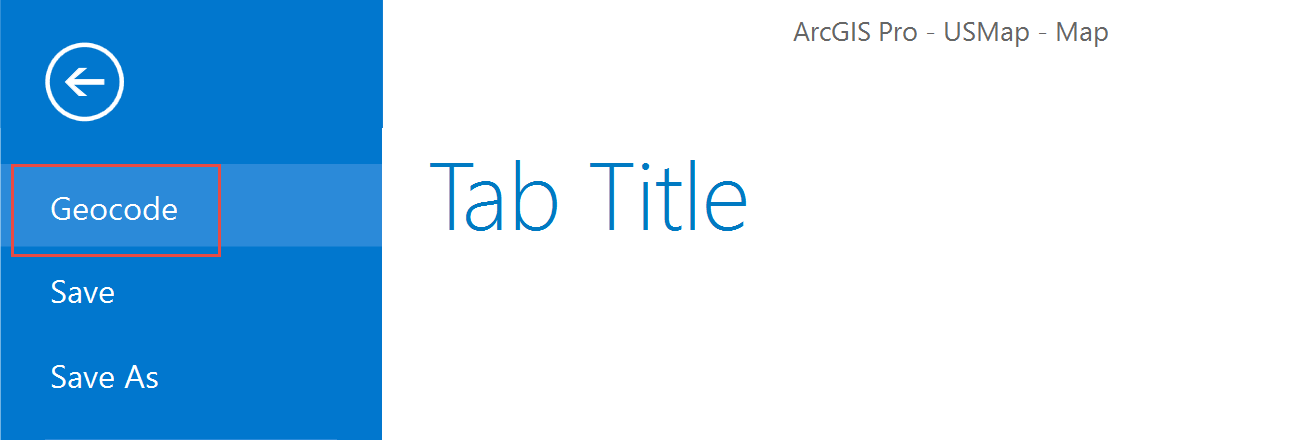 Note: The "backstage" tag comes after the closing "modules" tag
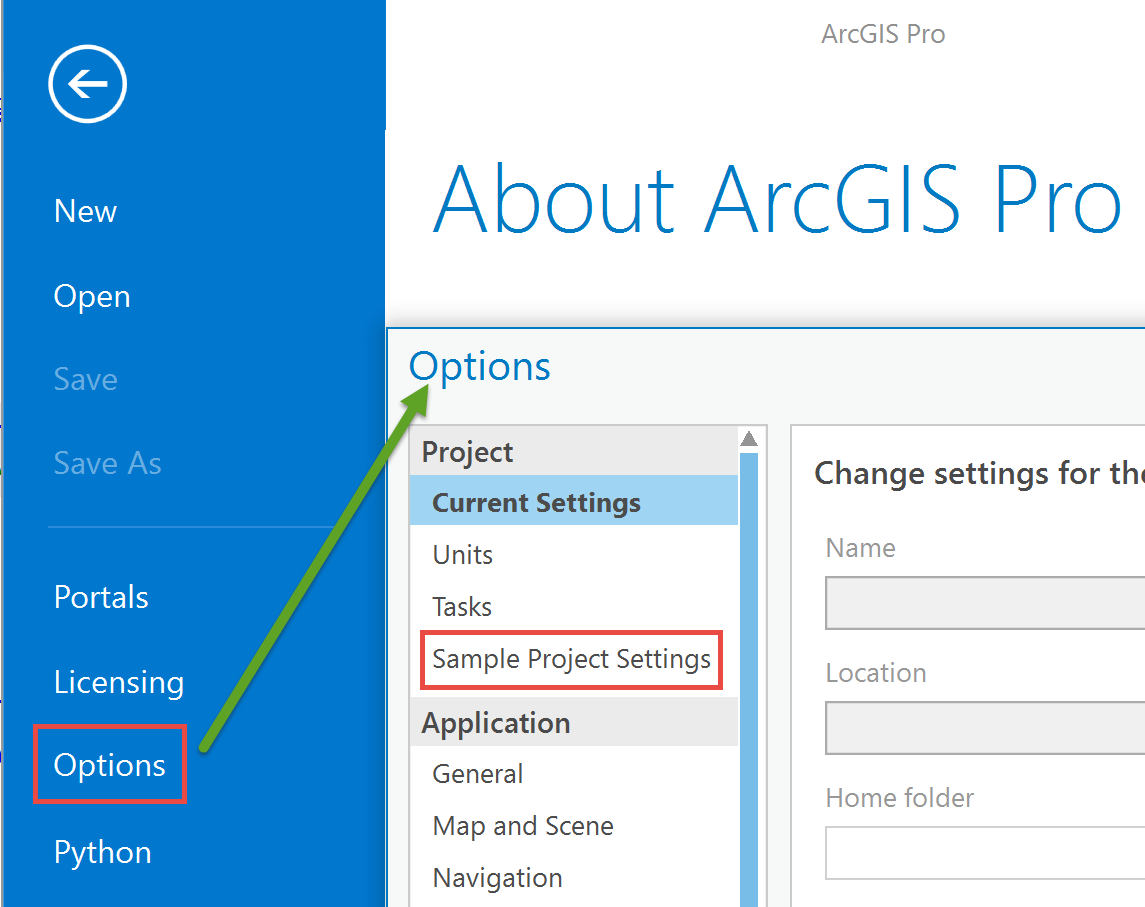 Note: The "propertySheets" tag comes after the closing "modules" tag.