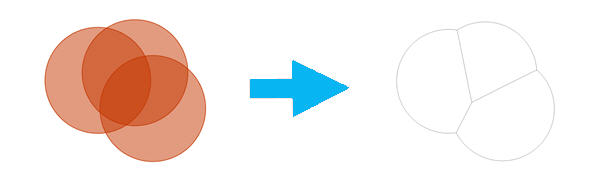
The input features containing the overlapping polygons.
Value Table
Output Feature Class
The feature class containing the new polygon features.
Feature Class
Method
(Optional)
Specifies how the overlap between polygons will be removed.
Center Line—Overlap will be removed by creating a border that evenly distributes the overlapping area between polygons. This is the simplest method. This is the default.
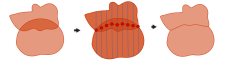
Thiessen—Overlap will be removed using straight lines to divide the area of intersection. This method uses a series of geometric functions to create nonoverlapping trade areas.
Grid—Overlap will be removed by creating a grid of parallel lines used to define a natural division between polygons.
String
Attributes To Join
(Optional)
Specifies the attributes of the input layers that will be transferred to the output.
All attributes—All attributes from the input features will be transferred to the output feature class. This is the default.
All attributes except feature IDs—All attributes from the input features, except the FID field, will be transferred to the output feature class.
Only feature IDs—Only the FID field from the input features will be transferred to the output feature class.
The input features containing the overlapping polygons.
Value Table
out_feature_class
The feature class containing the new polygon features.
Feature Class
method
(Optional)
Specifies how the overlap between polygons will be removed.
CENTER_LINE—Overlap will be removed by creating a border that evenly distributes the overlapping area between polygons. This is the simplest method. This is the default.
THIESSEN—Overlap will be removed using straight lines to divide the area of intersection. This method uses a series of geometric functions to create nonoverlapping trade areas.
GRID—Overlap will be removed by creating a grid of parallel lines used to define a natural division between polygons.
String
join_attributes
(Optional)
Specifies the attributes of the input layers that will be transferred to the output.
ALL—All attributes from the input features will be transferred to the output feature class. This is the default.
NO_FID—All attributes from the input features, except the FID field, will be transferred to the output feature class.
ONLY_FID—Only the FID field from the input features will be transferred to the output feature class.
String
Code sample
RemoveOverlapMultiple example (Python window)
The following Python window script demonstrates how to use the RemoveOverlapMultiple function.