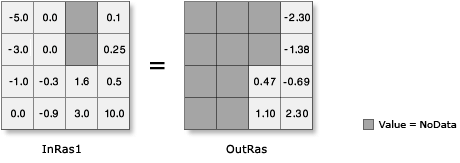
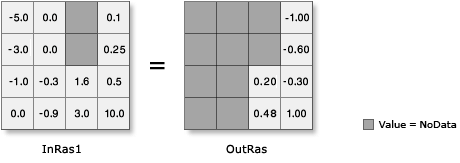
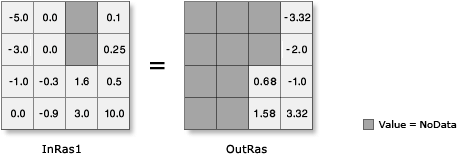
Examples of Logarithmic tool output on floating-point input
 Available with Spatial Analyst license.
Available with Image Analyst license.
The Logarithmic math tools can process both integer and floating-point input values. However, note that input values that are 0 or negative will be NoData in the output raster.
The following illustrations demonstrate the output values from both positive and negative floating-point inputs, as well as inputs of value 0.
Logarithmic tools on float input
|
Tool |
Illustration and Python syntax |
|---|---|
|
|
|
|
|
|
|
|