Screen readers
Screen readers are a type of assistive technology that reads the content of an application aloud or transcribes it into refreshable Braille displays. Unlike standard keyboard navigation, screen readers interpret both interactive and static content, as well as role information that is inferred from the code structure of the page.
Screen reader keyboard commands
Each brand of screen reader has its own set of native keyboard commands that an individual can use to navigate. These commands are much more robust than standard web navigation. To learn more, review these guides:
Esri tests its web applications with NVDA, JAWS, and VoiceOver, and its native mobile apps with Talk Back and VoiceOver. However, there may be subtle differences in how information is conveyed between these tools, because of variance between operating system, browser, individual skill level, and screen-reader settings.
Note:
If you are just getting started learning a screen reader, screen readers often work best with a particular browser:
NVDA → Mozilla Firefox, Google Chrome
JAWS → Microsoft Edge
VoiceOver → Apple Safari
Nonlinear navigation
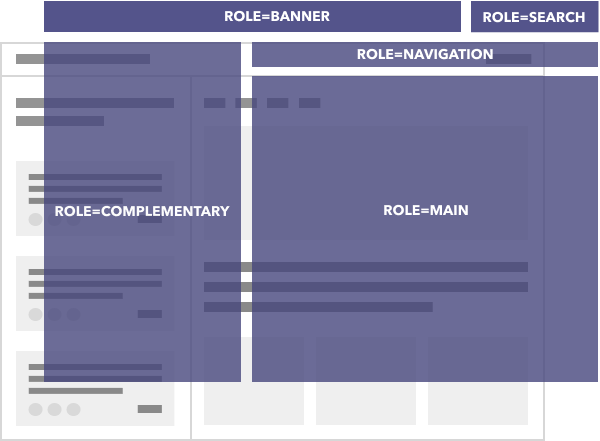
Screen readers have many built-in keyboard shortcuts, including the ability to navigate in a nonlinear manner by headings, landmarks, or other types of page content. Providing descriptive headings, labels, and links helps individuals navigate content without the context of surrounding content.
Related criteria
The Web Content Accessibility Guidelines tied to this topic are as follows: