Images and icons
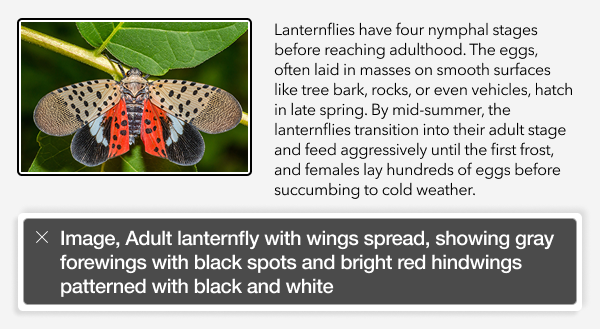
Images and icons are visual media that require sensory input. Provide alt text for images and icons so non-sighted individuals using screen readers can access equivalent information. Alt text is programmatically associated with an image and is transcribed to the screen reader.
Alt text may also be displayed if an individual has disabled images within the browser, a technique done to save bandwidth on slow data networks.
Writing alternative text
When writing alt text, describe the image succinctly, using context relevant details to explain the image’s content and purpose. Also, keep in mind the following:
Do not include role information like “picture of” or “image of”, as this will be conveyed automatically.
Mark images as decorative if alt text would be repetitious to surrounding text.
Note:
An image used in multiple locations may not have the same alt text in every location, as the purpose of the image may change based on context.
Captions
Image captions do not serve the same purpose as alt text. Captions are visible to everyone and are not programmatically associated with an image. Use captions for attribution, credits, or to provide additional annotation, such as dates or subject names for the referenced image.
Informative images
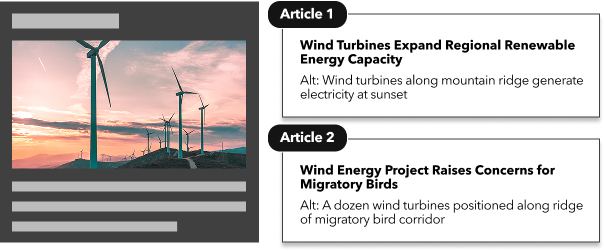
These are visuals that convey core information not already covered by surrounding text to support comprehension. These images require alt text.
Decorative images
Decorative images exist purely for visual aesthetics. They may be used to add color to a layout or break up a large block of text. An image can be considered decorative if it can be removed without loss of information. Decorative images should not have alt text.
Background images
Background images are not interpreted as images by screen readers. Background images are actually CSS applied to a block-level HTML element.
Block-level HTML elements can be forced to communicate as images to screen readers using ARIA, but this is not out-of-the-box functionality within most applications.
Generally, treat background images as decorative images since they are often overlaid by more critical text content.
Complex images
Complex images include charts, maps, infographics, and other types of data visualizations. For this type of image, provide a full description via supplemental text or a data table with the alt text directing individuals on how to locate the complete description.
For advice on how to write alt text for data visualizations, read the Urban Institute's publication Do No Harm Guide: Centering Accessibility in Data Visualization.
Icons
Icons are a type of visual communication used to help with comprehension and location of information. They may also be used to break up text-heavy content or save space on narrower device screen resolutions.
To determine whether an icon is functional or decorative, consider these questions:
Does the icon provide unique information not available in adjacent text?
If yes, it’s functional and should have alt text.
If no, it’s decorative and alt text should be empty or left blank.
Is the icon inside a button that has a label or aria-label?
If yes, consider it decorative to avoid repeating information.
If no, add a label to the button or add alt text to the icon.
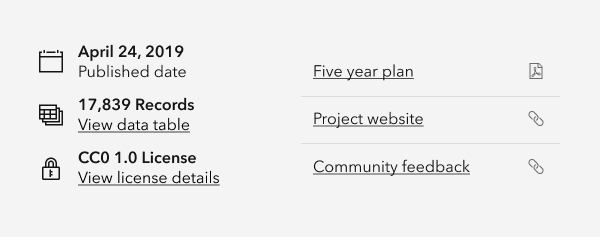
Figure: (left image) icons adjacent to labeled text are decorative, assigning alt text would lead to duplication of information. (Right image) type icons adjacent to links are functional, as they indicate whether a link is external or will open as a PDF file.
Related criteria
The Web Content Accessibility Guidelines tied to this topic are as follows:
All Adobe Stock images are © 2025 Adobe Stock. All rights reserved.