Application and project options
ArcGIS AllSource is a powerful intelligence application, but is also flexible in that you can customize the application for your own experience. One group of customization are the application and project options. These are groups of options that change default behaviors when ArcGIS AllSource starts, which buttons are present on toolbars, or which units are set in different panes and dialogs.
The Options are separated into settings that affect individual projects (project settings) and ones that affect the entire application (application settings). Project options apply only to the currently open project. If there is no open project, they are not enabled. Application options apply to all new projects. Also, because they typically affect the application state, they often apply to the currently open project (if there is one) and to existing projects when you reopen them.
Some application options prompt you to restart ArcGIS AllSource. For example, if you change the application theme from light to dark in the General options, the change takes effect after you restart.
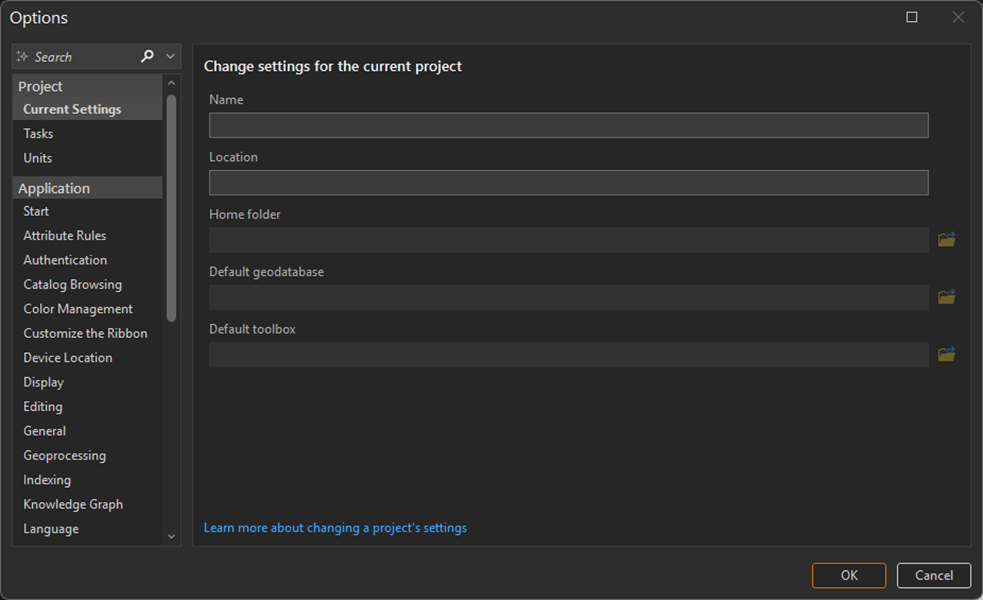
The following sections show how to open the options pane, which options are available, and links to documentation for more information.
Open options from the start page
If you are just starting the application, open the options by doing the following:
Click Settings
 from the start page.
Click Options
The Options dialog opens.
Expand the section for the desired setting to view the options that may be modified.
Open options from an open project
If you have a project open already, open the options by doing the following:
Click Project
Click Options
The Options dialog opens.
Expand the section for the desired setting to view the options that may be modified.
Search for an option
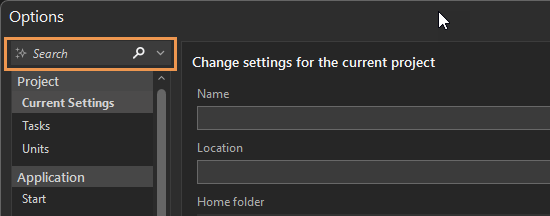
You can search for settings by typing keywords in the search bar at the top of the Options dialog.
Change options
The following list of the most common application and project options for ArcGIS AllSource. Click the links to learn more about each one.
| Option | Description |
|---|---|
| Authentication | Set and configure authentication connections. |
| General | General application settings when starting ArcGIS AllSource, creating projects, and accessing help. |
| Language | Change options for the application language. |
| Proofing | Proofing options allow you to check spelling in ArcGIS AllSource. |
| Quick Access Toolbar | Customize the Quick Access Toolbar in the application. |
| Security | Options for controlling hyperlinks, and clearing the client certificate cache. |
| Share and Download | Set options for dissemination controls and staging content to distribute. |
| Units | Set various units of measures in different project contexts. |
| User Interface | Modify aspects of the ArcGIS AllSource user interface. |
| Video | Customize options for motion imagery in ArcGIS AllSource. |