ElevationProfileGraph Class
In This Topic
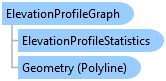
Represents an elevation profile graph that is displayed on a mapView. Use MapView.GetElevationProfileGraph to retrieve the elevation profile graph. This may return null if no elevation profile graph is visible. Use one of the MapView.ShowElevationProfileGraph methods to generate a profile graph along a linear path. The profile is calculated using the ground elevation surface in the map.
Object Model
Syntax
Remarks
Use MapView.ElevationProfileGraphAdded and MapView.ElevationProfileGraphRemoved to determine when the graph is displayed or removed from the mapView. The profile calculation begins once the graph is displayed. Use ContentLoaded to determine when the profile calculation has finished. Once the calculation has been completed, retrieve the elevation profile information using the Geometry and ElevationProfileStatistics methods.
Elevation profile graphs are temporary and are not saved with the project.
Save the elevation profile information by exporting the profile graph as an image file, or the elevation profile data in table format or as a row or feature in the geodatabase.
Example
Access the ElevationProfileGraph when added
{
    // subscribe to the Added, Removed events for the elevation profile graph
    mapView.ElevationProfileGraphAdded += Mv_ElevationProfileGraphAdded;
    mapView.ElevationProfileGraphRemoved += Mv_ElevationProfileGraphRemoved;
    //Handles the event triggered when an elevation profile graph is removed.
    void Mv_ElevationProfileGraphRemoved(object sender, EventArgs e)
    {
        //TODO: handle the removal of the elevation profile graph
    }
    //Handles the event triggered when an elevation profile graph is added to the active map view.
    void Mv_ElevationProfileGraphAdded(object sender, EventArgs e)
    {
        // get the elevation profile graph from the view
        // this will be non-null since we are in a ElevationProfileGraphAdded handler
        var mv = MapView.Active;
        var graph = mv.GetElevationProfileGraph();

        // subscribe to the ContentLoaded event
        graph.ContentLoaded += Graph_ContentLoaded;
    }
    // Handles the event triggered when the elevation profile graph content is loaded.
    void Graph_ContentLoaded(object sender, EventArgs e)
    {
        // get the elevation profile graph
        var graph = sender as ArcGIS.Desktop.Mapping.ElevationProfileGraph;

        // get the elevation profile geometry
        var polyline = graph.Geometry;
        // get the elevation profile statistics
        var stats = graph.ElevationProfileStatistics;
    }
}
Access the ElevationProfileGraph
{
    var elevProfileGraph = MapView.Active.GetElevationProfileGraph();
    // Elevation profile graph will be null if no profile graph is displayed
    if (elevProfileGraph == null)
        return;

    // get the elevation profile geometry and stats
    var polyline = elevProfileGraph.Geometry;
    var stats = elevProfileGraph.ElevationProfileStatistics;

    // reverse the graph
    elevProfileGraph.IsReversed = !elevProfileGraph.IsReversed;

    // collapse the graph
    elevProfileGraph.IsExpanded = false;
}
Inheritance Hierarchy
System.Object
ArcGIS.Desktop.Mapping.ElevationProfileGraph
Requirements
Target Platforms: Windows 11 Home, Pro, Enterprise (64 bit)
ArcGIS Pro version: 3.5 or higher.
See Also