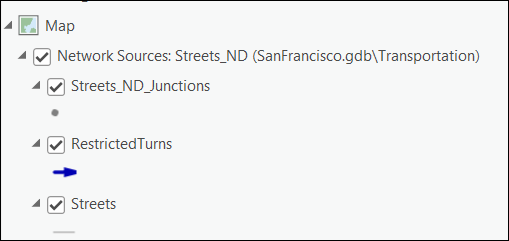
Network Dataset Layer's Data ribbon
The Data ribbon associated with a network dataset layer provides tools that can be used to examine the network elements and attributes of a network dataset layer, add the source features of a network dataset to the map display, and create a new network analysis layer.
The Data ribbon is comprised of the following tools:
Explore Network
Network Analysis
Add Network Sources
These tools become available on the Data ribbon when a network dataset layer is selected in the Contents pane.
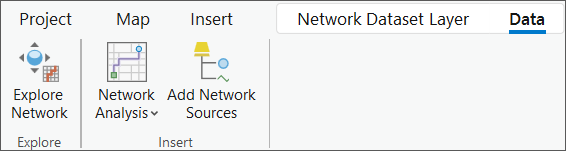
These tools are also available when a network analysis layer is selected in the Contents pane.
Note:
The Explore Network and Add Network Sources tools are only available when the network data source of the selected network dataset layer or analysis layer is a file geodatabase, a mobile geodatabase, or an enterprise geodatabase. The tools are not available with a service-based network data source. However, the Network Analysis drop-down menu is available irrespective of the network data source.
Explore Network
You can inspect network elements and attributes of a network dataset referenced by a network dataset layer or network analysis layer in the map display using the Explore Network tool. The tool can help identify the following:
What network elements are associated with a source street feature
What other network elements are adjacent to it
The cost to traverse it
Whether its attributes are configured properly to return the expected values
Whether it is restricted by the active travel mode
Learn more about Explore Network
Network analysis
You can add a network analysis layer with the same network data source as of the selected network analysis layer in the Contents pane. The network data source can be a file geodatabase, a mobile geodatabase, an enterprise geodatabase, or a service-based network data source.
Click the Network Analysis drop-down menu.
In the image below, the new network analysis layer will be created based on the network dataset that is stored in a File Geodatabse.
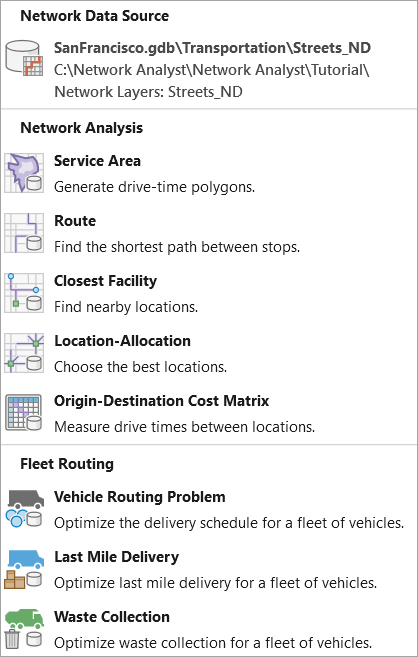
Select the appropriate network analysis layer from the list to be created.
The network analysis layer is added to the Contents pane.
Add network sources
The Add Network Sources button adds a group layer to the map, containing the network dataset's source feature layers for the edges, user junctions, system junctions, and turns.
Ensure a network analysis layer or a network dataset layer is present in the Contents pane and click either.
The Data tab appears.
Click the Add Network Sources button.
Network data source group layer is added in the Contents pane.