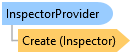
InspectorProvider Class
In This Topic
Provides a mechanism to customize attribute behavior within an inspector.
Object Model
Syntax
Public MustInherit Class InspectorProvider
public abstract class InspectorProvider
Remarks
Typically this would be used in conjunction with the ArcGIS.Desktop.Editing.Attributes.Inspector.CreateEmbeddableControl method. Override the provided methods to hide attributes, highlight attributes, make attributes non-editable, show custom aliases and provide custom validators within the context of the attribute inspector grid.
Example
How to create a custom Feature inspector provider class
/// <summary>
/// Provides a custom implementation of an InspectorProvider for feature inspection in ArcGIS Pro.
/// </summary>
public class MyProvider : InspectorProvider
{
  private readonly Guid guid = Guid.NewGuid();
  internal MyProvider() { }
  public override Guid SharedFieldColumnSizeID() { return guid; }
  public override string CustomName(ArcGIS.Desktop.Editing.Attributes.Attribute attr)
  {
    //Giving a custom name to be displayed for the field FeatureID
    return attr.FieldName == "FeatureID" ? "Feature Identification" : attr.FieldName;
  }
  public override bool? IsVisible(Attribute attr)
  {
    //The field FontStyle will not be visible
    return attr.FieldName == "FontStyle" ? false : true;
  }
  public override bool? IsEditable(Attribute attr)
  {
    //The field DateField will not be editable
    return attr.FieldName == "DateField" ? false : true;
  }
  public override bool? IsHighlighted(Attribute attr)
  {
    //ZOrder field will be highlighted in the feature inspector grid
    return attr.FieldName == "ZOrder" ? true : false;
  }
  public override IEnumerable<Attribute> AttributesOrder(IEnumerable<Attribute> attrs)
  {
    //Reverse the order of display
    var newList = new List<Attribute>();
    foreach (var attr in attrs)
    {
      newList.Insert(0, attr);
    }
    return newList;
  }
  public override bool? IsDirty(Attribute attr)
  {
    //The field will not be marked dirty for FeatureID if you enter the value -1
    return attr.FieldName == "FeatureID" && attr.CurrentValue.ToString() == "-1" ? false : base.IsDirty(attr);
  }
  public override IEnumerable<ArcGIS.Desktop.Editing.Attributes.Attribute.ValidationError> Validate(Attribute attr)
  {
    var errors = new List<ArcGIS.Desktop.Editing.Attributes.Attribute.ValidationError>();
    if (attr.FieldName == "FeatureID" && attr.CurrentValue.ToString() == "2")
      errors.Add(ArcGIS.Desktop.Editing.Attributes.Attribute.ValidationError.Create("Value not allowed", Severity.Low));
    if (attr.FieldName == "FeatureID" && attr.CurrentValue.ToString() == "-1")
      errors.Add(ArcGIS.Desktop.Editing.Attributes.Attribute.ValidationError.Create("Invalid value", Severity.High));
    return errors;
  }
}
Using the custom inspector provider class
/// <summary>
/// Demonstrates the use of a custom InspectorProvider to create and load an inspector for a specific feature.
/// </summary>
public static async void InspectorProviderExample(FeatureLayer featureLayer, long objectId)
{
  var provider = new MyProvider();
  Inspector _featureInspector = provider.Create();
  //Create an embed-able control from the inspector class to display on the pane
  var icontrol = _featureInspector.CreateEmbeddableControl();

  await _featureInspector.LoadAsync(featureLayer, objectId);
  var attribute = _featureInspector.Where(a => a.FieldName == "FontStyle").FirstOrDefault();
  var visibility = attribute.IsVisible; //Will return false

  attribute = _featureInspector.Where(a => a.FieldName == "ZOrder").FirstOrDefault();
  var highlighted = attribute.IsHighlighted; //Will return true
}
Inheritance Hierarchy
System.Object
ArcGIS.Desktop.Editing.InspectorProvider
Requirements
Target Platforms: Windows 11 Home, Pro, Enterprise (64 bit)
ArcGIS Pro version: 3.1 or higher.
See Also