TimeRange Class
In This Topic
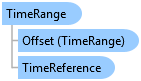
Represents an extent of time defined by a start and an end time.
Object Model
Syntax
Remarks
TimeRange contains two properties Start and End which defines an extent of time. Either property can be set to null. When Start is null it means the time range begins infinite in the past and when End is null this means it ends infinite in the future. This is useful for example when setting the MapView.Time property to show all time before a given date, all time after a given date or to just show all time.
Example
Step forward in time by 1 month
{
  //Step current map time forward by 1 month
  TimeDelta timeDelta = new(1, TimeUnit.Months);
  mapView.Time = mapView.Time.Offset(timeDelta);
}
Interpolate Time
{
  //Return the collection representing the map time for each frame in animation.
  // Note: Needs QueuedTask to run
  {
    var animation = mapView.Map.Animation;

    var timeRanges = new List<TimeRange>();
    //We will use ticks here rather than milliseconds to get the highest precision possible.
    var ticksPerFrame = Convert.ToInt64(animation.Duration.Ticks / (animation.NumberOfFrames - 1));
    for (int i = 0; i < animation.NumberOfFrames; i++)
    {
      var time = TimeSpan.FromTicks(i * ticksPerFrame);
      //Because of rounding for ticks the last calculated time may be greater than the duration.
      if (time > animation.Duration)
        time = animation.Duration;
      timeRanges.Add(mapView.Animation.GetCurrentTimeAtTime(time));
    }
    // Use timeRanges;
  }
}
Inheritance Hierarchy
System.Object
ArcGIS.Desktop.Mapping.TimeRange
Requirements
Target Platforms: Windows 11 Home, Pro, Enterprise (64 bit)
ArcGIS Pro version: 3.0 or higher.
See Also