TraceConfiguration Class
In This Topic
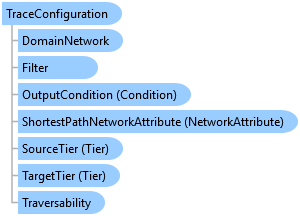
The TraceConfiguration object defines a set of input parameters to a tracing operation.
Object Model
Syntax
Example
Create a Trace Argument
{
  // This routine creates a TraceArgument object and assigns a TraceConfiguration to it
  static void CreateTraceArgument()
  {
    IReadOnlyList<Element> startingPointList = new List<Element>();

    // Code to fill in list of starting points goes here...
    TraceArgument traceArgument = new TraceArgument(startingPointList);

    TraceConfiguration traceConfiguration = new TraceConfiguration();

    // Code to fill in trace configuration goes here...
    traceArgument.Configuration = traceConfiguration;
  }
}
Trace a utility network with the digitized direction
{
  // This routine demonstrates how to perform a trace using the digitized direction of features
  static void TraceWithDigitizedDirection(UtilityNetwork utilityNetwork, Element startElement)
  {
    using TraceManager traceManager = utilityNetwork.GetTraceManager();

    // Trace configuration with digitized direction
    TraceConfiguration traceConfiguration = new TraceConfiguration()
    {
      IncludeIsolatedFeatures = true,
      IncludeBarriersWithResults = true,
      UseDigitizedDirection = true
    };

    // Trace argument
    List<Element> startElements = new List<Element> { startElement };

    TraceArgument traceArgument = new TraceArgument(startElements);
    traceArgument.Configuration = traceConfiguration;

    // Results
    DownstreamTracer downstreamTracer = traceManager.GetTracer<DownstreamTracer>();

    IReadOnlyList<Result> traceResults = downstreamTracer.Trace(traceArgument);
    foreach (Result traceResult in traceResults)
    {
      // Iterate trace results
    }
  }
}
Inheritance Hierarchy
System.Object
ArcGIS.Core.Data.UtilityNetwork.Trace.TraceConfiguration
Requirements
Target Platforms: Windows 11 Home, Pro, Enterprise (64 bit)
ArcGIS Pro version: 3.0 or higher.
See Also