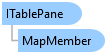
ITablePane Interface
In This Topic
Interface to the table pane.
Object Model
Syntax
Example
Set zoom level for Attribute Table
{
    //Check if the active pane is an ITablePane
    if (FrameworkApplication.Panes.ActivePane is ITablePane tablePane)
    {
        //Get the current zoom level of the table pane
        var currentZoomLevel = tablePane.ZoomLevel;
        // Set a new zoom level, for example, increase it by 50
        var newZoomLevel = currentZoomLevel + 50;
        // Set the new zoom level to the table pane
        tablePane.SetZoomLevel(newZoomLevel);
    }
}
Retrieve the values of selected cell in the attribute table
{
    {
        if (FrameworkApplication.Panes.ActivePane is ITablePane tablePane)
        {
            var mapMember = tablePane.MapMember;
            //Get the active row's object ID from the table pane
            var oid = tablePane.ActiveObjectID;
            if (oid.HasValue && oid.Value != -1 && mapMember != null)
            {
                //Get the field of the active column
                var activeField = tablePane.ActiveColumn;
                QueuedTask.Run(() =>
                {
                    // TODO: Use core objects to retrieve record and get value
                });
            }
        }
    }
}
Move to a particular row
{
    // Check if the active pane is an ITablePane
    if (FrameworkApplication.Panes.ActivePane is ITablePane tablePane)
    {
        // move to first row
        tablePane.BringIntoView(0);

        // move to sixth row
        tablePane.BringIntoView(5);
    }
}
Change table View caption
{
  // find all the table panes (table panes hosting map data)
  var tablePanes = FrameworkApplication.Panes.OfType<ITablePane>();
  var tablePane = tablePanes.FirstOrDefault(p => p is ITablePaneEx { Caption: "oldCaption" });
  if (tablePane is ITablePaneEx tablePaneEx)
    tablePaneEx.Caption = "newCaption";

  // find all the external table panes (table panes hosting external data)
  var externalPanes = FrameworkApplication.Panes.OfType<IExternalTablePane>();
  var externalTablePane = externalPanes.FirstOrDefault(p => p.Caption == "oldCaption");
  if (externalTablePane != null)
    externalTablePane.Caption = "newCaption";
}
Get TableView from table pane
{
  // find all the table panes (table panes hosting map data)
  var tablePanes = FrameworkApplication.Panes.OfType<ITablePane>();
  var tablePane = tablePanes.FirstOrDefault(p => p is ITablePaneEx { Caption: "caption" });
  if (tablePane is ITablePaneEx tablePaneEx)
    tableView = tablePaneEx.TableView;

  // if it's not found, maybe it's an external table pane
  if (tableView == null)
  {
    // find all the external table panes (table panes hosting external data)
    var externalPanes = FrameworkApplication.Panes.OfType<IExternalTablePane>();
    var externalTablePane = externalPanes.FirstOrDefault(p => p.Caption == "caption");
    if (externalTablePane != null)
      tableView = externalTablePane.TableView;
  }
}
Requirements
Target Platforms: Windows 11 Home, Pro, Enterprise (64 bit)
ArcGIS Pro version: 3.0 or higher.
See Also