BrowseProjectFilter Class
In This Topic
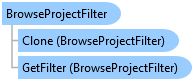
The BrowseProjectFilter class is used to control the behavior of the open and save dialogs
by controlling what is visible and what can be browsed into
Object Model
Syntax
Example
Geodatabase Content from Browse Dialog
{
  var openDlg = new OpenItemDialog
  {
    Title = "Select a Feature Class",
    InitialLocation = @"C:\Data",
    MultiSelect = false,
    BrowseFilter = BrowseProjectFilter.GetFilter(ItemFilters.GeodatabaseItems_All)
  };
  //show the browse dialog
  bool? ok = openDlg.ShowDialog();
  if (!ok.HasValue || openDlg.Items.Count == 0)
  {
    // nothing selected, leave
  }

  // Note: Needs QueuedTask to run
  // get the item
  var item = openDlg.Items.First();
  // see if the item has a dataset
  if (ItemFactory.Instance.CanGetDataset(item))
  {
    // get it
    using var ds = ItemFactory.Instance.GetDataset(item);
    // access some properties
    var name = ds.GetName();
    var path = ds.GetPath();
    // if it's a featureclass
    if (ds is FeatureClass fc)
    {
      // create a layer
      var featureLayerParams = new FeatureLayerCreationParams(fc)
      {
        MapMemberIndex = 0
      };
      var layer = LayerFactory.Instance.CreateLayer<FeatureLayer>(featureLayerParams, MapView.Active.Map);

      // continue
    }
  }
}
Workflow to open an ArcGIS Pro project using the OpenItemDialog
{
  BrowseProjectFilter portalAndLocalProjectsFilter = new();
  //A filter to pick projects from the portal
  //This filter will allow selection of ppkx and portal project items on the portal
  portalAndLocalProjectsFilter.AddFilter(BrowseProjectFilter.GetFilter("esri_browseDialogFilters_projects_online_proprojects"));
  //A filter to pick projects from the local machine
  portalAndLocalProjectsFilter.AddFilter(BrowseProjectFilter.GetFilter("esri_browseDialogFilters_projects"));
  //Create the OpenItemDialog and set the filter to the one we just created
  var openDlg = new OpenItemDialog()
  {
    Title = "Select a Project",
    MultiSelect = false,
    BrowseFilter = portalAndLocalProjectsFilter
  };
  //Show the dialog
  var result = openDlg.ShowDialog();
  //Check if the user clicked OK and selected an item
  bool? ok = openDlg.ShowDialog();
  if (!ok.HasValue || openDlg.Items.Count == 0)
    return; //nothing selected
  var selectedItem = openDlg.Items.FirstOrDefault();
  //Open the project use the OpenAsync method.
}
Inheritance Hierarchy
System.Object
ArcGIS.Desktop.Core.BrowseProjectFilter
Requirements
Target Platforms: Windows 11 Home, Pro, Enterprise (64 bit)
ArcGIS Pro version: 3.0 or higher.
See Also