StackedChartRendererDefinition Class
In This Topic
Represents a stacked chart renderer definition to display amounts by category. Each feature
is annotated with a chart that shows the amounts present in each category.
Object Model
Syntax
Public Class StackedChartRendererDefinition
   Inherits ChartRendererDefinition
public class StackedChartRendererDefinition : ChartRendererDefinition
Remarks
Default orientation is vertical or "column"
Example
Stacked bar chart renderer for a feature layer
/// <summary> /// Renders a feature layer using stacked bar chart symbols to represent data /// 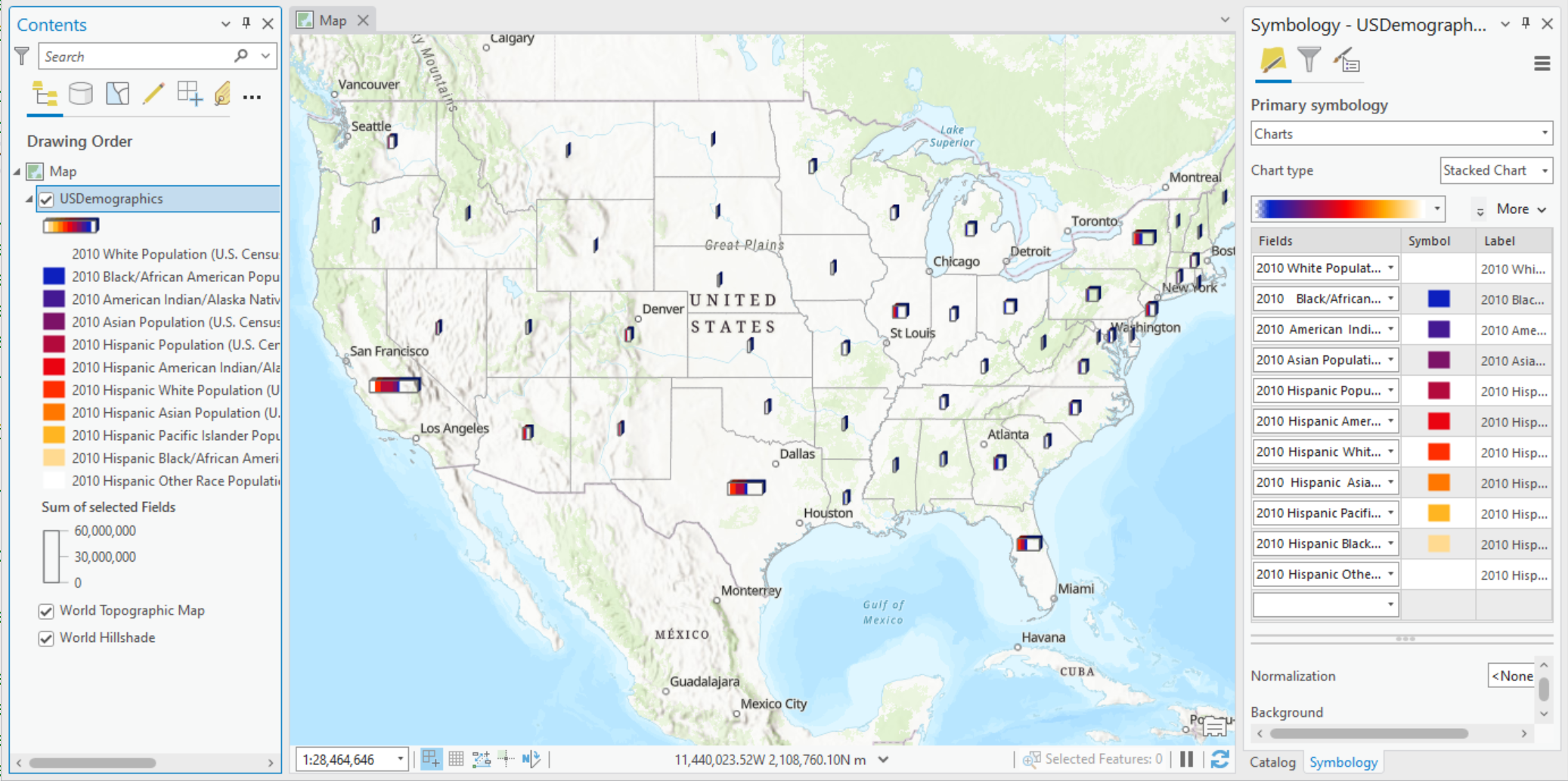 /// </summary> { //Check feature layer name //Code works with the USDemographics feature layer available with the ArcGIS Pro SDK Sample data var featureLayer = MapView.Active.Map.GetLayersAsFlattenedList().OfType<FeatureLayer>().FirstOrDefault(f => f.Name == "USDemographics"); if (featureLayer == null) { MessageBox.Show("This renderer works with the USDemographics feature layer available with the ArcGIS Pro SDK Sample data", "Data missing"); } var chartFields = new List<string> { "WHITE10", "BLACK10", "AMERIND10", "ASIAN10", "HISPPOP10", "HAMERIND10", "HWHITE10", "HASIAN10", "HPACIFIC10", "HBLACK10", "HOTHRACE10" }; StackedChartRendererDefinition barChartpieChartRendererDefn = new StackedChartRendererDefinition() { ChartFields = chartFields, SizeOption = StackChartSizeOptions.SumSelectedFields, Orientation = ChartOrientation.Horizontal, ShowOutline = true, DisplayIn3D = true, StackWidth = 8, StackLength = 25.87, ColorRamp = colorRamp }; //Note: Run within QueuedTask //Creates a "Renderer" var stackedBarChartChartRenderer = featureLayer.CreateRenderer(barChartpieChartRendererDefn); //Sets the renderer to the feature layer featureLayer.SetRenderer(stackedBarChartChartRenderer); }
Inheritance Hierarchy
System.Object
ArcGIS.Desktop.Mapping.LayerDrawingDefinition
ArcGIS.Desktop.Mapping.RendererDefinition
ArcGIS.Desktop.Mapping.ChartRendererDefinition
ArcGIS.Desktop.Mapping.StackedChartRendererDefinition
Requirements
Target Platforms: Windows 11 Home, Pro, Enterprise (64 bit)
ArcGIS Pro version: 3.0 or higher.
See Also