ExportSceneContentsFormat Class
In This Topic
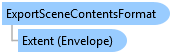
Provides a base set of properties that all scene content export formats inherit. Supported export formats: glTF and stereolithography(STL).
Object Model
Syntax
Public Class ExportSceneContentsFormat
public class ExportSceneContentsFormat
Example
Export the contents of a scene to an exchange format such as glTF and STL.
{
  // Validate the current active view. Only a local scene can be exported.
  bool CanExportScene3DObjects = MapView.Active?.ViewingMode == MapViewingMode.SceneLocal;
  if (CanExportScene3DObjects)
  {
    // Create a scene content export format, export the scene context as a glTF file
    var exportFormat = new ExportSceneContentsFormat()
    {
      Extent = mapView.Extent, // sets Extent property
      FolderPath = @"C:\Temp", // sets FolderPath property
                               //sets FileName property.The export format is determined by the output file extension (e.g.,.stl, .gltf)
      FileName = "my-3d-objects.gltf",
      IsSingleFileOutput = true, // sets whether to export to one single file
      SaveTextures = true //sets whether to save textures
    };
    // Export the scene content as 3D objects
    mapView.ExportScene3DObjects(exportFormat);
  }
}
Inheritance Hierarchy
System.Object
ArcGIS.Desktop.Mapping.ExportSceneContentsFormat
Requirements
Target Platforms: Windows 11 Home, Pro, Enterprise (64 bit)
ArcGIS Pro version: 3.5 or higher.
See Also