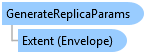
GenerateReplicaParams Class
In This Topic
Specifies the parameters for creating sync
replicas from all sync enabled layers in a map
Object Model
Syntax
Example
Generate Replicas for Sync-Enabled Content
{
    //namespace ArcGIS.Desktop.Mapping.Offline
    var extent = MapView.Active.Extent;
    //Check map has sync-enabled content that can be taken offline
    //Note: Run within QueuedTask
    var hasSyncEnabledContent = GenerateOfflineMap.Instance.GetCanGenerateReplicas(map);
    if (hasSyncEnabledContent)
    {
        //Generate Replicas and take the content offline
        //sync-enabled content gets copied local into a SQLite DB
        var gen_params = new GenerateReplicaParams()
        {
            Extent = extent, //SR of extent must match map SR

            //DestinationFolder can be left blank, if specified,
            //it must exist. Defaults to project offline maps location
            DestinationFolder = @"C:\Data\Offline"
        };
        //Sync-enabled layer content will be resourced to point to the
        //local replica content.
        GenerateOfflineMap.Instance.GenerateReplicas(map, gen_params);
    }
}
Inheritance Hierarchy
System.Object
ArcGIS.Desktop.Mapping.Offline.GenerateReplicaParams
Requirements
Target Platforms: Windows 11 Home, Pro, Enterprise (64 bit)
ArcGIS Pro version: 3.0 or higher.
See Also