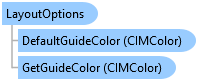
LayoutOptions Class
In This Topic
Gets and sets the application layout options.
Object Model
Syntax
Example
Get LayoutOptions
{
  var lastToolActive = ApplicationOptions.LayoutOptions.KeepLastToolActive;
  var warnOnSurrounds = ApplicationOptions.LayoutOptions.WarnAboutAssociatedSurrounds;
  //eg <Install_Path>\Resources\LayoutTemplates\en-US
  var gallery_path = ApplicationOptions.LayoutOptions.LayoutTemplatePath;
  var defaultGuideColor = ApplicationOptions.LayoutOptions.DefaultGuideColor;
  //Note: Must be on QueuedTask.Run.
  var guideColor = ApplicationOptions.LayoutOptions.GetGuideColor();
}
Set LayoutOptions
{
  //keep graphic element insert tool active
  ApplicationOptions.LayoutOptions.KeepLastToolActive = true;
  //no warning when deleting a map frame results in other elements being deleted
  ApplicationOptions.LayoutOptions.WarnAboutAssociatedSurrounds = false;
  //path to .pagx files used as templates
  ApplicationOptions.LayoutOptions.LayoutTemplatePath = @"D:\data\layout_templates";

  var guideColor = ApplicationOptions.LayoutOptions.GetGuideColor();
  // set guide color
  //Note: Must be on QueuedTask.Run
  ApplicationOptions.LayoutOptions.SetGuideColor(ColorFactory.Instance.RedRGB);
}
Inheritance Hierarchy
System.Object
ArcGIS.Desktop.Core.LayoutOptions
Requirements
Target Platforms: Windows 11 Home, Pro, Enterprise (64 bit)
ArcGIS Pro version: 3.0 or higher.
See Also