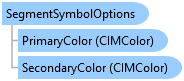
SegmentSymbolOptions Class
In This Topic
Defines the options used for the segment symbol while sketching.
Object Model
Syntax
Example
Customizing the Sketch Symbol of a Custom Sketch Tool
/// <summary>
/// Within the specialization of a MapTool, this method handles activation and deactivation of the tool, allowing customization of sketch segment and vertex symbology when
/// the tool becomes active.  When the tool is activated, this method customizes the appearance of sketch segments and vertices by updating their symbol options. This includes setting colors, widths, marker types, and other visual properties for both segments and regular unselected vertices.
/// </summary>
protected override Task OnToolActivateAsync(bool active)
{
  QueuedTask.Run(() =>
  {
    //Getting the current symbology options of the segment
    var segmentOptions = GetSketchSegmentSymbolOptions();
    //Modifying the primary and secondary color and the width of the segment symbology options
    var deepPurple = new CIMRGBColor() { R = 75, G = 0, B = 110 };
    segmentOptions.PrimaryColor = deepPurple;
    segmentOptions.Width = 4;
    segmentOptions.HasSecondaryColor = true;
    var pink = new CIMRGBColor() { R = 219, G = 48, B = 130 };
    segmentOptions.SecondaryColor = pink;
    //Creating a new vertex symbol options instance with the values you want
    var vertexOptions = new VertexSymbolOptions(VertexSymbolType.RegularUnselected);
    var yellow = new CIMRGBColor() { R = 255, G = 215, B = 0 };
    var purple = new CIMRGBColor() { R = 148, G = 0, B = 211 };
    vertexOptions.AngleRotation = 45;
    vertexOptions.Color = yellow;
    vertexOptions.MarkerType = VertexMarkerType.Star;
    vertexOptions.OutlineColor = purple;
    vertexOptions.OutlineWidth = 3;
    vertexOptions.Size = 5;

    //Setting the value of the segment symbol options
    SetSketchSegmentSymbolOptions(segmentOptions);
    //Setting the value of the vertex symbol options of the regular unselected vertices using the vertexOptions instance created above.
    SetSketchVertexSymbolOptions(VertexSymbolType.RegularUnselected, vertexOptions);
  });

  return base.OnToolActivateAsync(active);
}
Get Sketch Segment Symbology Options
{
  var options = ApplicationOptions.EditingOptions;

  //var options = ApplicationOptions.EditingOptions;
  await QueuedTask.Run(() =>
  {
    var seg_options = options.GetSegmentSymbolOptions();
    //to convert the options to a symbol use
    //SymbolFactory. Note: this is approximate....sketch isn't using the
    //CIM directly for segments
    var layers = new List<CIMSymbolLayer>();
    var stroke0 = SymbolFactory.Instance.ConstructStroke(seg_options.PrimaryColor,
      seg_options.Width, SimpleLineStyle.Dash);
    layers.Add(stroke0);
    if (seg_options.HasSecondaryColor)
    {
      var stroke1 = SymbolFactory.Instance.ConstructStroke(
        seg_options.SecondaryColor, seg_options.Width, SimpleLineStyle.Solid);
      layers.Add(stroke1);
    }
    //segment symbology only
    var sketch_line = new CIMLineSymbol()
    {
      SymbolLayers = layers.ToArray()
    };
  });
}
Set Sketch Segment Symbol Options
{
  var options = ApplicationOptions.EditingOptions;
  //var options = ApplicationOptions.EditingOptions;
  await QueuedTask.Run(() =>
  {
    //change the segment symbol primary color to green and
    //width to 1 pt
    var segSymbol = options.GetSegmentSymbolOptions();
    segSymbol.PrimaryColor = ColorFactory.Instance.GreenRGB;
    segSymbol.Width = 1;

    //Are these valid?
    if (options.CanSetSegmentSymbolOptions(segSymbol))
    {
      //apply them
      options.SetSegmentSymbolOptions(segSymbol);
    }
  });
}
Set Sketch Segment Symbol Back to Default
{
  var options = ApplicationOptions.EditingOptions;
  //var options = ApplicationOptions.EditingOptions;
  await QueuedTask.Run(() =>
  {
    var def_seg = options.GetDefaultSegmentSymbolOptions();
    options.SetSegmentSymbolOptions(def_seg);
  });
}
Inheritance Hierarchy
System.Object
ArcGIS.Desktop.Core.SegmentSymbolOptions
Requirements
Target Platforms: Windows 11 Home, Pro, Enterprise (64 bit)
ArcGIS Pro version: 3.0 or higher.
See Also