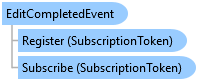
EditCompletedEvent Class
In This Topic
Occurs when an EditOperation completes successfully.
Object Model
Syntax
Public NotInheritable Class EditCompletedEvent
   Inherits ArcGIS.Core.Events.AsyncPresentationEvent(Of EditCompletedEventArgs)
public sealed class EditCompletedEvent : ArcGIS.Core.Events.AsyncPresentationEvent<EditCompletedEventArgs>
Remarks
You can Subscribe to listen for EditCompletedEvents and specify a delegate that will be executed upon receiving the event. To stop listening, you can Unsubscribe. EventCompletedEventArgs holds information about the event.
Example
Subscribe to EditCompletedEvent
// Subscribe to the <see cref="ArcGIS.Desktop.Editing.Events.EditCompletedEvent"/>,
// allowing the application to respond to edit operations such as feature creation, modification, or deletion.public static void SubEditEvents()
var eceToken = EditCompletedEvent.Subscribe(editCompletedEventArgs =>
  {
    //show number of edits
    Console.WriteLine("Creates: " + editCompletedEventArgs.Creates.ToDictionary().Values.Sum(list => list.Count).ToString());
    Console.WriteLine("Modifies: " + editCompletedEventArgs.Modifies.ToDictionary().Values.Sum(list => list.Count).ToString());
    Console.WriteLine("Deletes: " + editCompletedEventArgs.Deletes.ToDictionary().Values.Sum(list => list.Count).ToString());
    return Task.FromResult(0);
  });
Inheritance Hierarchy
System.Object
ArcGIS.Core.Events.EventBase
ArcGIS.Core.Events.AsyncPresentationEvent<TPayload>
ArcGIS.Desktop.Editing.Events.EditCompletedEvent
Requirements
Target Platforms: Windows 11 Home, Pro, Enterprise (64 bit)
ArcGIS Pro version: 3.0 or higher.
See Also