Edit TIN (3D Analyst Tools)
Summary
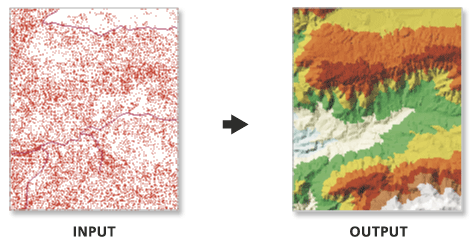
Loads data from one or more input features to modify the surface of an existing triangulated irregular network (TIN).
Illustration
Usage
This tool modifies the input TIN. Consider using the Copy TIN tool to maintain a backup if you want to retain an unmodified version of the source TIN.
The surface feature type defines how the input features will contribute to the definition of the triangulated surface.
Point features can be specified as mass points, which provide data nodes with z-values that are used in the triangulation of the surface.
Line features can be specified as mass points and breaklines, which represent locations along a surface with linear discontinuities in slope, such as ridge lines, shore lines, pavement edges, building footprints, and so on.
Polygon features can also be specified as mass points and breaklines, along with clip features that define the data area, replace features that define regions with constant z-values (for example, water bodies), and erase features that indicate interior areas where data does not exist.
The tool can create a TIN composed of many millions of points given enough memory. However, limiting the number of TIN nodes to less than 6 million will ensure a responsive display performance and overall usability. If a larger TIN surface is needed, consider using a terrain dataset. The terrain dataset offers a multiresolution TIN surface that can support much larger collections of source measurements.
Parameters
| Label | Explanation | Data type |
|---|---|---|
|
Input TIN |
The TIN dataset that will be processed. |
TIN Layer |
|
Surface Feature Definition |
The input features and their related properties that define how they will be added to the TIN. Value table columns:
|
Value Table |
|
Constrained Delaunay (Optional) |
Specifies the triangulation technique that will be used along the breaklines of the TIN.
|
Boolean |
Derived output
| Label | Explanation | Data type |
|---|---|---|
|
Updated TIN |
The updated TIN. |
TIN Layer |
Environments
Licensing information
- Basic: Requires 3D Analyst
- Standard: Requires 3D Analyst
- Advanced: Requires 3D Analyst