LAS Dataset To TIN (3D Analyst Tools)
Summary
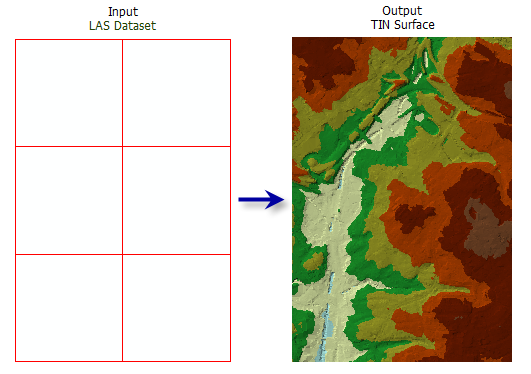
Exports a triangulated irregular network (TIN) from a LAS dataset.
Illustration
Usage
You can filter the LAS dataset's points by classification codes, classification flags, return values, and elevation range. Define point filters on the LAS dataset's Layer Properties dialog box or using the Make LAS Dataset Layer tool.
The LAS dataset layer can also be used to control the enforcement of surface constraint features that may be referenced by the LAS dataset. The constraints are enforced when displaying or processing the LAS dataset as a triangulated surface.
While the total number of points that a TIN can support can exceed 15 million points, it is recommended that you limit TIN datasets to no more than 5 million points to ensure a responsive performance when displaying and analyzing the data. The TIN node count can be reduced using point thinning methods and controlling the output processing extent.
Note:
Consider using a Window Size thinning type when you need more predictable control of how LAS points are thinned in the generation of the output TIN.
Parameters
| Label | Explanation | Data type |
|---|---|---|
|
Input LAS Dataset |
The LAS dataset that will be processed. |
LAS Dataset Layer |
|
Output TIN |
The TIN dataset that will be generated. |
TIN |
|
Thinning Type (Optional) |
Specifies the type of thinning that will be used to reduce the LAS data points saved as the nodes in the resulting TIN.
|
String |
|
Thinning Method (Optional) |
Specifies the technique to be used to reduce the LAS data points, which impacts the interpretation of the Thinning Value parameter value. The available options depend on the Thinning Type parameter value.
|
String |
|
Thinning Value (Optional) |
The thinning value's interpretation depends on the Thinning Type parameter value. If Thinning Type parameter value is Window Size, this value represents the sampling area by which the LAS dataset will be divided. If Thinning Type parameter value is Random and the Thinning Method parameter value is Percent, this value represents the percentage of LAS points that will be exported to the TIN. If Thinning Type parameter value is Random and the Thinning Method parameter value is Node Count, this value represents the total number of LAS points that can be exported to the TIN. |
Double |
|
Maximum Number of Output Nodes (Optional) |
The maximum number of nodes permitted in the output TIN. The default is 5 million. |
Double |
|
Z Factor (Optional) |
The factor by which z-values will be multiplied. This is typically used to convert z linear units to match x,y linear units. The default is 1, which leaves elevation values unchanged. This parameter is not available if the spatial reference of the input surface has a z-datum with a specified linear unit. |
Double |
|
Clip to Extent (Optional) |
Specifies whether the resulting TIN will be clipped against the analysis extent. This only has an effect if the analysis extent is a subset of the input LAS dataset.
|
Boolean |
Environments
Current Workspace, Extent, Output Coordinate System, Geographic Transformations, Default TIN Storage Version
Licensing information
- Basic: Requires 3D Analyst
- Standard: Requires 3D Analyst
- Advanced: Requires 3D Analyst