TIN Domain (3D Analyst Tools)
Summary
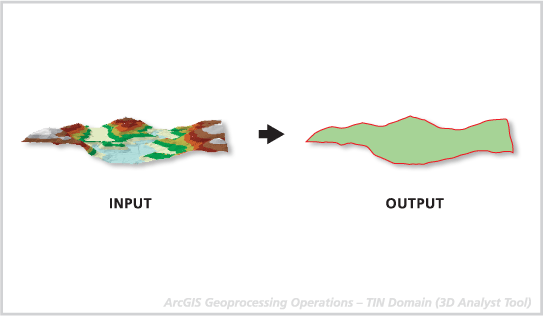
Creates a line or polygon feature class representing the interpolation zone of a triangulated irregular network (TIN) dataset.
Illustration
Usage
This tool can be used to generate a convex hull (the minimum bounding polygon) around a set of points. If there aren't any clip or erase polygons used to define the TIN, the domain is equivalent to the convex hull.
The output geometry is placed in one feature record and may be either a single or multipart geometry, depending on the nature of the interpolation zone. For example, if the interpolation zone is composed of islands or contains holes, the resulting geometry will be multipart.
Note:
3D polygons only contain elevation values along the perimeter of the features, as interior portions of the polygon will not contain any vertices. When drawn in 3D with an area fill, the boundary vertices are arbitrarily connected to triangles for rendering. Unless the polygon is planar, either sloped or horizontal, it's unlikely the fill will accurately represent the interior surface. For this reason, it is recommended that you draw nonplanar 3D polygons without fill symbology.
Parameters
| Label | Explanation | Data type |
|---|---|---|
|
Input TIN |
The TIN dataset that will be processed. |
TIN Layer |
|
Output Feature Class |
The feature class that will be produced. |
Feature Class |
|
Output Feature Class Type |
The geometry of the output feature class.
|
String |
Environments
Current Workspace, Extent, Output Coordinate System, Geographic Transformations, XY Resolution, XY Tolerance, Z Resolution, Z Tolerance, Output Z Domain, Auto Commit, Output XY Domain
Licensing information
- Basic: Requires 3D Analyst
- Standard: Requires 3D Analyst
- Advanced: Requires 3D Analyst