How Generate Tessellation works
The Generate Tessellation tool creates tessellations of a specified shape.
The scope of the tessellated grid is defined by the Extent parameter. To ensure that the entire input extent is covered by the tessellated grid, the output features are intended to extend beyond the input extent. This occurs because the edges of the tessellated grid will not always be straight lines, and gaps would be present if the grid was limited by the input extent.
Tip:
To limit the tessellations to an exact layer extent, run the Clip tool on the output tessellation. Set the Clip Features parameter to the layer.
Shape types
The shape of the tessellations is specified using the Shape Type parameter. This parameter supports the following shapes: hexagon, transverse hexagon, square, diamond, triangle, and H3 hexagons.
|
Shape |
Description |
Illustration |
|---|---|---|
|
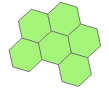
Hexagon |
The top and bottom sides of each hexagon are parallel with the x-axis of the coordinate system. |
|
|
Transverse hexagon |
The right and left sides of each hexagon are parallel with the y-axis of the coordinate system. |
|
|
Square |
The top and bottom sides of each square are parallel with the x-axis of the coordinate system, and the right and left sides are parallel with the y-axis of the coordinate system. |
|
|
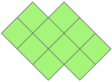
Diamond |
The sides of each polygon are rotated 45 degrees away from the x-axis and y-axis of the coordinate system. |
|
|
Triangle |
Each polygon is an equilateral triangle. |
|
|
H3 hexagon |
The hexagons are generated using the H3 Hexagonal hierarchical geospatial indexing system. |
|



Area calculations
The Area parameter can be set to specify the area of each tessellation. To determine the area (A) of a shape based on the length of a side (s), use one of the following formulas:
|
Shape |
Formula |
Example |
|---|---|---|
|
Hexagon or Transverse hexagon |
\(A = \frac{3\sqrt{3}}{2}\mathsf{s}^2\) |
To generate hexagons with a side length of 100 meters, specify an Area parameter value of 25980.76211353316 square meters (100 raised to the power of 2 multiplied by 3 multiplied by the square root of 3 divided by 2). |
|
Square |
\(A = \mathsf{s}^2\) |
To generate squares with a side length of 100 meters, specify an Area parameter value of 10,000 square meters (100 raised to the power of 2). |
|
Diamond |
\(A = \mathsf{s}^2\) |
To generate diamonds with a side length of 100 meters, specify an Area parameter value of 10,000 square meters (100 raised to the power of 2). |
|
Triangle |
\(A = \frac{\sqrt{3}}{4}\mathsf{s}^2\) |
To generate triangles with a side length of 100 meters, specify an Area parameter value of 4330.127018922193 square meters (100 raised to the power of 2 multiplied by the square root of 3 divided by 4). |
The Shape Type parameter's H3 hexagon option ignores the Area parameter. For this shape, the area of the hexagon will be based on the H3 Resolution parameter value.