Access and explore ArcGIS Velocity
Once you have installed and federated ArcGIS Velocity, you can access it at https://<your_velocity_FQDN>:7143 by signing in with a user that is an administrator.
Administrators in the ArcGIS Enterprise portal can grant non-administrators access to Velocity by assigning specific privileges. For more information, refer to create roles and assign users.
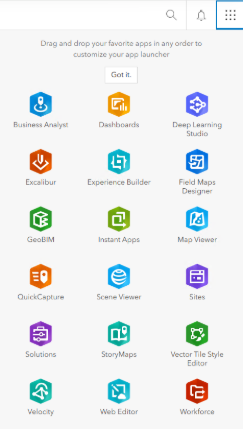
The app launcher is also a convenient location for organization members to open the web apps available to them. Members access the app launcher from Apps  in the Enterprise portal. The Velocity app is added automatically to the app launcher after successful installation and federation.
Note:
If Velocity does not appear in the Enterprise app launcher, clear your browser cache, then refresh the page.
Refer to quick lessons to learn more about creating feeds and real-time analytics.