Location parameters
When you configure data ingestion from a feed or data source, you can specify how to determine the location of features from observations or records. You can generate location from a single geometry field or from X,Y fields, or choose not to configure location.
Specify the location parameters of your feed or data source in the Identify key fields step, under the Location section.
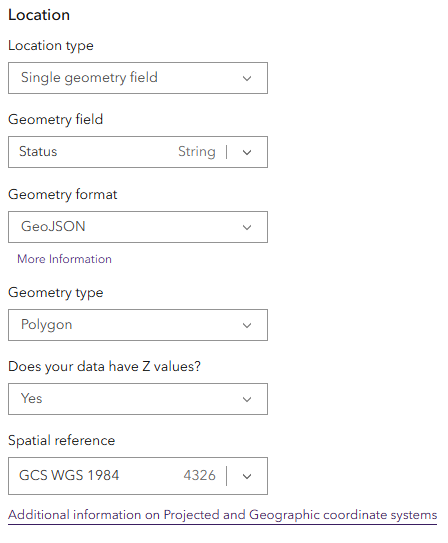
Single geometry field
If geometry information is stored in a single string field, Velocity can process this to generate feature location geometry for each record.
To parse a string field into feature location geometry, specify the following parameters:
Location type—A single geometry field.
Geometry field—Specify the string field from your schema representing location.
Geometry format
Coordinates
Note:
In a single geometry field, coordinate values can be a comma-separated string
x,yor a JSON array[x,y].Esri JSON
GeoJSON
WKT
Geometry type
Envelope
Multipoint
Point
Polygon
Polyline
Does your data have Z values?—Specify whether any of your features for the feed or source have Z values.
Spatial reference (WKID)—The spatial reference of your data using the numeric WKID. Refer to the list of supported projected coordinate system and geographic coordinate system.
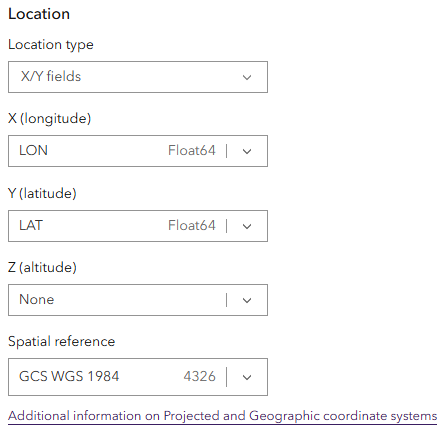
X/Y fields
If X,Y or latitude-longitude values are stored in fields of your data, you can use these values to generate point feature location geometry for each record. Use the drop-down arrows for the X (longitude) and Y (latitude) parameters to choose the respective field from the schema. The Z (altitude) parameter is optional, as not all data will have Z values.
When you specify a Z-value field, you can also provide the linear unit of the Z value. When the coordinate system is projected, Velocity converts these units to the horizontal units of the coordinate system. When the coordinate system is geographic, Velocity converts these units to meters.
Specify the spatial reference of your data using the numeric WKID. Refer to the list of supported projected coordinate system and geographic coordinate system.
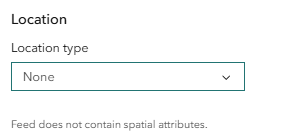
None
You do not need to parse geometry from fields. Some data sources contain tabular records without geometry information. Velocity can ingest and process these records.