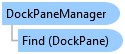
DockPaneManager Class
In This Topic
This class manages the active ArcGIS.Desktop.Framework.Contracts.DockPane instances and supplies the mechanism for instantiating new dock panes.
Object Model
Syntax
Public NotInheritable Class DockPaneManager
public sealed class DockPaneManager
Example
Find a dockpane
// in order to find a dockpane you need to know its DAML id
var pane = FrameworkApplication.DockPaneManager.Find(dockPaneID);
Dockpane operations
{
  // in order to find a dockpane you need to know its DAML id
  pane = FrameworkApplication.DockPaneManager.Find(dockPaneID);

  // determine visibility
  bool visible = pane.IsVisible;

  // activate it
  pane.Activate();

  // determine dockpane state
  DockPaneState state = pane.DockState;

  // pin it
  pane.Pin();

  // hide it
  pane.Hide();
}
Dockpane undo / redo
{
  // in order to find a dockpane you need to know its DAML id
  pane = FrameworkApplication.DockPaneManager.Find(dockPaneID);

  // get the undo stack
  OperationManager manager = pane.OperationManager;
  if (manager != null)
  {
    // undo an operation
    // Use await with UndoAsync and RedoAsync
    if (manager.CanUndo)
      manager.UndoAsync().Wait();

    // redo an operation
    if (manager.CanRedo)
      manager.RedoAsync().Wait();

    // clear the undo and redo stack of operations of a particular category
    manager.ClearUndoCategory("Some category");
    manager.ClearRedoCategory("Some category");
  }
}
Inheritance Hierarchy
System.Object
ArcGIS.Desktop.Framework.DockPaneManager
Requirements
Target Platforms: Windows 11 Home, Pro, Enterprise (64 bit)
ArcGIS Pro version: 3.0 or higher.
See Also