ArcGIS Pro 3.8 API Reference Guide
ArcGIS.Desktop.Mapping Namespace / ISymbolFactory Interface / ConstructPolygonSymbol Method / ConstructPolygonSymbol(CIMColor,SimpleStipplePattern) Method
Outline and stipple color
Example

In This Topic
    ConstructPolygonSymbol(CIMColor,SimpleStipplePattern) Method
    In This Topic
    Constructs a polygon symbol of specific color and stipple pattern.
    Syntax
    Overloads Function ConstructPolygonSymbol( _
       ByVal color As CIMColor, _
       ByVal stipplePattern As SimpleStipplePattern _
    ) As CIMPolygonSymbol

    Parameters

    color
    Outline and stipple color
    stipplePattern

    Return Value

    Remarks
    The polygon symbol outline and stipple color will be the same. The background fill will be white. Note: the stipple pattern is generated with a marker not a fill.
    Example
    Procedural Symbol
    /// <summary>
    /// Create a procedural symbol that can be applied to a polygon building footprint layer
    /// ![ProceduralSymbol](https://ArcGIS.github.io/arcgis-pro-sdk/images/Symbology/polygon-procedural.png)
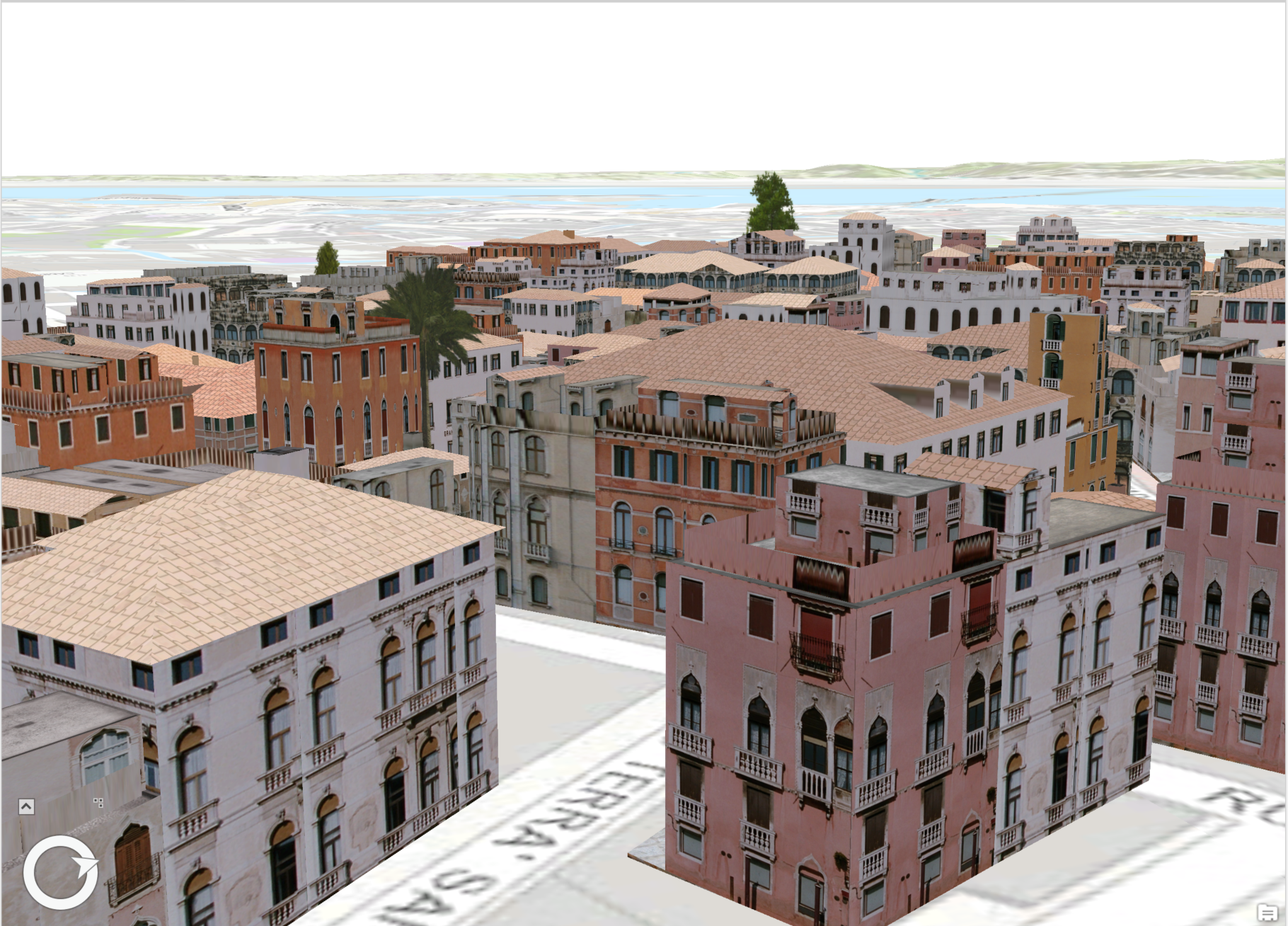
    /// Note: The rule package used in this method can be obtained from the Sample Data included in the arcgis-pro-sdk-community-samples repository.
    /// </summary>
    {
      //Note: Run withing QueuedTask
      string _rulePkgPath = @"C:\Data\RulePackages\Venice_2014.rpk";
      //Polygon symbol to hold the procedural layer
      var proceduralSymbol = SymbolFactory.Instance.ConstructPolygonSymbol();
    
      //Array of layers to hold a procedural symbol layer
      CIMSymbolLayer[] proceduralSymbolLyr =
            {
                new CIMProceduralSymbolLayer()
                {
                    PrimitiveName = "Venice Rule package 2014",
                    RulePackage = _rulePkgPath,
                    RulePackageName = "Venice_2014",
                }
      };
      proceduralSymbol.SymbolLayers = proceduralSymbolLyr;
      //To apply the symbol to a polygon feature layer
      //var renderer = theLayer.GetRenderer() as CIMSimpleRenderer;
      //renderer.Symbol = proceduralSymbol.MakeSymbolReference();
      //theLayer.SetRenderer(renderer);
    }
    Requirements

    Target Platforms: Windows 11 Home, Pro, Enterprise (64 bit)

    ArcGIS Pro version: 3.1 or higher.
    See Also