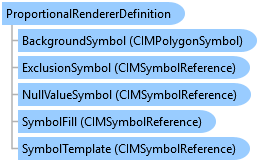
ProportionalRendererDefinition Class
In This Topic
Represents a proportional renderer definition to draw features proportionally to each other.
Object Model
Syntax
Public Class ProportionalRendererDefinition
   Inherits RendererDefinition
public class ProportionalRendererDefinition : RendererDefinition
Remarks
Once you define a proportional renderer, you can call a FeatureLayer's CreateRenderer and SetRenderer methods to create and assign a renderer to a feature layer.
Example
Create a Proportion Renderer with max and min symbol size capped
{
    string colorBrewerSchemesName = "ArcGIS Colors";
    //Get the style project item that contains the color ramps
    //Refer to the Initialize region for an example of how to get a style item
    //Note: Run within a QueuedTask
    //Creating a point symbol to be used as a template symbol for the proportional renderer
    CIMPointSymbol pointSym = SymbolFactory.Instance.ConstructPointSymbol(ColorFactory.Instance.GreenRGB, 1.0, SimpleMarkerStyle.Circle);
    CIMSymbolReference symbolPointTemplate = pointSym.MakeSymbolReference();

    //minimum symbol size is capped to 4 point while the maximum symbol size is set to 50 point
    //Creating a proportional renderer definition that uses the "Population" field
    ProportionalRendererDefinition prDef = new ProportionalRendererDefinition("POPULATION", symbolPointTemplate, 4, 50, true)
    {
        //setting upper and lower size stops to stop symbols growing or shrinking beyond those thresholds
        UpperSizeStop = 5000000,  //features with values >= 5,000,000 will be drawn with maximum symbol size
        LowerSizeStop = 50000    //features with values <= 50,000 will be drawn with minimum symbol size
    };
    // Create a proportional renderer using the definition
    CIMProportionalRenderer propRndr = featureLayer.CreateRenderer(prDef) as CIMProportionalRenderer;
    // Set the renderer to the feature layer
    featureLayer.SetRenderer(propRndr);
}
Create a True Proportion Renderer
{
    string colorBrewerSchemesName = "ArcGIS Colors";
    //Get the style project item that contains the color ramps
    //Refer to the Initialize region for an example of how to get a style item
    //Note: Run within a QueuedTask
    //Creating a point symbol to be used as a template symbol for the proportional renderer
    CIMPointSymbol pointSym = SymbolFactory.Instance.ConstructPointSymbol(ColorFactory.Instance.GreenRGB, 1.0, SimpleMarkerStyle.Circle);
    CIMSymbolReference symbolPointTemplate = pointSym.MakeSymbolReference();

    //Defining proportional renderer where size of symbol will be same as its value in field used in the renderer.
    ProportionalRendererDefinition prDef = new ProportionalRendererDefinition("POPULATION", esriUnits.esriMeters, symbolPointTemplate, SymbolShapes.Square, ValueRepresentations.Radius);
    //Create a Proportional renderer using the definition
    CIMProportionalRenderer propRndr = featureLayer.CreateRenderer(prDef) as CIMProportionalRenderer;
    // Set the renderer to the feature layer
    featureLayer.SetRenderer(propRndr);
}
Proportional symbols renderer.
/// <summary> /// Renders a feature layer using proportional symbols to draw quantities. /// 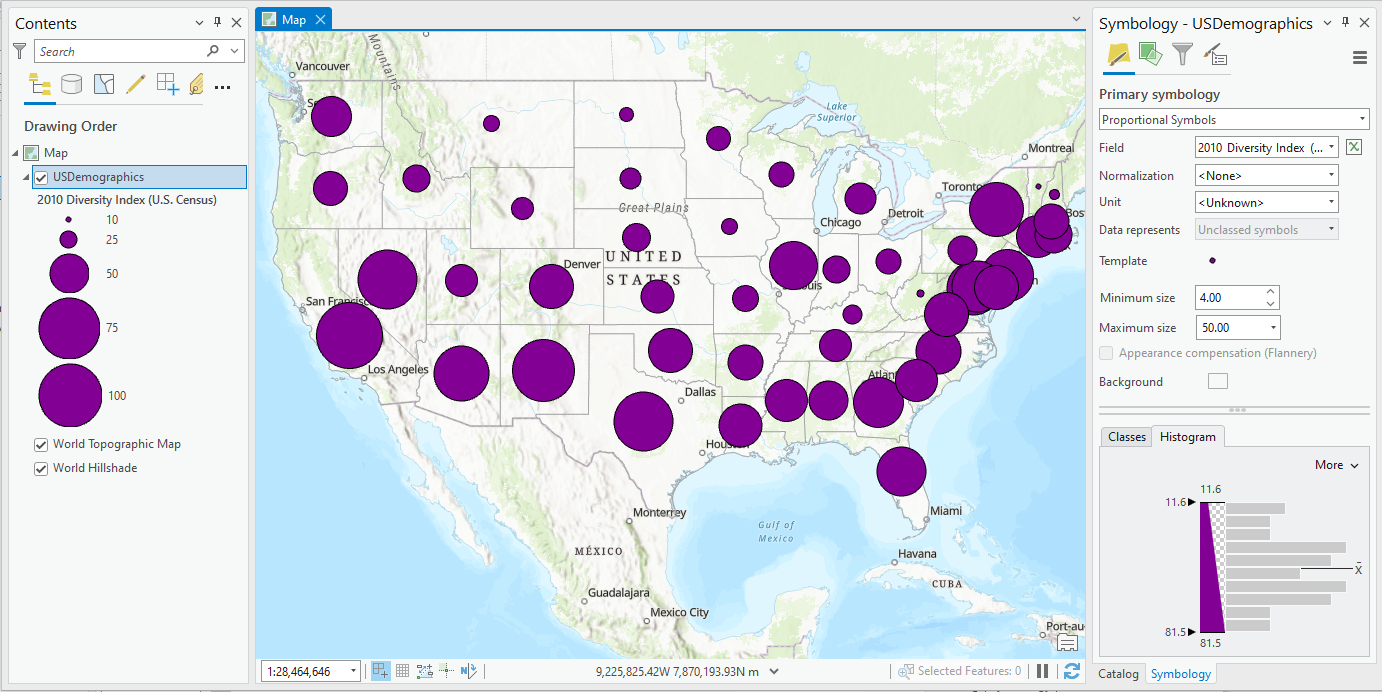 /// </summary> { //Check feature layer name //Code works with the USDemographics feature layer available with the ArcGIS Pro SDK Sample data var featureLayer = MapView.Active.Map.GetLayersAsFlattenedList().OfType<FeatureLayer>().FirstOrDefault(f => f.Name == "USDemographics"); if (featureLayer == null) { MessageBox.Show("This renderer works with the USDemographics feature layer available with the ArcGIS Pro SDK Sample data", "Data missing"); } //Gets the first numeric field of the feature layer var firstNumericFieldOfFeatureLayer = "NumericFieldInLayer"; //Gets the min and max value of the field var sizes = GetFieldMinMax(featureLayer, firstNumericFieldOfFeatureLayer); ProportionalRendererDefinition prDef = new ProportionalRendererDefinition() { Field = firstNumericFieldOfFeatureLayer, MinimumSymbolSize = 4, MaximumSymbolSize = 50, LowerSizeStop = Convert.ToDouble(sizes.Item1), UpperSizeStop = Convert.ToDouble(sizes.Item2) }; //Note: Run within QueuedTask CIMProportionalRenderer propRndr = (CIMProportionalRenderer)featureLayer.CreateRenderer(prDef); featureLayer.SetRenderer(propRndr); }
Inheritance Hierarchy
System.Object
ArcGIS.Desktop.Mapping.LayerDrawingDefinition
ArcGIS.Desktop.Mapping.RendererDefinition
ArcGIS.Desktop.Mapping.ProportionalRendererDefinition
Requirements
Target Platforms: Windows 11 Home, Pro, Enterprise (64 bit)
ArcGIS Pro version: 3.0 or higher.
See Also