ArcGIS Pro 3.7 API Reference Guide
ArcGIS.Desktop.Mapping Namespace / SymbolFactory Class / ConstructPointSymbol Method / ConstructPointSymbol(CIMColor,Double,SimpleMarkerStyle) Method
ArcGIS.Core.CIM.CIMColor
The size of the point symbol to construct.
SimpleMarkerStyle
Example

In This Topic
    ConstructPointSymbol(CIMColor,Double,SimpleMarkerStyle) Method
    In This Topic
    Constructs a point symbol of specific color, size and style. This method must be called on the MCT. Use QueuedTask.Run.
    Syntax
    Public Overloads Function ConstructPointSymbol( _
       ByVal color As CIMColor, _
       ByVal size As Double, _
       ByVal style As SimpleMarkerStyle _
    ) As CIMPointSymbol
    public CIMPointSymbol ConstructPointSymbol( 
       CIMColor color,
       double size,
       SimpleMarkerStyle style
    )

    Parameters

    color
    ArcGIS.Core.CIM.CIMColor
    size
    The size of the point symbol to construct.
    style
    SimpleMarkerStyle

    Return Value

    Exceptions
    ExceptionDescription
    This method must be called within the lambda passed to QueuedTask.Run
    Example
    How to construct a point symbol of a specific color, size and shape
    {
        CIMPointSymbol starPointSymbol = SymbolFactory.Instance.ConstructPointSymbol(ColorFactory.Instance.RedRGB, 10.0, SimpleMarkerStyle.Star);
    }
    Custom fill and outline
    /// <summary>
    /// Creates a point symbol with custom fill and outline          
    /// ![PointSymbolMarker](https://ArcGIS.github.io/arcgis-pro-sdk/images/Symbology/point-fill-outline.png)
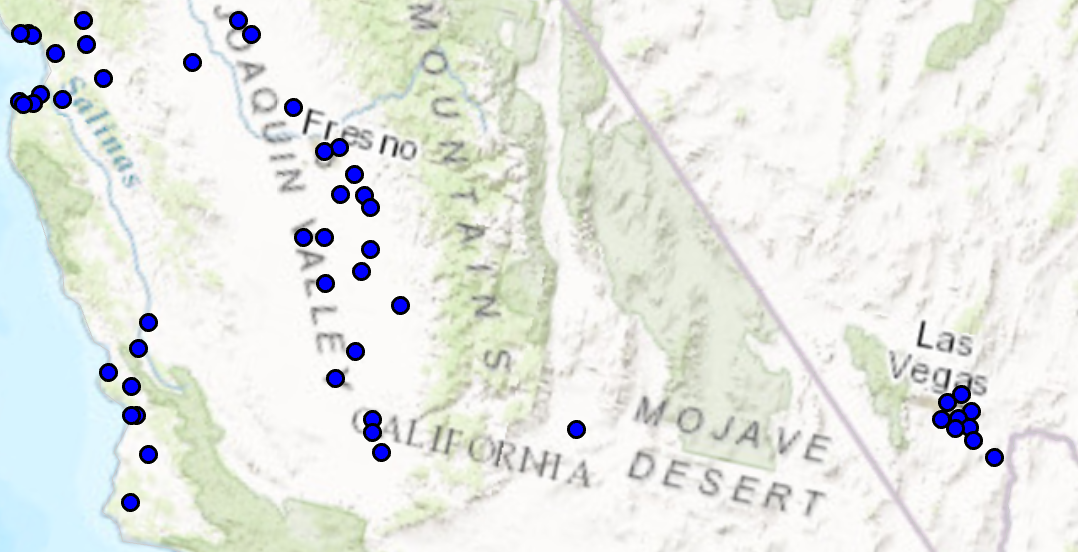
    /// </summary>
    {
      //Note: Run withing QueuedTask
      var circlePtCustomFileOutlineSymbol = SymbolFactory.Instance.ConstructPointSymbol(ColorFactory.Instance.BlueRGB, 6, SimpleMarkerStyle.Circle);
      //Modifying this point symbol with the attributes we want.
      //getting the marker that is used to render the symbol
      var marker = circlePtCustomFileOutlineSymbol.SymbolLayers[0] as CIMVectorMarker;
      //Getting the polygon symbol layers components in the marker
      var polySymbol = marker.MarkerGraphics[0].Symbol as CIMPolygonSymbol;
      //modifying the polygon's outline and width per requirements
      polySymbol.SymbolLayers[0] = SymbolFactory.Instance.ConstructStroke(ColorFactory.Instance.BlackRGB, 2, SimpleLineStyle.Solid); //This is the outline
      polySymbol.SymbolLayers[1] = SymbolFactory.Instance.ConstructSolidFill(ColorFactory.Instance.GreenRGB); //This is the fill
      //To apply the symbol to a point feature layer
      //var renderer = pointLayer.GetRenderer() as CIMSimpleRenderer;
      //renderer.Symbol = circlePtCustomFileOutlineSymbol.MakeSymbolReference();
      //pointLayer.SetRenderer(renderer);
    }
    Requirements

    Target Platforms: Windows 11 Home, Pro, Enterprise (64 bit)

    ArcGIS Pro version: 3.0 or higher.
    See Also