UnclassedColorsRendererDefinition Class
In This Topic
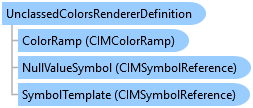
Represents an unclassed colors renderer definition to show qualitative differences in feature values with an evenly distributed color scheme.
Object Model
Syntax
Public Class UnclassedColorsRendererDefinition
   Inherits RendererDefinition
public class UnclassedColorsRendererDefinition : RendererDefinition
Remarks
Unclassed colors symbology is similar to graduated colors in that it's used to make choropleth maps.
Once you define an unclassed renderer, you can call a FeatureLayer's CreateRenderer and SetRenderer methods to create and assign a renderer to a feature layer.
Example
Create an unclassed Renderer
{
    string colorBrewerSchemesName = "ArcGIS Colors";
    //Get the style project item that contains the color ramps
    //Refer to the Initialize region for an example of how to get a style item
    //Note: Run within a QueuedTask
    CIMPointSymbol pointSym = SymbolFactory.Instance.ConstructPointSymbol(ColorFactory.Instance.GreenRGB, 16.0, SimpleMarkerStyle.Diamond);
    CIMSymbolReference symbolPointTemplate = pointSym.MakeSymbolReference();

    //defining an unclassed renderer with custom upper and lower stops
    //all features with value >= 5,000,000 will be drawn with the upper color from the color ramp
    //all features with value <= 50,000 will be drawn with the lower color from the color ramp
    UnclassedColorsRendererDefinition unclassRndrDef = new UnclassedColorsRendererDefinition
                          ("Population", symbolPointTemplate, colorRamp, "Highest", "Lowest", 5000000, 50000)
    {

        //drawing features with null values with a different symbol
        ShowNullValues = true,
        NullValueLabel = "Unknown"
    };
    // Create a point symbol for null values
    CIMPointSymbol nullSym = SymbolFactory.Instance.ConstructPointSymbol(ColorFactory.Instance.RedRGB, 16.0, SimpleMarkerStyle.Circle);
    unclassRndrDef.NullValueSymbol = nullSym.MakeSymbolReference();
    //Create the unclassed renderer using the definition
    CIMClassBreaksRenderer cbRndr = featureLayer.CreateRenderer(unclassRndrDef) as CIMClassBreaksRenderer;
    //Set the renderer to the feature layer
    featureLayer.SetRenderer(cbRndr);
}
UnClassed graduated color renderer.
/// <summary> /// Renders a feature layer using an unclassed color gradient. ///  /// </summary> { //Check feature layer name //Code works with the USDemographics feature layer available with the ArcGIS Pro SDK Sample data var featureLayer = MapView.Active.Map.GetLayersAsFlattenedList().OfType<FeatureLayer>().FirstOrDefault(f => f.Name == "U.S. National Transportation Atlas Interstate Highways"); if (featureLayer == null) { MessageBox.Show("This renderer works with the U.S. National Transportation Atlas Interstate Highways feature layer available with the ArcGIS Pro SDK Sample data", "Data missing"); } //Gets the first numeric field of the feature layer var firstNumericFieldOfFeatureLayer = "NumericFieldInFeatureLayer"; //Gets the min and max value of the field //Refer to the GetFieldMinMax function below var labels = GetFieldMinMax(featureLayer, firstNumericFieldOfFeatureLayer); UnclassedColorsRendererDefinition ucDef = new UnclassedColorsRendererDefinition() { Field = firstNumericFieldOfFeatureLayer, ColorRamp = colorRamp, LowerColorStop = Convert.ToDouble(labels.Item1), UpperColorStop = Convert.ToDouble(labels.Item2), UpperLabel = labels.Item2, LowerLabel = labels.Item1, }; //Note: Run within QueuedTask CIMClassBreaksRenderer renderer = (CIMClassBreaksRenderer)featureLayer.CreateRenderer(ucDef); featureLayer?.SetRenderer(renderer); }
Inheritance Hierarchy
System.Object
ArcGIS.Desktop.Mapping.LayerDrawingDefinition
ArcGIS.Desktop.Mapping.RendererDefinition
ArcGIS.Desktop.Mapping.UnclassedColorsRendererDefinition
Requirements
Target Platforms: Windows 11 Home, Pro, Enterprise (64 bit)
ArcGIS Pro version: 3.0 or higher.
See Also