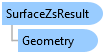
SurfaceZsResult Class
In This Topic
Defines the result of calling Map.GetZsFromSurfaceAsync()
Object Model
Syntax
Public NotInheritable Class SurfaceZsResult
public sealed class SurfaceZsResult
Example
Get Z values from the default ground surface
{
    //Note: This method must be called on the MCT
    // Get the center of the map's full extent
    MapPoint mapPoint = MapView.Active.Map.CalculateFullExtent().Center;
    //Pass any Geometry type to GetZsFromSurfaceAsync
    var surfaceZResult = await MapView.Active.Map.GetZsFromSurfaceAsync(mapPoint);
    if (surfaceZResult.Status == SurfaceZsResultStatus.Ok)
    {
        // cast to a mapPoint
        var mapPointZ = surfaceZResult.Geometry as MapPoint;
        var z = mapPointZ.Z;
    }
}
Get Z values from a specific surface
{
    var eleLayer = MapView.Active.Map.GetElevationSurfaceLayers().FirstOrDefault(l => l.Name == "TIN");
    //Pass any Geometry type to GetZsFromSurfaceAsync
    //Note: This method must be called on the MCT
    //Ensure the feature layer is a line layer and is Z aware
    var selectedFeatures = featureLayer.GetSelection();
    var rowCursor = selectedFeatures.Search();
    while (rowCursor.MoveNext())
    {
        var feature = rowCursor.Current as Feature;
        var polyline = feature.GetShape() as Polyline;
        var zResult = await MapView.Active.Map.GetZsFromSurfaceAsync(polyline, eleLayer);
        if (zResult.Status == SurfaceZsResultStatus.Ok)
        {
            var polylineZ = zResult.Geometry as Polyline;
            // process the polylineZ
            // For example, you can iterate through the points and access their Z values
        }
    }
}
Get Z values from a layer
{
    TinLayer tinLayer = map.GetLayersAsFlattenedList().OfType<TinLayer>().FirstOrDefault();
    //Note: This method must be called on the MCT
    MapPoint mapPoint = MapView.Active.Map.CalculateFullExtent().Center; //Any Map Point
    Polyline polyline = PolylineBuilderEx.CreatePolyline(mapView.Extent); //Any Polyline

    if (tinLayer.CanGetZs())
    {
        // get z value for a mapPoint
        var zResult = tinLayer.GetZs(mapPoint);
        if (zResult.Status == SurfaceZsResultStatus.Ok)
        {
            // cast to a mapPoint
            var mapPointZ = zResult.Geometry as MapPoint;
            var z = mapPointZ.Z;
        }

        // get z values for a polyline
        zResult = tinLayer.GetZs(polyline);
        if (zResult.Status == SurfaceZsResultStatus.Ok)
        {
            // cast to a mapPoint
            var polylineZ = zResult.Geometry as Polyline;
        }
    }
}
Get Z values from a TIN Layer
{
  // Note: Needs QueuedTask to run
  {
    if (tinLayer.CanGetZs())
    {
      // get z value for a mapPoint
      var zResult = tinLayer.GetZs(mapPoint);
      if (zResult.Status == SurfaceZsResultStatus.Ok)
      {
        // cast to a mapPoint
        var mapPointZ = zResult.Geometry as MapPoint;
        var z = mapPointZ.Z;
      }

      // get z values for a polyline
      zResult = tinLayer.GetZs(polyline);
      if (zResult.Status == SurfaceZsResultStatus.Ok)
      {
        // cast to a Polyline
        var polylineZ = zResult.Geometry as Polyline;
      }
    }
  }
}
Inheritance Hierarchy
System.Object
ArcGIS.Desktop.Mapping.SurfaceZsResult
Requirements
Target Platforms: Windows 11 Home, Pro, Enterprise (64 bit)
ArcGIS Pro version: 3.0 or higher.
See Also