ConstructPointSymbol(CIMColor,Double,SimpleMarkerStyle) Method
Constructs a point symbol of specific color, size and style. This method must be called on the MCT. Use QueuedTask.Run.
How to add a style item to a style
{
  //Create a new style item
  //You can generate a swatch for a text symbols also.
  CIMSymbol symbolToAdd = SymbolFactory.Instance.ConstructPointSymbol(ColorFactory.Instance.GreenRGB, 1.0, SimpleMarkerStyle.Circle);
  SymbolStyleItem styleItemToAdd = new SymbolStyleItem()
  {
    Symbol = symbolToAdd,
    PatchHeight = 64,
    PatchWidth = 64
  };
  styleProjectItem.AddItem(styleItemToAdd);
}
How to construct a point symbol of a specific color, size and shape
{
  CIMPointSymbol starPointSymbol = SymbolFactory.Instance.ConstructPointSymbol(ColorFactory.Instance.RedRGB, 10.0, SimpleMarkerStyle.Star);
}
Create a Swatch for a given symbol
{
  await QueuedTask.Run(() =>
  {
    CIMSymbol symbolForSwatch = SymbolFactory.Instance.ConstructPointSymbol(ColorFactory.Instance.GreenRGB, 1.0, SimpleMarkerStyle.Circle);
    //You can generate a swatch for a text symbols also.
    var si = new SymbolStyleItem()
    {
      Symbol = symbolForSwatch,
      PatchHeight = 64,
      PatchWidth = 64
    };
  });
}
Convert Point Symbol to SVG
{
  var mem_strm = await QueuedTask.Run(() =>
  {
    //Create a point symbol
    var pointSymbol = SymbolFactory.Instance.ConstructPointSymbol(
      ColorFactory.Instance.RedRGB, 24, SimpleMarkerStyle.RoundedSquare);

    //Generate image returns a stream
    return SymbolFactory.Instance.GenerateImage(
      pointSymbol, OutputImageFormat.SVG, 2.0, true, 300, 100, 100,
      ColorFactory.Instance.WhiteRGB);
  });

  //Set the memory stream position to the beginning
  mem_strm.Seek(0, SeekOrigin.Begin);

  //File path and name for saving the SVG file
  var fileName = "RoundedSquareSymbol.svg";
  string path_svg = System.IO.Path.Combine(System.IO.Path.GetTempPath() + fileName);

  //Write the memory stream to the file
  System.IO.File.WriteAllBytes(path_svg, mem_strm.ToArray());

  //////////////////////////////////////////////
  //Note: to convert SVG to image format, use a 3rd party
  //e.g. Aspose.SVG for .NET, for example convert SVG to PNG
  //using (var svg_doc = new Aspose.Svg.SVGDocument(path_svg))
  //{
  //  string path_png = Path.Combine(Path.GetTempPath() + "RoundedSquareSymbol.png");
  //  using (var img_png = new Aspose.Svg.Rendering.Image.ImageDevice(
  //    new ImageRenderingOptions(ImageFormat.Png), path_png))
  //  {
  //    svg_doc.RenderTo(img_png);
  //  }
  //  //also: https://docs.aspose.com/imaging/net/convert-svg-to-png/
  //}
}
Convert Point Symbol to PNG
{
  var mem_strm = await QueuedTask.Run(() =>
  {
    //Create a point symbol
    var pointSymbol = SymbolFactory.Instance.ConstructPointSymbol(
      ColorFactory.Instance.RedRGB, 24, SimpleMarkerStyle.RoundedSquare);

    //Generate image returns a stream
    return SymbolFactory.Instance.GenerateImage(
      pointSymbol, OutputImageFormat.PNG, 2.0, true, 300, 100, 100,
      ColorFactory.Instance.WhiteRGB);
  });

  //Set the memory stream position to the beginning
  mem_strm.Seek(0, SeekOrigin.Begin);

  //Write the stream to a bit map
  var bitmapImage = new System.Windows.Media.Imaging.BitmapImage();

  bitmapImage.BeginInit();
  bitmapImage.StreamSource = mem_strm;
  bitmapImage.CacheOption = System.Windows.Media.Imaging.BitmapCacheOption.OnLoad;
  bitmapImage.EndInit();
  bitmapImage.Freeze();

  //Write the bit map out to a file
  //File path and name for saving the PNG file
  var fileName = "RoundedSquareSymbol.png";
  string path_png = System.IO.Path.Combine(System.IO.Path.GetTempPath() + fileName);

  BitmapEncoder encoder = new PngBitmapEncoder();
  encoder.Frames.Add(BitmapFrame.Create(bitmapImage));

  using (var fileStream = new System.IO.FileStream(
    path_png, System.IO.FileMode.Create))
  {
    encoder.Save(fileStream);
  }
}
Create layer with create-params
{
  var flyrCreatnParam = new FeatureLayerCreationParams(new Uri(@"c:\data\world.gdb\cities"))
  {
    Name = "World Cities",
    IsVisible = false,
    MinimumScale = 1000000,
    MaximumScale = 5000,
    DefinitionQuery = new DefinitionQuery(whereClause: "Population > 100000", name: "More than 100k"),
    RendererDefinition = new SimpleRendererDefinition()
    {
      SymbolTemplate = SymbolFactory.Instance.ConstructPointSymbol(
     CIMColor.CreateRGBColor(255, 0, 0), 8, SimpleMarkerStyle.Hexagon).MakeSymbolReference()
    }
  };
  var featureLayerWithParams = await QueuedTask.Run(() =>
    LayerFactory.Instance.CreateLayer<FeatureLayer>(flyrCreatnParam, map));
}
Create a new SubTypeGroupLayer
{
  var subtypeGroupLayerCreateParam = new SubtypeGroupLayerCreationParams
    (new Uri(@"c:\data\SubtypeAndDomain.gdb\Fittings"));

  // Define Subtype layers
  var rendererDefn1 = new UniqueValueRendererDefinition(new List<string> { "type" });
  var renderDefn2 = new SimpleRendererDefinition()
  {
    SymbolTemplate = SymbolFactory.Instance.ConstructPointSymbol(
            CIMColor.CreateRGBColor(255, 0, 0), 8, SimpleMarkerStyle.Hexagon).MakeSymbolReference()
  };
  subtypeGroupLayerCreateParam.SubtypeLayers = new List<SubtypeFeatureLayerCreationParams>()
{
      //define first subtype layer with unique value renderer
      new SubtypeFeatureLayerCreationParams(new UniqueValueRendererDefinition(new List<string> { "type" }), 1),

      //define second subtype layer with simple symbol renderer
      new SubtypeFeatureLayerCreationParams(renderDefn2, 2)
};

  // Define additional parameters
  subtypeGroupLayerCreateParam.DefinitionQuery = new DefinitionQuery(whereClause: "Enabled = 1", name: "IsActive");
  subtypeGroupLayerCreateParam.IsVisible = true;
  subtypeGroupLayerCreateParam.MinimumScale = 50000;
  SubtypeGroupLayer subtypeGroupLayer2 = await QueuedTask.Run(() =>
    LayerFactory.Instance.CreateLayer<SubtypeGroupLayer>(subtypeGroupLayerCreateParam, map));
}
Set unique value renderer to the selected feature layer of the active map
{
  await QueuedTask.Run(() =>
  {
  //field to be used to retrieve unique values
  var fields = new List<string> { "Type" };
  //constructing a point symbol as a template symbol
  CIMPointSymbol pointSym = SymbolFactory.Instance.ConstructPointSymbol(
      ColorFactory.Instance.GreenRGB, 16.0, SimpleMarkerStyle.Pushpin);
  CIMSymbolReference symbolPointTemplate = pointSym.MakeSymbolReference();

  //constructing renderer definition for unique value renderer
  UniqueValueRendererDefinition uniqueValueRendererDef =
new UniqueValueRendererDefinition(fields, symbolPointTemplate);

  //creating a unique value renderer
  CIMUniqueValueRenderer uniqueValueRenderer = featureLayer.CreateRenderer(uniqueValueRendererDef) as CIMUniqueValueRenderer;

  //setting the renderer to the feature layer
  featureLayer.SetRenderer(uniqueValueRenderer);
  });
}
Create an unclassed Renderer
{
  string colorBrewerSchemesName = "ArcGIS Colors";
  //Get the style project item that contains the color ramps
  //Refer to the Initialize region for an example of how to get a style item
  await QueuedTask.Run(() =>
  {
  CIMPointSymbol pointSym = SymbolFactory.Instance.ConstructPointSymbol(ColorFactory.Instance.GreenRGB, 16.0, SimpleMarkerStyle.Diamond);
  CIMSymbolReference symbolPointTemplate = pointSym.MakeSymbolReference();

  //defining an unclassed renderer with custom upper and lower stops
  //all features with value >= 5,000,000 will be drawn with the upper color from the color ramp
  //all features with value <= 50,000 will be drawn with the lower color from the color ramp
  UnclassedColorsRendererDefinition unclassRndrDef = new UnclassedColorsRendererDefinition
                        ("Population", symbolPointTemplate, colorRamp, "Highest", "Lowest", 5000000, 50000)
  {

    //drawing features with null values with a different symbol
    ShowNullValues = true,
    NullValueLabel = "Unknown"
  };
  // Create a point symbol for null values
  CIMPointSymbol nullSym = SymbolFactory.Instance.ConstructPointSymbol(ColorFactory.Instance.RedRGB, 16.0, SimpleMarkerStyle.Circle);
  unclassRndrDef.NullValueSymbol = nullSym.MakeSymbolReference();
  //Create the unclassed renderer using the definition
  CIMClassBreaksRenderer cbRndr = featureLayer.CreateRenderer(unclassRndrDef) as CIMClassBreaksRenderer;
  //Set the renderer to the feature layer
  featureLayer.SetRenderer(cbRndr);
  });
}
Create a Proportion Renderer with max and min symbol size capped
{
  string colorBrewerSchemesName = "ArcGIS Colors";
  //Get the style project item that contains the color ramps
  //Refer to the Initialize region for an example of how to get a style item
  await QueuedTask.Run(() =>
  {
  //Creating a point symbol to be used as a template symbol for the proportional renderer
  CIMPointSymbol pointSym = SymbolFactory.Instance.ConstructPointSymbol(ColorFactory.Instance.GreenRGB, 1.0, SimpleMarkerStyle.Circle);
  CIMSymbolReference symbolPointTemplate = pointSym.MakeSymbolReference();

  //minimum symbol size is capped to 4 point while the maximum symbol size is set to 50 point
  //Creating a proportional renderer definition that uses the "Population" field
  ProportionalRendererDefinition prDef = new ProportionalRendererDefinition("POPULATION", symbolPointTemplate, 4, 50, true)
  {
    //setting upper and lower size stops to stop symbols growing or shrinking beyond those thresholds
    UpperSizeStop = 5000000,  //features with values >= 5,000,000 will be drawn with maximum symbol size
    LowerSizeStop = 50000    //features with values <= 50,000 will be drawn with minimum symbol size
  };
  // Create a proportional renderer using the definition
  CIMProportionalRenderer propRndr = featureLayer.CreateRenderer(prDef) as CIMProportionalRenderer;
  // Set the renderer to the feature layer
  featureLayer.SetRenderer(propRndr);
  });
}
Create a True Proportion Renderer
{
  string colorBrewerSchemesName = "ArcGIS Colors";
  //Get the style project item that contains the color ramps
  //Refer to the Initialize region for an example of how to get a style item
  await QueuedTask.Run(() =>
  {
  //Creating a point symbol to be used as a template symbol for the proportional renderer
  CIMPointSymbol pointSym = SymbolFactory.Instance.ConstructPointSymbol(ColorFactory.Instance.GreenRGB, 1.0, SimpleMarkerStyle.Circle);
  CIMSymbolReference symbolPointTemplate = pointSym.MakeSymbolReference();

  //Defining proportional renderer where size of symbol will be same as its value in field used in the renderer.
  ProportionalRendererDefinition prDef = new ProportionalRendererDefinition("POPULATION", esriUnits.esriMeters, symbolPointTemplate, SymbolShapes.Square, ValueRepresentations.Radius);
  //Create a Proportional renderer using the definition
  CIMProportionalRenderer propRndr = featureLayer.CreateRenderer(prDef) as CIMProportionalRenderer;
  // Set the renderer to the feature layer
  featureLayer.SetRenderer(propRndr);
  });
}
Add the Most Recent Location To A Graphics Layer
{
  await QueuedTask.Run(() =>
  {
    // get the last location
    var pt = DeviceLocationService.Instance.GetCurrentSnapshot()?.GetPositionAsMapPoint();
    if (pt != null)
    {
      //Create a point symbol
      var ptSymbol = SymbolFactory.Instance.ConstructPointSymbol(
                        CIMColor.CreateRGBColor(125, 125, 0), 10, SimpleMarkerStyle.Triangle);
      //Add a graphic to the graphics layer
      graphicsLayer.AddElement(pt, ptSymbol);
      //unselect it
      graphicsLayer.ClearSelection();
    }
  });
}
Graphic Overlay
{
  // get the current MapView and point
  var myextent = mapView.Extent;
  var point = myextent.Center;
  IDisposable _graphic = null;

  // add point graphic to the overlay at the center of the mapView
  await QueuedTask.Run(() =>
  {
    _graphic = mapView.AddOverlay(point,
      SymbolFactory.Instance.ConstructPointSymbol(
              ColorFactory.Instance.RedRGB, 30.0, SimpleMarkerStyle.Star).MakeSymbolReference());
  });

  // update the overlay with new point graphic symbol
  MessageBox.Show("Now to update the overlay...");
  await QueuedTask.Run(() =>
  {
    mapView.UpdateOverlay(_graphic, point, SymbolFactory.Instance.ConstructPointSymbol(
                                  ColorFactory.Instance.BlueRGB, 20.0, SimpleMarkerStyle.Circle).MakeSymbolReference());
  });

  // clear the overlay display by disposing of the graphic
  MessageBox.Show("Now to clear the overlay...");
  _graphic.Dispose();
}
Bulk Graphics creation
{
  //Point Feature layer to convert into graphics
  var lyr = mapView?.Map?.GetLayersAsFlattenedList().OfType<FeatureLayer>().FirstOrDefault(s => s.ShapeType == esriGeometryType.esriGeometryPoint);
  if (lyr == null)
  {
    return;
  }
  await QueuedTask.Run(() =>
  {
    //Point symbol for graphics
    var pointSymbol = SymbolFactory.Instance.ConstructPointSymbol(CIMColor.CreateRGBColor(100, 255, 40), 10, SimpleMarkerStyle.Circle);
    //Collection to hold the point graphics
    var listGraphicElements = new List<CIMGraphic>();
    //Iterate through each point feature in the feature layer
    using (RowCursor rows = lyr.Search()) //execute
    {
      int i = 0;
      while (rows.MoveNext())
      {
        using var feature = rows.Current as Feature;
        //Create a point graphic for the feature
        var crimePt = feature.GetShape() as MapPoint;
        if (crimePt != null)
        {
          var cimGraphicElement = new CIMPointGraphic
          {
            Location = crimePt, //MapPoint
            Symbol = pointSymbol.MakeSymbolReference()
          };
          //Add the point feature to the collection
          listGraphicElements.Add(cimGraphicElement);
          i++;
        }
      }
    }
    //Magic happens...Add all the features to the Graphics layer
    graphicsLayer.AddElements(listGraphicElements);
  });
}
Simple Renderer for a Point feature layer.
/// <summary>
/// Renders a Point feature layer using a single symbol.
/// 
/// </summary>
{
//Check feature layer name
//Code works with the USDemographics feature layer available with the ArcGIS Pro SDK Sample data
var featureLayer = activeMap.GetLayersAsFlattenedList().OfType<FeatureLayer>().FirstOrDefault(f => f.ShapeType == esriGeometryType.esriGeometryPoint);
if (featureLayer == null)
{
MessageBox.Show("This renderer works with a point feature layer", "Data missing");
}
//Create a circle marker
var pointSymbol = SymbolFactory.Instance.ConstructPointSymbol(ColorFactory.Instance.RedRGB, 8, SimpleMarkerStyle.Circle);
await QueuedTask.Run(() =>
{
//Get the layer's current renderer
CIMSimpleRenderer renderer = featureLayer.GetRenderer() as CIMSimpleRenderer;
//Update the symbol of the current simple renderer
renderer.Symbol = pointSymbol.MakeSymbolReference();
//Update the feature layer renderer
featureLayer.SetRenderer(renderer);
});
}
Create a stream layer with a simple renderer
{
  await QueuedTask.Run(() =>
  {
    var url = @"https://geoeventsample1.esri.com:6443/arcgis/rest/services/LABus/StreamServer";
    var uri = new Uri(url, UriKind.Absolute);
    var createParams = new FeatureLayerCreationParams(uri)
    {
      RendererDefinition = new SimpleRendererDefinition()
      {
        SymbolTemplate = SymbolFactory.Instance.ConstructPointSymbol(
                            ColorFactory.Instance.BlueRGB,
                            12,
                     SimpleMarkerStyle.Pushpin).MakeSymbolReference()
      }
    };
    streamLayer = LayerFactory.Instance.CreateLayer<StreamLayer>(
                        createParams, map);
  });
}
Setting a unique value renderer for latest observations
{
  await QueuedTask.Run(() =>
  {
    var url = @"https://geoeventsample1.esri.com:6443/arcgis/rest/services/AirportTraffics/StreamServer";
    var uri = new Uri(url, UriKind.Absolute);

    var createParams = new FeatureLayerCreationParams(uri)
    {
      IsVisible = false
    };
    streamLayer = LayerFactory.Instance.CreateLayer<StreamLayer>(
                        createParams, map);
    //Define the unique values by hand
    var uvr = new CIMUniqueValueRenderer()
    {
      Fields = new string[] { "ACTYPE" },
      UseDefaultSymbol = true,
      DefaultLabel = "Others",
      DefaultSymbol = SymbolFactory.Instance.ConstructPointSymbol(
                  CIMColor.CreateRGBColor(185, 185, 185), 8, SimpleMarkerStyle.Hexagon).MakeSymbolReference()
    };

    var classes = new List<CIMUniqueValueClass>
    {
      //add in classes - one for ACTYPE of 727, one for DC 9
      new CIMUniqueValueClass()
      {
        Values = new CIMUniqueValue[] {
                new CIMUniqueValue() { FieldValues = new string[] { "B727" } } },
        Visible = true,
        Label = "Boeing 727",
        Symbol = SymbolFactory.Instance.ConstructPointSymbol(
                  ColorFactory.Instance.RedRGB, 10, SimpleMarkerStyle.Hexagon).MakeSymbolReference()
      },
      new CIMUniqueValueClass()
      {
        Values = new CIMUniqueValue[] {
                new CIMUniqueValue() { FieldValues = new string[] { "DC9" } } },
        Visible = true,
        Label = "DC 9",
        Symbol = SymbolFactory.Instance.ConstructPointSymbol(
                  ColorFactory.Instance.GreenRGB, 10, SimpleMarkerStyle.Hexagon).MakeSymbolReference()
      }
    };
    //add the classes to a group
    var groups = new List<CIMUniqueValueGroup>()
  {
    new CIMUniqueValueGroup() {
       Classes = classes.ToArray()
    }
  };
    //add the groups to the renderer
    uvr.Groups = groups.ToArray();
    //Apply the renderer (for current observations)
    streamLayer.SetRenderer(uvr);
    streamLayer.SetVisibility(true);//turn on the layer
  });
}
Defining a unique value renderer definition
{
  await QueuedTask.Run(() =>
  {
    streamLayer = null;
    //https://geoeventsample1.esri.com:6443/arcgis/rest/services/AirportTraffics/StreamServer

    var uvrDef = new UniqueValueRendererDefinition()
    {
      ValueFields = new List<string> { "ACTYPE" },
      SymbolTemplate = SymbolFactory.Instance.ConstructPointSymbol(
        ColorFactory.Instance.RedRGB, 10, SimpleMarkerStyle.Hexagon)
          .MakeSymbolReference(),
      ValuesLimit = 5
    };
    //Note: CreateRenderer can only create value classes based on
    //the current events it has received
    streamLayer.SetRenderer(streamLayer.CreateRenderer(uvrDef));
  });
}
Setting a unique value renderer for latest observations 2
{
  await QueuedTask.Run(() =>
  {
    //Define the classes by hand to avoid using CreateRenderer(...)
    CIMUniqueValueClass uvcB727 = new CIMUniqueValueClass()
    {
      Values = new CIMUniqueValue[] { new CIMUniqueValue() { FieldValues = new string[] { "B727" } } },
      Visible = true,
      Label = "Boeing 727",
      Symbol = SymbolFactory.Instance.ConstructPointSymbol(CIMColor.CreateRGBColor(255, 0, 0), 8, SimpleMarkerStyle.Hexagon).MakeSymbolReference()
    };

    CIMUniqueValueClass uvcD9 = new CIMUniqueValueClass()
    {
      Values = new CIMUniqueValue[] { new CIMUniqueValue() { FieldValues = new string[] { "DC9" } } },
      Visible = true,
      Label = "DC 9",
      Symbol = SymbolFactory.Instance.ConstructPointSymbol(CIMColor.CreateRGBColor(0, 255, 0), 8, SimpleMarkerStyle.Hexagon).MakeSymbolReference()
    };
    //Assign the classes to a group
    CIMUniqueValueGroup uvGrp = new CIMUniqueValueGroup()
    {
      Classes = new CIMUniqueValueClass[] { uvcB727, uvcD9 }
    };
    //assign the group to the renderer
    var UVrndr = new CIMUniqueValueRenderer()
    {
      Fields = new string[] { "ACTYPE" },
      Groups = new CIMUniqueValueGroup[] { uvGrp },
      UseDefaultSymbol = true,
      DefaultLabel = "Others",
      DefaultSymbol = SymbolFactory.Instance.ConstructPointSymbol(
        CIMColor.CreateRGBColor(185, 185, 185), 8, SimpleMarkerStyle.Hexagon).MakeSymbolReference()
    };
    //set the renderer. Depending on the current events received, the
    //layer may or may not have events for each of the specified
    //unique value classes
    streamLayer.SetRenderer(UVrndr);
  });
}
Setting a unique value renderer for previous observations
{
  //The layer must be track aware and spatial
  if (streamLayer.TrackType != TrackType.Spatial)
  {
    // not track aware and spatial
  }
  await QueuedTask.Run(() =>
  {
    //Define unique value classes same as we do for current observations
    //or use "CreateRenderer(...)" to assign them automatically
    CIMUniqueValueClass uvcB727Prev = new CIMUniqueValueClass()
    {
      Values = new CIMUniqueValue[] { new CIMUniqueValue() {
      FieldValues = new string[] { "B727" } } },
      Visible = true,
      Label = "Boeing 727",
      Symbol = SymbolFactory.Instance.ConstructPointSymbol(
      CIMColor.CreateRGBColor(255, 0, 0), 4, SimpleMarkerStyle.Hexagon)
      .MakeSymbolReference()
    };

    CIMUniqueValueClass uvcD9Prev = new CIMUniqueValueClass()
    {
      Values = new CIMUniqueValue[] { new CIMUniqueValue() {
      FieldValues = new string[] { "DC9" } } },
      Visible = true,
      Label = "DC 9",
      Symbol = SymbolFactory.Instance.ConstructPointSymbol(
        CIMColor.CreateRGBColor(0, 255, 0), 4, SimpleMarkerStyle.Hexagon)
        .MakeSymbolReference()
    };

    CIMUniqueValueGroup uvGrpPrev = new CIMUniqueValueGroup()
    {
      Classes = new CIMUniqueValueClass[] { uvcB727Prev, uvcD9Prev }
    };

    var UVrndr = new CIMUniqueValueRenderer()
    {
      Fields = new string[] { "ACTYPE" },
      Groups = new CIMUniqueValueGroup[] { uvGrpPrev },
      UseDefaultSymbol = true,
      DefaultLabel = "Others",
      DefaultSymbol = SymbolFactory.Instance.ConstructPointSymbol(
        CIMColor.CreateRGBColor(185, 185, 185), 4, SimpleMarkerStyle.Hexagon)
        .MakeSymbolReference()
    };

    streamLayer.SetRenderer(UVrndr, FeatureRendererTarget.PreviousObservations);
  });
}
Custom fill and outline
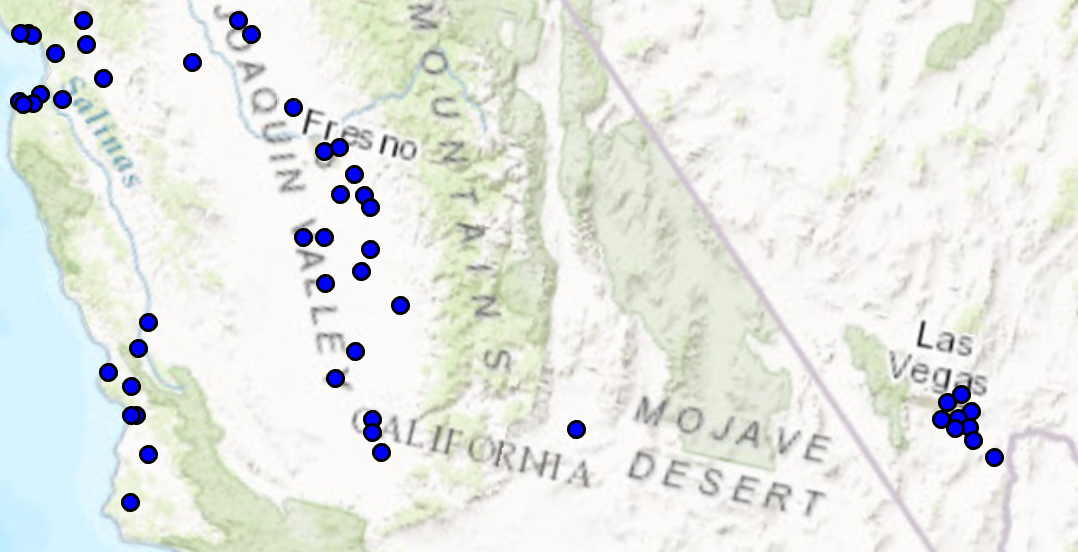
/// <summary>
/// Creates a point symbol with custom fill and outline
/// 
/// </summary>
{
//Note: Run withing QueuedTask
var circlePtCustomFileOutlineSymbol = SymbolFactory.Instance.ConstructPointSymbol(ColorFactory.Instance.BlueRGB, 6, SimpleMarkerStyle.Circle);
//Modifying this point symbol with the attributes we want.
//getting the marker that is used to render the symbol
var marker = circlePtCustomFileOutlineSymbol.SymbolLayers[0] as CIMVectorMarker;
//Getting the polygon symbol layers components in the marker
var polySymbol = marker.MarkerGraphics[0].Symbol as CIMPolygonSymbol;
//modifying the polygon's outline and width per requirements
polySymbol.SymbolLayers[0] = SymbolFactory.Instance.ConstructStroke(ColorFactory.Instance.BlackRGB, 2, SimpleLineStyle.Solid); //This is the outline
polySymbol.SymbolLayers[1] = SymbolFactory.Instance.ConstructSolidFill(ColorFactory.Instance.GreenRGB); //This is the fill
//To apply the symbol to a point feature layer
//var renderer = pointLayer.GetRenderer() as CIMSimpleRenderer;
//renderer.Symbol = circlePtCustomFileOutlineSymbol.MakeSymbolReference();
//pointLayer.SetRenderer(renderer);
}
Target Platforms: Windows 11 Home, Pro, Enterprise (64 bit)
ArcGIS Pro version: 3.0 or higher.