CIMColorModulationInfo Class
In This Topic
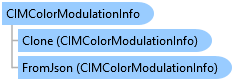
Indicates whether modulation should be used to render the point. Low modulation values will darken the point color.
Object Model
Syntax
Public Class CIMColorModulationInfo
   Inherits CIMObject
   Implements System.ComponentModel.INotifyPropertyChanged, System.Xml.Serialization.IXmlSerializable
public class CIMColorModulationInfo : CIMObject, System.ComponentModel.INotifyPropertyChanged, System.Xml.Serialization.IXmlSerializable
Example
Create and Set a Stretch Renderer
{
  // Note: call within QueuedTask.Run()
  {
    var fields = pointCloudSceneLayer.GetAvailablePointCloudRendererFields(
                            PointCloudRendererType.StretchRenderer);
    var stretchDef = new PointCloudRendererDefinition(
                              PointCloudRendererType.StretchRenderer)
    {
      //Will be either ELEVATION or INTENSITY
      Field = fields[0]
    };
    //Create the CIM Renderer
    var stretchRenderer = pointCloudSceneLayer.CreateRenderer(stretchDef)
                                        as CIMPointCloudStretchRenderer;
    //Apply a color ramp
    var style = Project.Current.GetItems<StyleProjectItem>()
                                    .First(s => s.Name == "ArcGIS Colors");
    var colorRamp = style.SearchColorRamps("").First();
    stretchRenderer.ColorRamp = colorRamp.ColorRamp;
    //Apply modulation
    stretchRenderer.ColorModulation = new CIMColorModulationInfo()
    {
      MinValue = 0,
      MaxValue = 100
    };
    //apply the renderer
    pointCloudSceneLayer.SetRenderer(stretchRenderer);
  }
}
Edit Color Modulation
{
  // Note: call within QueuedTask.Run()
  {
    var def = pointCloudSceneLayer.GetDefinition() as CIMPointCloudLayer;
    //Get the ColorModulation off the renderer
    var modulation = def.Renderer.ColorModulation;
    if (modulation == null)
      modulation = new CIMColorModulationInfo();
    //Set the minimum and maximum intensity as needed
    modulation.MinValue = 0;
    modulation.MaxValue = 100.0;
    //apply back
    def.Renderer.ColorModulation = modulation;
    //Commit changes back to the CIM
    pointCloudSceneLayer.SetDefinition(def);
  }
}
Inheritance Hierarchy
System.Object
ArcGIS.Core.CIM.CIMObject
ArcGIS.Core.CIM.CIMColorModulationInfo
Requirements
Target Platforms: Windows 11 Home, Pro, Enterprise (64 bit)
ArcGIS Pro version: 3.0 or higher.
See Also