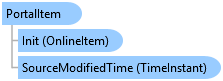
PortalItem Class
In This Topic
Represents an item (a unit of content) in the portal.
An item may have associated binary or textual data which is available via
the GetDataAsync() method.
Object Model
Syntax
Public Class PortalItem
   Inherits OnlineItem
   Implements ArcGIS.Desktop.Core.IMetadata, System.ComponentModel.INotifyPropertyChanged, System.ICloneable
public class PortalItem : OnlineItem, ArcGIS.Desktop.Core.IMetadata, System.ComponentModel.INotifyPropertyChanged, System.ICloneable
Example
Create A PortalItem
{
  // Creates an Item from an existing portal item base on its ID
  string portalItemID = "9801f878ff4a22738dff3f039c43e395";
  Item portalItem = ItemFactory.Instance.Create(portalItemID, ItemFactory.ItemType.PortalItem);
  // use portalItem;
}
Create A PortalFolder
{
  // Creates an Item from an existing portal folder base on its ID
  string portalFolderID = "39c43e39f878f4a2279838dfff3f0015";
  Item portalFolder = ItemFactory.Instance.Create(portalFolderID, ItemFactory.ItemType.PortalFolderItem);
  // use portalFolder;
}
Get Folder Item Content from Project PortalItem
{
  FolderConnectionProjectItem projectfolderConnection = Project.Current.GetItems<FolderConnectionProjectItem>().First();
  var folderConnectionContent = projectfolderConnection.GetItems();
  var folder = folderConnectionContent.FirstOrDefault(folderItem => folderItem.Name.Equals("Tourist Sites"));
  var folderContents = folder.GetItems();
  //use folderContents;
}
Get Basemaps
{
    //Basemaps stored locally in the project. This is usually an empty collection
    //Note: Needs QueuedTask to run
    string localBasemapTypeID = "cim_map_basemap";

    var mapContainer = Project.Current.GetProjectItemContainer("Map");
    mapContainer.GetItems().Where(i => i.TypeID == localBasemapTypeID).ToList();

    //portal basemaps. If there is no current active portal, the usual default
    //is arcgis online
    var portal = ArcGISPortalManager.Current.GetActivePortal();
    var portalBaseMaps = await portal.GetBasemapsAsync();

    //use one of them...local or portal...
    //var map = MapView.Active.Map;
    //QueuedTask.Run(() => map?.SetBasemapLayers(portalBaseMaps[0]));
}
Portal: Get the user content for the active user from the active portal
{
  var activePortal = ArcGISPortalManager.Current.GetActivePortal();
  var owner = activePortal.GetSignOnUsername();
  var activeUserContent = await activePortal.GetUserContentAsync(owner);
  //Get content for a specific folder (identified by its folder id)
  //var userContent = await portal.GetUserContentAsync(owner, folderId);

  //Get all the folders
  foreach (var pf in userContent.PortalFolders)
  {
    //Do something with the folders

  }
  //Get all the content items
  foreach (var pi in userContent.PortalItems)
  {
    //Do something with the portal items
  }
}
Inheritance Hierarchy
System.Object
ArcGIS.Desktop.Framework.Contracts.PropertyChangedBase
ArcGIS.Desktop.Core.Item
ArcGIS.Desktop.Core.Portal.OnlineItem
ArcGIS.Desktop.Core.Portal.PortalItem
Requirements
Target Platforms: Windows 11 Home, Pro, Enterprise (64 bit)
ArcGIS Pro version: 3.0 or higher.
See Also