/// <summary> /// Renders a feature layer using Pie chart symbols to represent data /// 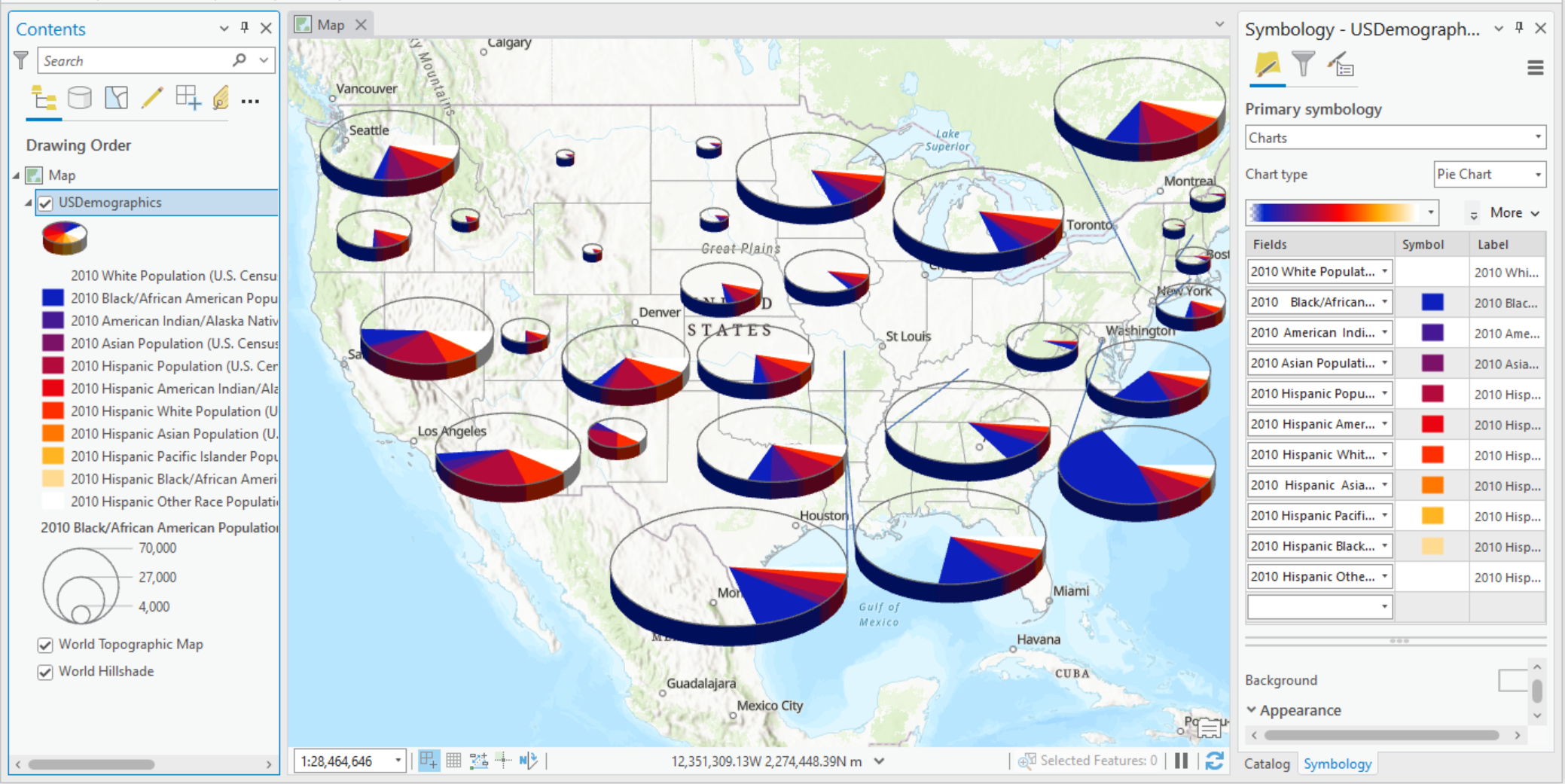 /// </summary> { //Check feature layer name //Code works with the USDemographics feature layer available with the ArcGIS Pro SDK Sample data var featureLayer = activeMap.GetLayersAsFlattenedList().OfType<FeatureLayer>().FirstOrDefault(f => f.Name == "USDemographics"); if (featureLayer == null) { MessageBox.Show("This renderer works with the USDemographics feature layer available with the ArcGIS Pro SDK Sample data", "Data missing"); } await QueuedTask.Run(() => { //Fields to use for the pie chart slices var chartFields = new List<string> { "WHITE10", "BLACK10", "AMERIND10", "ASIAN10", "HISPPOP10", "HAMERIND10", "HWHITE10", "HASIAN10", "HPACIFIC10", "HBLACK10", "HOTHRACE10" }; PieChartRendererDefinition pieChartRendererDefn = new PieChartRendererDefinition() { ChartFields = chartFields, ColorRamp = colorRamp, SizeOption = PieChartSizeOptions.Field, FieldName = "BLACK10", FixedSize = 36.89, DisplayIn3D = true, ShowOutline = true, Orientation = PieChartOrientation.CounterClockwise, }; //Creates a "Renderer" var pieChartRenderer = featureLayer.CreateRenderer(pieChartRendererDefn); //Sets the renderer to the feature layer featureLayer.SetRenderer(pieChartRenderer); }); }
Target Platforms: Windows 11 Home, Pro, Enterprise (64 bit)