ValidationResult Class
In This Topic
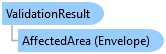
Provides information about the results of a call to Topology.Validate.
Object Model
Syntax
Public NotInheritable Class ValidationResult
public sealed class ValidationResult
Example
Validate topology
{
  static void ValidateTopology()
  {
    using (Geodatabase geodatabase = new Geodatabase(new FileGeodatabaseConnectionPath(new Uri(@"C:\TestData\GrandTeton.gdb"))))
    using (ArcGIS.Core.Data.Topology.Topology topology = geodatabase.OpenDataset<ArcGIS.Core.Data.Topology.Topology>("Backcountry_Topology"))
    {
      // If the topology currently does not have dirty areas, calling Validate() returns an empty envelope.
      ValidationResult result = topology.Validate(new ValidationDescription(topology.GetExtent()));
      Console.WriteLine($"'AffectedArea' after validating a topology that has not been edited => {result.AffectedArea.ToJson()}");

      // Now create a feature that purposely violates the "PointProperlyInsideArea" topology rule.  This action will
      // create dirty areas.
      Feature newFeature = null;

      try
      {
        // Fetch the feature in the Campsites feature class whose objectID is 2.  Then create a new geometry slightly
        // altered from this and use it to create a new feature.
        using (Feature featureViaCampsites2 = GetFeature(geodatabase, "Campsites", 2))
        {
          Geometry currentGeometry = featureViaCampsites2.GetShape();
          Geometry newGeometry = GeometryEngine.Instance.Move(currentGeometry, (currentGeometry.Extent.XMax / 8), (currentGeometry.Extent.YMax / 8));

          using (FeatureClass campsitesFeatureClass = featureViaCampsites2.GetTable())
          using (FeatureClassDefinition definition = campsitesFeatureClass.GetDefinition())
          using (RowBuffer rowBuffer = campsitesFeatureClass.CreateRowBuffer())
          {
            rowBuffer[definition.GetShapeField()] = newGeometry;

            geodatabase.ApplyEdits(() => { newFeature = campsitesFeatureClass.CreateRow(rowBuffer); });
          }
        }

        // After creating a new feature in the 'Campsites' participating feature class, the topology's state should be
        // "Unanalyzed" because it has not been validated.
        Console.WriteLine($"The topology state after an edit has been applied => {topology.GetState()}");

        // Now validate the topology.  The result envelope corresponds to the dirty areas.
        result = topology.Validate(new ValidationDescription(topology.GetExtent()));
        Console.WriteLine($"'AffectedArea' after validating a topology that has just been edited => {result.AffectedArea.ToJson()}");

        // After Validate(), the topology's state should be "AnalyzedWithErrors" because the topology currently has errors.
        Console.WriteLine($"The topology state after validate topology => {topology.GetState()}");

        // If there are no dirty areas, the result envelope should be empty.
        result = topology.Validate(new ValidationDescription(topology.GetExtent()));
        Console.WriteLine($"'AffectedArea' after validating a topology that has just been validated => {result.AffectedArea.ToJson()}");
      }
      finally
      {
        if (newFeature != null)
        {
          geodatabase.ApplyEdits(() => { newFeature.Delete(); });
          newFeature.Dispose();
        }
      }

      // Validate again after deleting the newly-created feature.
      topology.Validate(new ValidationDescription(topology.GetExtent()));
    }
  }
}
Inheritance Hierarchy
System.Object
ArcGIS.Core.Data.Topology.ValidationResult
Requirements
Target Platforms: Windows 11 Home, Pro, Enterprise (64 bit)
ArcGIS Pro version: 3.0 or higher.
See Also