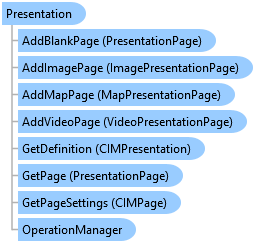
Presentation Class
In This Topic
Represents a presentation.
Object Model
Syntax
Public Class Presentation
   Inherits ArcGIS.Desktop.Framework.Contracts.ViewModelBase
   Implements System.ComponentModel.INotifyPropertyChanged
public class Presentation : ArcGIS.Desktop.Framework.Contracts.ViewModelBase, System.ComponentModel.INotifyPropertyChanged
Example
Export a presentation
{
  //Note: Call within QueuedTask.Run()
  //Create mp4 format with appropriate settings
  MP4VideoFormat mp4Format = new MP4VideoFormat();
  mp4Format.Width = 800;
  mp4Format.Height = 600;
  mp4Format.OutputFileName = @"my folder\presentation.mp4";

  //Define Export Options
  PresentationExportOptions options = new PresentationExportOptions
  {
    PageRangeOption = ExportPageOptions.ExportByPageRange,
    CustomPages = "1,2,8"
  };

  //export as mp4
  presentation.Export(mp4Format, options);
}
Image page
{
  //Note: Must be on QueuedTask
  // add a new image page in current active presentation
  var imagePage = presentation.AddImagePage("my image source", -1);

  // change the image source
  imagePage.SetImageSource("new image source");
}
Video page
{
  // add a new video page in current active presentation
  var videoPage = presentation.AddVideoPage("my video file", -1);

  // change the image source
  videoPage.SetVideoSource("new video source");

  // change the start time of video to 3s
  videoPage.SetStartTime(3.0);
  // change the end time of video to 10s
  videoPage.SetEndTime(10.0);
}
Map page
{
  //Note: Must be on QueuedTask

  // retrieve a map from the project based on the map name
  MapProjectItem mpi = Project.Current.GetItems<MapProjectItem>()
                             .FirstOrDefault(m => m.Name.Equals("Your Map Name", StringComparison.CurrentCultureIgnoreCase));
  Map map = mpi.GetMap();
  //create a map page using map's default extent
  presentation.AddMapPage(map, -1);

  //create a page using map's bookmark
  Bookmark bookmark = map.GetBookmarks().FirstOrDefault(
               b => b.Name == "Your bookmark"); // get the bookmark based on the bookmark's name
  presentation.AddMapPage(bookmark, -1);
}
Detect changes to the presentation
{
  ArcGIS.Desktop.Presentations.Events.PresentationEvent.Subscribe((args) =>
  {
    var presentation = args.Presentation; //The presentation that was changed

    //Check what triggered the event and take appropriate action
    switch (args.Hint)
    {
      case PresentationEventHint.PropertyChanged:
        //TODO handle presentation property changed
        break;
      case PresentationEventHint.PageAdded:
        //TODO handle a new page added
        break;
      case PresentationEventHint.PageRemoved:
        //TODO handle a page removed from the presentation
        break;
      case PresentationEventHint.PageSettingChanged:
        //TODO handle page settings changed
        break;
    }
  });
}
Detect changes to the presentation view
{
  //For UI context changes associated with a presentation, subscribe to the PresentationView
  //event - views activated/deactivated, views opened/closed
  ArcGIS.Desktop.Presentations.Events.PresentationViewEvent.Subscribe((args) =>
  {
    //get the affected view and presentation
    var view = args.PresentationView;
    var presentation = args.PresentationView?.Presentation;
    if (presentation == null)
    {
      //FYI presentationview and/or presentation can be null...
      //eg closed, deactivation
    }
    //Check what triggered the event and take appropriate action
    switch (args.Hint)
    {
      case PresentationViewEventHint.Activated:
        // Presentation view activated
        break;
      case PresentationViewEventHint.Opened:
        //A PresentationView has been initialized and opened
        break;
      case PresentationViewEventHint.Deactivated:
        // Presentation view deactivated
        break;
      case PresentationViewEventHint.Closing:
        //Set args.Cancel = true to prevent closing
        break;
      case PresentationViewEventHint.ExtentChanged:
        //presentation view extent has changed
        break;
      case PresentationViewEventHint.DrawingComplete:
        break;
      case PresentationViewEventHint.PauseDrawingChanged:
        break;
    }
  });
}
Inheritance Hierarchy
System.Object
ArcGIS.Desktop.Framework.Contracts.PropertyChangedBase
ArcGIS.Desktop.Framework.Contracts.ViewModelBase
ArcGIS.Desktop.Presentations.Presentation
Requirements
Target Platforms: Windows 11 Home, Pro, Enterprise (64 bit)
ArcGIS Pro version: 3.5 or higher.
See Also