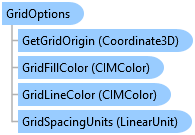
GridOptions Class
In This Topic
Reference grid options for a map.
Object Model
Syntax
Remarks
The reference grid is an overlay comprising configurable horizontal and vertical grid lines for aligning features and visualizing distances as you modify or create features. The reference grid is available on the status bar of the Pro UI at the bottom of the active map or scene. Refer to for more information.
Example
Get the Default Grid Options
{
    QueuedTask.Run(() =>
    {
        var gridOptions = GridOptionsEnvironment.Instance.DefaultGridOptions;
    });
}
Get and Set Grid Options for a Map
{
    //assume
    //var map = MapView.Active.Map;

    QueuedTask.Run(() =>
    {
        //If grid options have not been set for the map, then default grid options are added
        //for the map and returned otherwise the existing gridoptions are returned.
        //NOTE: Grid options are by value meaning a copy is returned. Any changes made to the
        //grid options need to be -set- back on the map using SetGridOptions for the changes to persist.
        var gridOptions = GridOptionsEnvironment.Instance.GetGridOptions(map);
        //change some properties
        gridOptions.RotateWithMap = !gridOptions.RotateWithMap;
        gridOptions.GridLineColor = ColorFactory.Instance.RedRGB;
        gridOptions.GridLineColor = ColorFactory.Instance.BlueRGB;
        //To apply changes, the gridoptions must be set back on the map
        GridOptionsEnvironment.Instance.SetGridOptions(map, gridOptions);
    });
}
Inheritance Hierarchy
System.Object
ArcGIS.Desktop.Mapping.GridOptions
Requirements
Target Platforms: Windows 11 Home, Pro, Enterprise (64 bit)
ArcGIS Pro version: 3.7 or higher.
See Also